Creating visually engaging text is crucial for effective graphic design, whether for logos, social media posts, or personal crafts. One of the most impactful ways to achieve this is by employing curved text. This technique adds a dynamic and unique flair to any design, transforming ordinary words into captivating visual elements. Online curved text generators have revolutionized this process, making it accessible to everyone, regardless of their design experience. This article delves into the world of these generators, exploring their functionalities, benefits, and how to leverage them for a wide array of creative projects.
The Power of Curved Text in Design
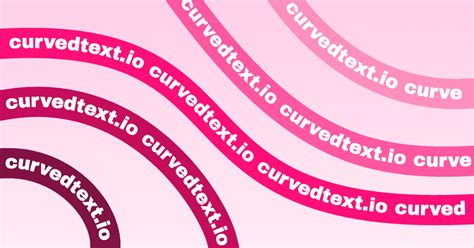
Adding text along a curve makes a strong graphic statement. This stylistic choice is frequently used by graphic designers to create logos, labels, and badges. When you choose a curve for your text, your design becomes more interesting and cool. The ability to manipulate text into non-linear forms opens up a vast landscape of creative possibilities. Curved text can evoke a sense of movement, flow, or sophistication, depending on the chosen path and styling. It’s a powerful tool for breaking away from conventional, linear typography and injecting personality into a design.
Understanding Online Curved Text Generators
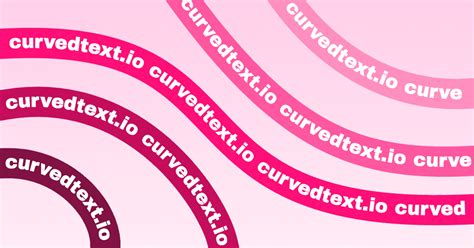
At their core, online curved text generators are tools designed to help you create text that follows the contours of a shape or curve. These generators offer a user-friendly interface, allowing individuals to transform standard text into visually appealing curved typography without needing advanced design software or specialized skills. They are essentially text curver tools that enable you to generate text that follows the form of a curve or shape. A curved text effect creates an eye-catching visual element, giving your logos, quote posters, and social media posts a unique flair.
The process typically involves a few straightforward steps. You begin by entering your desired text. Next, you select a path or shape that your text will follow. This could be a simple arc, a full circle, a wavy line, a heart, or even a custom shape. Following this, you can format the text by adjusting elements such as the spacing between letters, the starting location of the text, the font, color, and size. Finally, you save your creation.
Key Features and Functionalities
Modern curved text generators offer a sophisticated yet accessible suite of features to ensure a professional and personalized output.
Step-by-Step Creation Process
The journey to creating curved text is designed for simplicity and efficiency.
- Step 1: Enter Your Text: The initial step involves typing the characters you wish to transform. This is the raw material for your curved text design.
- Step 2: Select a Path: This is where the magic begins. You specify the shape of your text by selecting various paths or pre-defined shapes. These paths act as guides, dictating the flow and curvature of your text. Options often include arches, circles, waves, and hearts, providing a diverse range of foundational forms.
- Step 3: Format Your Text: Once the text is on a path, customization options abound. You can meticulously adjust the spacing between letters, ensuring legibility and aesthetic appeal. The starting location of the text can be fine-tuned to achieve precise alignment within the chosen path. Beyond spacing and position, users can typically modify the font, size, color, and even apply effects like shadows or outlines to further enhance the visual impact.
- Step 4: Save Your Curved Text: The final stage is to download your creation. Many generators offer versatile export options, commonly including PNG (Portable Network Graphics) for transparency and SVG (Scalable Vector Graphics) for scalability.
Advanced Customization Options
Beyond the basic steps, many generators provide advanced controls for a truly bespoke result.
- Curving and Bending Controls: Tools often feature sliders or input fields to control the degree of curvature. For instance, adjusting a "curving" value can make the text arch more or less, allowing for precise control over the bend. Negative values can be used to create text that curves downwards, essential for creating text that wraps around the bottom of a circle.
- Letter Spacing and Rotation: Fine-tuning the spacing between individual letters is crucial for a polished look, especially when wrapping text around tight curves. Some advanced tools even offer individual character rotation, allowing for perfect alignment along complex paths.
- Font Variety: Access to a wide range of fonts is essential for matching the text's style to the overall design. Generators often integrate with extensive font libraries or allow users to upload their own.
- Color and Effects: Beyond solid colors, many generators support gradients and textures, adding depth and visual interest. Effects like outlines, shadows, and glows can further enhance the text's prominence and style.
Popular Tools and Platforms
Several online platforms stand out for their robust and user-friendly curved text generation capabilities.
MockoFun: A Versatile Text Art Creator
MockoFun is frequently highlighted for its comprehensive suite of typography tools, including a powerful curved text generator. It’s an easy way to get you started with this basic curved lettering generator.
- Simplified Version: The curved text generator available on MockoFun is a simplified version of its more advanced typography generator, making it accessible for beginners.
- Multiple Output Formats: Users can download their creations in JPG, PNG, PDF, or WebP formats.
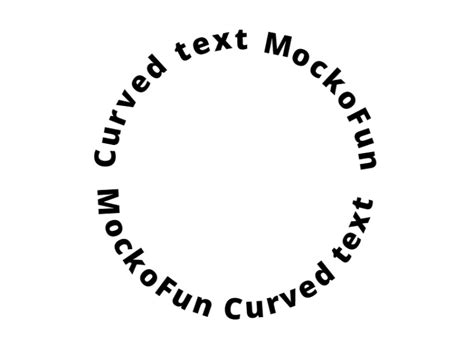
- Circle Text and Logos: MockoFun's text on circle generator is excellent for making round logos and curved images online with text on a path. It can be used as a circle text logo maker.
- AI-Powered Logo Generation: For those seeking unique branding, MockoFun offers AI-generated logos with curved text capabilities. Users can create round logos and badges using their AI logo generator, with a certain number of free generated images each month.
- Specific Effects: MockoFun excels in creating various text effects beyond simple curves, including wave text, spiral text, and heart-shaped text.
- Wave Text: This can be achieved either by selecting a "Waves" path from the curving options or by duplicating a curved text, reversing its curve with a negative value, and aligning it with the first.
- Spiral Text: Users can select "Spiral" or "Reversed Spiral" from the curving drop-down list and adjust the scale of the spiral path. This is particularly useful for creating spiral word art, which is not natively supported in applications like Microsoft Word or PowerPoint.
- Heart Text: A dedicated "Heart" path allows for quick creation of text within a heart shape.
- Text on Path (Custom Shapes): The tool supports wrapping text around custom shapes by combining multiple curved text elements.
- Presets and Templates: For quick results, MockoFun offers pre-made curved text templates. These can be found under the "Text > Curved Text" menu and include options for rounded text, spiral text, circle text, and wave text.
- Adding Curved Text to Photos: MockoFun also functions as a photo editor, allowing users to add curved text to existing images. This is useful for creating banners, flyers, or personalized graphics.
- Video Tutorial: A video tutorial is available to guide users through the process of creating curved text online with MockoFun.
MockoFun Online Text Editor
Canva: Intuitive Design for All Levels
Canva is a popular online design platform that integrates powerful curved text tools, making it accessible for both beginners and experienced designers.
- User-Friendly Interface: Canva's intuitive design tools allow users to bend, warp, and twist text with ease. Interactive control points enable precise fine-tuning of curves.
- Versatile Text Effects: Beyond simple curves, Canva allows users to create wave-like patterns, swirls, and other artistic text arrangements. This is ideal for logos, labels, wallpapers, and social media graphics.
- Customization Options: Users can experiment with different curve directions, angles, colors, and layouts to achieve their desired aesthetic.
- Integration with Design Elements: Canva's strength lies in its ability to seamlessly combine curved text with other design elements, shapes, and images, facilitating the creation of comprehensive designs.
- Mobile Accessibility: The platform is responsive and works across desktop and mobile devices, allowing users to edit designs from anywhere.
Other Notable Generators
While MockoFun and Canva are prominent, other tools offer specialized functionalities:
- TypeCraft: This tool provides powerful curved lettering tools for bending, warping, and twisting text, offering more control without requiring individual letter adjustments.
- Free Online Text Generators: Many websites offer simple, free curved text generators that focus on specific effects like circle text or arched text, often with SVG export options.
Practical Applications of Curved Text
The utility of curved text extends across numerous creative and professional domains.
Logos and Branding
Creating a logo on a circular path with MockoFun's text editor is a common application. Curved text is instrumental in crafting round logos, badges, and circular name logos. These designs often convey a sense of completeness, unity, and professionalism. Using curved text in branding can make a company's visual identity more memorable and distinctive.
Crafting and DIY Projects
The ability to download curved text in formats like SVG or PNG makes it ideal for various DIY projects.
- Stencils: Curved text can be easily cut into stencils for painting, etching, or other decorative purposes.
- Printables: Create custom printable designs for invitations, party decorations, or personal stationery. Fancy printable letters with curved effects can add a unique touch.
- Wedding Crafts: Design personalized wedding invitations, signage, or favors with elegant curved lettering.
- Woodworking Projects: Generate designs for laser cutting or CNC routing, allowing for intricate curved text applications on wooden items.
- Other DIY Arts and Crafts: The possibilities are endless, from custom t-shirts and mugs to scrapbooking and home decor.
Digital Design and Social Media
In the digital realm, curved text can significantly enhance visual communication.
- Social Media Graphics: Jazz up portraits, create profile photo overlays, or design eye-catching posts for platforms like Instagram or Facebook.
- Presentations: Craft compact, visually appealing diagrams or title slides for business presentations.
- Website Elements: Use curved text for banners, headers, or decorative elements on websites.
- Digital Art: Combine various curved text effects to create intricate calligrams or unique typography art.
Special Occasions
Curved text generators can add a personalized touch to special events:
- Mother's Day or Father's Day Cards: Utilize a "Text in Heart Shape Generator" to transform messages into heartfelt designs.
- Birthday Cards: Employ an "Upper Semi-Circle Text Generator" to curve text into a celebratory semi-circle.
Export Formats and Transparency Explained
When downloading your curved text creations, understanding the export formats is crucial.
- PNG (Portable Network Graphics): This format is essential if you require a transparent background for your image. PNG supports transparency, allowing your curved text to seamlessly blend with different backgrounds or be layered onto other visuals without a solid background box. If you want your image to have a transparent background, it is important to download it in PNG format. By selecting PNG, you can preserve the transparent areas of your image.
- SVG (Scalable Vector Graphics): SVG images are vector-based, meaning they can be scaled to any size after downloading without losing quality. This makes them ideal for printing and professional design work where scalability is paramount. SVG images can be scaled to any size after downloading.
- JPG (Joint Photographic Experts Group): While commonly used, JPEG does not support transparency. If you download your image as a JPEG, it will typically have a solid white background. However, some platforms allow you to manually set the background color to match your desired hue if you prefer a JPEG output.
Tips for Creating Effective Curved Text
To ensure your curved text designs are both aesthetically pleasing and professional, consider these helpful pointers:
- Font Choice is Key: Select a font that is easy to read and complements the overall design. Some fonts lend themselves better to curving than others. Consider the weight and style of the font in relation to the complexity of the curve.
- Consider Placement and Readability: Think about how the curved text interacts with other elements in your design. Ensure that the text remains legible, especially when wrapping around tight curves or at the bottom of a circle where it might appear upside down. Using negative curving values can help create readable text at the bottom of a circle.
- Experiment with Curve Styles and Spacing: Don't be afraid to experiment with different curve styles, angles, and spacing options. Subtle adjustments can make a significant difference in the final look.
- Balance and Harmony: When creating complex designs, such as calligrams or text around shapes, aim for balance and visual harmony. Ensure the text flows naturally and contributes to the overall composition.
- Utilize Presets for Speed: For quick results, leverage pre-made templates or presets offered by generators. These can provide a great starting point, which you can then customize further.
- Test on Different Backgrounds: If transparency is important, test your PNG output on various backgrounds to ensure it integrates smoothly.
The Future of Curved Text Generation
The field of online design tools is constantly evolving. We can anticipate further advancements in curved text generation, including:
- More Sophisticated Path Options: The addition of more complex and customizable path shapes will offer greater creative freedom.
- AI Integration: AI is likely to play an increasing role, assisting in generating unique text effects or suggesting optimal curves and layouts.
- Enhanced Interactivity: More intuitive control points and real-time visual feedback will further simplify the design process.
- Expanded Font and Style Libraries: Access to an even wider array of fonts and stylistic effects will empower designers.
By mastering the use of online curved text generators, individuals can elevate their designs, infuse them with personality, and create visually compelling content for a multitude of purposes. The ease of use and accessibility of these tools mean that stunning curved text effects are now within everyone's reach.