DaVinci Resolve has established itself as a powerhouse in the video editing landscape, offering a robust suite of tools that cater to both novice and seasoned professionals. Among its most fundamental yet powerful capabilities is the seamless merging and joining of video clips. This functionality is not merely a technicality; it's the bedrock of creating a coherent and engaging narrative flow within your video projects, regardless of their scale or purpose. Whether you're crafting a cinematic masterpiece, a personal vlog, or a high-impact professional advertisement, the ability to effectively combine clips is paramount.
The Compound Clip: Your Primary Tool for Merging
One of the most accessible and widely utilized methods for merging clips in DaVinci Resolve is by creating a "Compound Clip." This technique is particularly advantageous when you have a series of distinct video segments that you intend to consolidate into a single, manageable unit. This process simplifies timeline management and allows for easier application of effects or adjustments to the entire group of clips as one.
To initiate the creation of a compound clip, the first step involves selecting the individual clips you wish to merge. On a MacBook, this is achieved by holding down the Command key while clicking on each desired clip. For users on a Windows operating system, the process is analogous, requiring you to hold down the Control key while selecting your clips. Once all the intended clips are highlighted, you will typically be presented with an option to create a compound clip. In the ensuing dialog box, you'll be prompted to assign a descriptive name to your new compound clip, which aids in organization and recall. Finally, confirm your selection by clicking "Create."
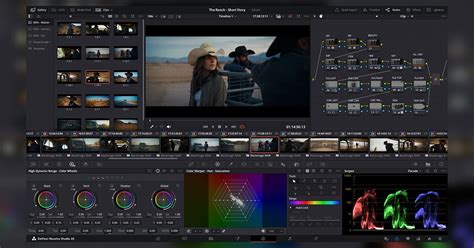
The inherent beauty of compound clips in DaVinci Resolve lies in their remarkable versatility. They act as a container, allowing you to treat a sequence of clips as a single entity. This means you can apply transitions, color grading, or visual effects to the entire compound clip, and these adjustments will propagate across all the constituent clips within it. This significantly streamlines workflows, especially when dealing with complex edits or when aiming for a consistent look and feel across multiple segments.
Pre-Merge Preparations: Optimizing Your Workflow
Before diving headfirst into creating compound clips, a few preparatory steps can significantly enhance your editing efficiency and the final outcome. Ensuring your clips are in the desired order is a fundamental prerequisite. The sequence in which you select and combine your clips will be preserved within the compound clip, so take a moment to arrange them logically on your timeline before proceeding with the merging process.
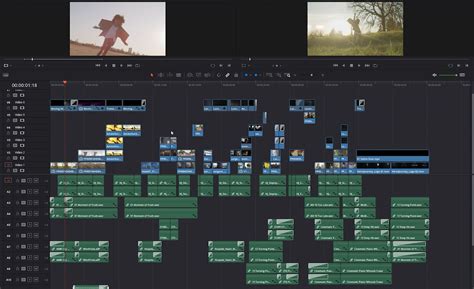
For those who value speed and a streamlined editing experience, DaVinci Resolve's Cut Page offers a compelling alternative. This dedicated workspace is designed for rapid assembly and trimming of footage, making it an excellent environment for preparing clips before they are combined. By leveraging the Cut Page, you can quickly identify and isolate the essential portions of your footage, setting the stage for a more focused merging operation.
The strategic use of markers can also prove invaluable. Before merging your clips, consider placing markers at key points within each clip. These markers can denote important actions, dialogue cues, or visual beats. When you later decompose a compound clip, these markers will remain, serving as helpful reference points for fine-tuning individual clips within the larger structure.
Advanced Techniques and Creative Considerations
Beyond the basic creation of compound clips, several advanced techniques and creative considerations can further elevate your video editing prowess. Color coding your clips before merging is a simple yet effective organizational strategy. Assigning distinct colors to different types of footage or to clips intended for specific purposes can make your timeline more visually intuitive, especially when working with a large volume of media.
When you're ready to merge, don't hesitate to experiment with different transitions between the clips that will form your compound clip. While the compound clip itself is a single entity, the transitions within it are crucial for visual storytelling. Exploring various transitions can add dynamism and polish to your final output.
EASY Masking Transition & Effects
It’s also wise to remember the inherent flexibility of compound clips: they are not permanent. DaVinci Resolve provides the functionality to decompose a compound clip back into its individual, original clips. This means you can always revert to a more granular level of editing if needed, allowing for adjustments or refinements to individual segments without having to re-import or re-edit from scratch.
For editors working with particularly high-resolution footage or an extensive number of clips, pre-rendering your timeline before merging can be a beneficial step. Pre-rendering essentially creates a temporary, rendered version of your sequence, which can alleviate processing strain when creating compound clips or applying complex effects later on. This is akin to creating a stable foundation before building upon it.
Beyond Merging: Enhancing Your DaVinci Resolve Projects
The journey of mastering DaVinci Resolve extends far beyond the fundamental techniques of merging and joining clips. Once you've honed these essential skills, you'll likely seek ways to further enhance your video projects, pushing the boundaries of creativity and professional polish. This is precisely where resources like Envato Elements can become an indispensable asset to your workflow.
Envato Elements offers a vast and diverse array of templates that are fully compatible with DaVinci Resolve. These templates can encompass everything from dynamic title sequences and lower thirds to intricate lower thirds and complete project templates. By leveraging these pre-designed assets, you can significantly accelerate your editing process and infuse your projects with a level of sophistication that might otherwise require extensive manual creation. To explore the extensive Elements offer and discover how it can profoundly benefit your DaVinci Resolve projects, a dedicated link is available for your perusal.
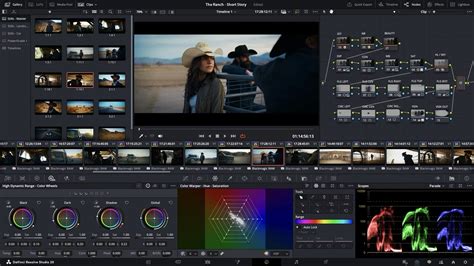
Furthermore, a deep familiarity with DaVinci Resolve's keyboard shortcuts is not merely a convenience; it's a fundamental aspect of efficient editing. Mastering these shortcuts can shave significant time off your editing sessions, allowing you to focus more on the creative aspects of your work rather than repetitive manual operations. Dedicating time to learn and internalize these shortcuts will undoubtedly pay dividends in terms of productivity.
Utilizing Compound Clips for Advanced Effects and Grading
The utility of compound clips extends into more sophisticated applications, particularly in the realm of effects and color grading. By grouping multiple clips into a compound clip, you gain the ability to apply uniform effects or a consistent color grade to all the constituent clips simultaneously. This is incredibly powerful for maintaining visual consistency across a series of shots that are meant to feel cohesive, such as scenes shot at different times but intended to appear as a single continuous sequence.
Imagine you have a series of interview clips that need to share the same color palette and lighting adjustments. Instead of individually grading each clip, you can group them into a compound clip and apply your desired color grade once. This not only saves an immense amount of time but also ensures a perfectly unified look that would be challenging to achieve with manual, clip-by-clip adjustments. This method is a cornerstone of professional color grading workflows in DaVinci Resolve.
Ensuring Project Integrity: The Importance of Regular Saving
In the fast-paced world of video editing, and especially when performing significant operations like merging clips, the practice of regular saving cannot be overstated. It is a fundamental tenet of responsible digital workflow. Before undertaking any major action, such as creating compound clips, applying complex effects, or rendering sections of your timeline, it is imperative to save your project. This simple habit acts as a crucial safety net, protecting your hard work from unexpected software crashes, power outages, or accidental deletions. DaVinci Resolve, like any sophisticated software, can sometimes encounter unforeseen issues, and a recent save file is your best defense against data loss.
The Synergy of DaVinci Resolve and External Assets
In summation, this tutorial has explored the essential techniques for merging and joining clips within DaVinci Resolve, highlighting the compound clip as a pivotal tool for enhancing workflow efficiency and ensuring narrative continuity. By embracing these methods and integrating them with the wealth of resources offered by platforms like Envato Elements, video editors can significantly elevate the quality and creative output of their projects. From the meticulous crafting of compelling short films to the polished production of engaging YouTube content, the combined power of DaVinci Resolve's advanced editing capabilities and the diverse, high-quality assets available through Elements empowers creators to produce truly impactful and professional video content. The ability to seamlessly combine clips, manage complex edits, and apply consistent grading, all while having access to a vast library of professional templates, transforms the editing process from a laborious task into an art form.