Clip Studio Paint, a powerful and versatile digital art software, offers a range of pricing options designed to accommodate various user needs, from individual hobbyists to professional studios. Understanding these costs, including subscription plans, perpetual licenses, and upgrade paths, is crucial for aspiring and established artists alike. This guide aims to demystify the pricing structure of Clip Studio Paint, ensuring users can make informed decisions about acquiring and maintaining their software.
Subscription Plans: Flexibility and Affordability
Clip Studio Paint offers flexible subscription plans, catering to users who prefer a recurring payment model. These plans provide access to the latest features and updates, ensuring users always have the most current version of the software.
Monthly and Annual Subscriptions
Both monthly and annual payment plans are available for Clip Studio Paint. The annual plan typically offers a cost saving compared to paying month-to-month, making it an attractive option for those committed to using the software long-term. To subscribe, users will need to register for a Clip Studio account.
Cloud Storage and Account Benefits
Regardless of the subscription type, anyone with a Clip Studio account can utilize 10 GB of cloud storage. This feature is invaluable for backing up artwork, sharing files, and ensuring accessibility across devices. The Clip Studio account acts as a central hub for managing licenses, assets, and user preferences.
Platform Availability and Pricing Nuances
Clip Studio Paint is available on a wide array of platforms, including Windows, macOS, iPad, iPhone, and Android devices. However, pricing can differ based on the platform and how the subscription is purchased.
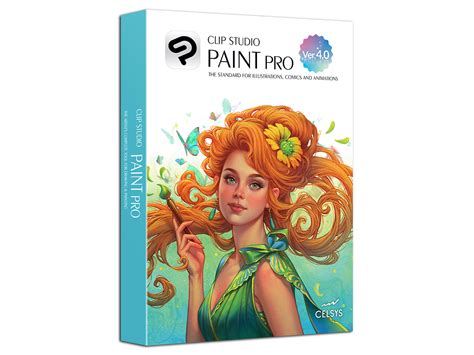
For PRO, a PC one-time purchase is available for $49.99, while a monthly subscription for PC and Tablet costs $4.49. An annual subscription for PC and Tablet is priced at $24.99. For EX, the one-time purchase for PC is $219.00, with monthly and annual subscriptions for PC and Tablet at $8.99 and $71.88, respectively.
It's important to note that the term "Tablet" in subscription plans refers to iOS, Android, Galaxy, or Chromebook devices. Windows and Mac are the only operating systems that support the one-time purchase option. This distinction means that tablet users are generally directed towards subscription models rather than a perpetual license for their specific device.
Managing Subscriptions and Plan Changes
Users who have subscribed through platforms like the App Store, Google Play, or Galaxy Store need to manage their subscriptions directly through those respective stores. For example, from the Galaxy Store, users can follow on-screen instructions to cancel their current plan.
Plan changes are handled with a pro-rated calculation. The difference in cost between the current and new plan is calculated on a per-second basis. If a plan change results in a credit (a negative amount), this credit is often granted as a free use period for the new plan. The final date of this free use period then becomes the new regular payment date. However, plan changes cannot be made during an active free use period that was granted due to a previous plan change.
If a plan change occurs within 25 days of the next scheduled payment date, users will be required to pay the difference between plans calculated on a pro-rated basis by the second, along with the initial payment of the new plan. For instance, a change from a plan costing $7.49 to one costing $4.49, made with 6 days remaining until the next payment, would involve a pro-rated calculation for those 6 days and the new plan's initial payment.
Perpetual Licenses: Ownership and Long-Term Value
For users who prefer to own their software outright, Clip Studio Paint offers perpetual licenses. These licenses provide a one-time purchase option, granting permanent access to a specific version of the software.
Perpetual License Options for PRO and EX
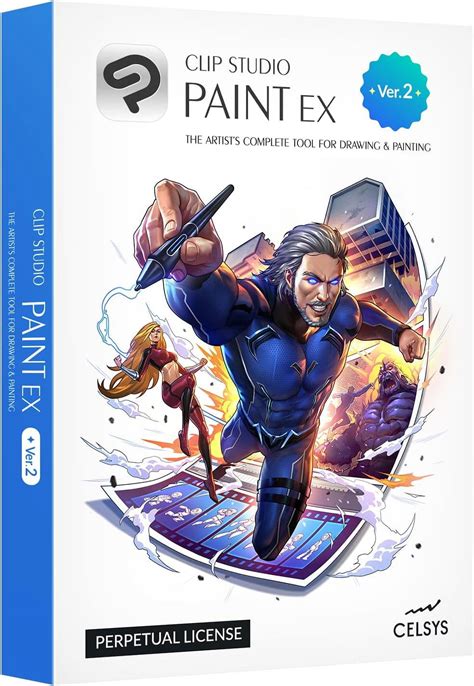
Clip Studio Paint PRO and EX versions are available as perpetual licenses, primarily for Windows and macOS. This model appeals to artists who want to avoid recurring subscription fees and have complete control over their software investment.
Activation Codes and Discounts
Users can extend the expiration date of their software by entering a valid activation code. Furthermore, individuals who possess an activation code for a Clip Studio Paint DEBUT perpetual license may be eligible to sign up for EX or PRO at a discounted price. This offers a pathway for existing users to upgrade to more advanced versions without incurring the full cost.
Upgrading Licenses: Navigating Version Changes
Clip Studio Paint frequently releases new versions, offering enhanced features and improvements. The company provides various upgrade paths for users who wish to move from older versions to the latest.
Upgrade Paths for Different Versions
The upgrade process can be complex, especially when moving across multiple major versions. For example, upgrading a Ver. 4.0 perpetual license to Ver. 5.0 involves specific steps and pricing.
- Ver. 4.0 to Ver. 5.0: For PRO users, purchasing a new PRO Ver. 5.0 license is often the most economical option. For EX users, upgrading from Ver. 4.0 to Ver. 5.0 is the direct path.
- Ver. 3.0 to Ver. 5.0: PRO users looking to upgrade to PRO Ver. 5.0 are advised to purchase a new license. EX users might need to upgrade sequentially through Ver. 3.0, then Ver. 4.0, and finally to Ver. 5.0 for the best deal.
- Ver. 2.0 to Ver. 5.0: Similar to previous versions, purchasing a new PRO Ver. 5.0 license is recommended for PRO users. EX users may need to upgrade through Ver. 2.0, Ver. 3.0, Ver. 4.0, and then to Ver. 5.0.
- Ver. 1 to Later Versions: Users with Ver. 1 licenses often find it more economical to purchase a new PRO Ver. 5.0 license. For EX upgrades from Ver. 1, a sequential upgrade through Ver. 2.0, Ver. 3.0, Ver. 4.0, and finally to Ver. 5.0 is typically the most cost-effective strategy.
It is always recommended to check the official Clip Studio Paint website for the most current and specific upgrade pricing and instructions, as these can vary.
Discounted Version Upgrades
Clip Studio Paint offers discounted version upgrades, allowing users to transition to newer versions at a reduced cost. These discounts are often available for upgrades from one version to the next, or for specific upgrade paths, such as from PRO to EX.
For instance, a discounted version upgrade from Ver. 4.0 to Ver. 5.0 is available. This applies to both PRO and EX versions, allowing users to move to the latest iteration of their chosen edition. Similarly, upgrades from Ver. 3.0 and Ver. 2.0 to newer versions are also facilitated through discounted paths.
Perpetual License Holders and Subscription Plans
An interesting offering is that Clip Studio Paint PRO/EX perpetual one-time purchase users can sign up for a monthly plan at a discounted price. This offer can typically be used only once per perpetual, one-time purchase license owned. It's important to note that the 3-month free period is not available when utilizing this special rate, even for first-time subscribers. Monthly usage plans are compatible with Clip Studio Paint Ver. 3.0 and later.
Clip Studio GOLD and Clippy: In-App Currency and Rewards
Beyond software licenses, Clip Studio Paint incorporates in-app currencies that enhance the user experience and provide additional value.
Clip Studio GOLD
GOLD is a point-based currency that can be used to purchase various materials from Clip Studio Assets, a vast library of brushes, textures, 3D models, and more. 100 GOLD is equivalent to 100 JPY (approximately 1 USD) and can be purchased using a credit card or PayPal account. GOLD can also be sent as a gift to fellow creators, fostering a community of support and collaboration.

Clippy Rewards
Clippy is another reward system designed to incentivize long-term membership. The longer a user remains a member, the more Clippy they will receive each month. There are two types of Clippy: Clippy tokens, which are stored in a Clippy wallet, and Clippy tickets, which are stored in "My Uploads" and can be exchanged for prizes. This system encourages continued engagement with the Clip Studio ecosystem.
Volume Licenses: For Businesses and Educational Institutions
Clip Studio Paint also caters to the needs of companies and educational institutions through its volume licensing program.
Features and Benefits of Volume Licenses
Volume licenses are designed for organizations requiring multiple software installations. They come with support for remote working and learning, allowing each person to use the software on up to two devices, which can include computers, tablets, or smartphones.
Management of these licenses is streamlined through a central license management platform, which significantly reduces the administrative workload for IT departments and enables smooth, large-scale implementations.
Licensing Flexibility and Management
Volume licenses can be purchased for a single year or multiple years at once, with options for no auto-renewal. Both license administrators and individual users need to log in with their Clip Studio account to access the software.
Organizations can add more licenses to their plan at any time. Licenses can be subtracted from the plan during contract renewal. If licenses need to be added before the next contract renewal, the process depends on the payment method. For bank transfers, additional licenses can be added to the existing contract, with the additional amount being calculated monthly until the next renewal and paid together with the original contract amount. For credit card payments, adding licenses may require a new, separate contract.
Each license can be used on two devices, offering flexibility in how users access the software. For example, within a ten-license contract, users can utilize any combination of devices, such as 5 iPads, 3 Windows PCs, and 2 Macs.
Educational institutions can also benefit from volume licenses, with lesson plan ideas available to assist educators in integrating Clip Studio Paint into their curriculum.
Free Trials and Introductory Offers
Clip Studio Paint provides opportunities for new users to experience the software before committing to a purchase.
Free Trial Period
New users can try Clip Studio Paint free for up to 6 months. This generous trial period allows ample time to explore the software's extensive features, including its natural pens and brushes, and rich support resources. After the trial, users can choose from the available subscription plans or opt for a perpetual license.
Wacom Pen Display Bundles
Purchasing certain Wacom pen displays, such as the Wacom One 13" pen display, often includes a complimentary 6-month subscription to Clip Studio Paint. This bundle provides an excellent entry point for artists looking to invest in new hardware and software simultaneously.
Clip Studio Paint's Value Proposition
Clip Studio Paint is lauded for its specialized features that cater to illustrators, comic artists, manga creators, and animators. Its natural drawing tools, customizable brushes, and efficient workflow features make it a preferred choice for professionals worldwide.
Features Valued by Artists
Artists frequently highlight features such as fill with closing gaps, reference layers, modifier hotkeys, the Quick Access palette, and the ability to transform multiple layers. Perspective rulers are also a significant aid for creating accurate scenes. The app's ability to handle everything from sketching to final art, with comic-first tools and a rich asset library, streamlines the production process and helps artists deliver high-quality visuals.
Industry Recognition and Endorsements
The software is trusted by professionals and endorsed by major companies. For example, Western Digital endorses Clip Studio Paint as a leading digital art suite. Companies like Kisai and AKARTS Comics rely on Clip Studio Paint for their webtoon and comic production, citing its exceptional capabilities in drawing, design, and layer management. The Pokemon Company International and Warner Bros. also utilize Clip Studio Paint, underscoring its industry-standard status.
In conclusion, Clip Studio Paint offers a multifaceted pricing structure that balances affordability with the power and flexibility that artists demand. Whether opting for a flexible subscription, a permanent license, or leveraging volume licensing for professional teams, the cost of Clip Studio Paint is an investment in a powerful creative toolset.