The world of retro gaming emulation is constantly evolving, offering enthusiasts the chance to revisit cherished classics with modern enhancements. Among the most exciting advancements is the ability to remaster textures, breathing new life into beloved PlayStation titles. DuckStation, a prominent emulator, has become a focal point for these efforts, particularly its support for texture replacement and, more recently, the potential for WebP texture formats. This article delves into the intricacies of DuckStation's texture features, the challenges and triumphs of texture remastering, and the ongoing community efforts to preserve and enhance these gaming memories.
The Art of Texture Remastering: From Pixels to Polygons
For many, the allure of retro gaming lies not just in nostalgia but in the desire to experience these games with visual fidelity that matches their enduring gameplay. Texture remastering, a process that involves replacing the original, often low-resolution game textures with higher-resolution versions, is at the forefront of this movement. This can involve manual creation, AI upscaling, or a combination of both.
AI Upscaling and the Quest for Clarity
The advent of AI upscaling technologies like Real-ESRGAN has revolutionized texture remastering. Tools such as Gigapixel and Upscayl can take original textures and, through sophisticated algorithms, generate significantly higher-resolution versions. This process, however, is not without its challenges.
One common issue encountered during AI upscaling is the appearance of "fringing" or "box lines" - unwanted artifacts that manifest as halos or jagged edges around the upscaled elements. These can detract from the overall visual quality, requiring meticulous post-processing.
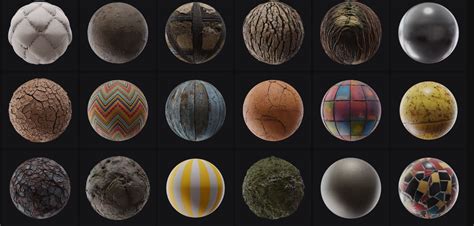
While Photoshop tutorials offer solutions for these edge issues, some creators have found simpler, albeit effective, methods. One such approach involves opening the upscaled image in a basic image editor like Windows 11 Paint. By selecting the entire image (CTRL + A) and utilizing a "remove background" option, artifacts can be cleaned up, and edges can be rounded, leading to a more polished final texture.
The Nuances of Texture Dumping and Replacement
DuckStation's texture replacement system, while powerful, presents a complex landscape for users. The process of "dumping" textures from a game - extracting them for modification - can be inconsistent. It's not uncommon for the emulator to dump duplicate assets or miss certain frames, particularly during animation sequences or FMVs (Full Motion Videos). This often necessitates playing through sections of a game multiple times, carefully observing the visuals, and re-dumping textures to ensure comprehensive coverage.
The VRAM (Video Random Access Memory) texture handling has also been a point of discussion. Inconsistencies have been noted, with some users reporting that newer versions of DuckStation have introduced changes that require re-evaluation of existing texture packs. This has led to a search for specific emulator versions that are known to work reliably with texture replacement.
The texture replacement system is not universally compatible with all games. The number of titles that seamlessly support this feature might be surprisingly small. Developers are continually working to refine this system, but it's a complex undertaking, especially when dealing with the inherent limitations of older console hardware.
Understanding DuckStation's Texture Dumping Modes
DuckStation offers a variety of texture dumping modes, each with its own parameters and ideal use cases. Understanding these modes is crucial for successful texture replacement:
- Dumping Full Texture Pages: Instead of extracting individual sub-rectangles, this mode dumps entire texture pages. This can lead to significant duplication in the dumped files but may improve replacement reliability for some games. The default page size for dumping and replacement is often 256x256 pixels.
- Direct Textures (C16 Format): This option enables the dumping of direct textures, which are typically used for post-processing effects or FMVs. Most games do not heavily rely on direct textures.
- Palette Optimization: This feature reduces the size of color lookup tables (CLUTs) to include only the indices that are actually used. This can be particularly beneficial for games using 8-bit textures, as it can minimize duplication and enhance replacement reliability. While it may slightly increase CPU usage on the GPU thread, the gain in reliability is often considered worthwhile.
- VRAM Copy to VRAM Write Conversion: This is essential for games that construct animated textures by copying and replacing small portions of existing textures. It ensures that these dynamic texture updates are correctly tracked.
- Maximum VRAM Write Split: This parameter determines how many times a VRAM write can be split before it is discarded. This is important for managing how the emulator handles fragmented texture data.
- Maximum VRAM Write Merge Size: This setting dictates the maximum size of an incoming VRAM write that will be merged with a neighboring write (to the left or above). This is particularly useful for games that upload textures line by line, which might otherwise be logged repeatedly as "tracking VRAM write of Nx1."
- Minimum Texture Dump Size: This defines the smallest texture dimensions that will be dumped.
- Minimum VRAM Write Dump Size (Background Dumping): Similar to the above, but specifically for VRAM writes when background dumping is enabled.
- Hash Cache Size: This sets the maximum size of the hash cache, which manages texture replacements. While the default is usually sufficient, some games might benefit from an increased cache size.
- VRAM Cache Limit: This specifies the maximum amount of VRAM (in megabytes) that the hash cache can utilize.
- Replacement Texture VRAM Reservation: This defines the maximum amount of VRAM (in megabytes) reserved specifically for the cache of replacement textures.
- Bilinear Filtering for Replacement Textures: Enabling this option applies a bilinear filter when scaling replacement textures, which can smooth out the appearance of upscaled assets.
- Replacement Aliases: This section allows users to define aliases for replacement textures. Each line specifies a source ID and the filename of the texture that should be loaded as its replacement.
The PSX vs. PS2 Texture Landscape
It's important to note the fundamental differences when considering texture remastering for PlayStation (PSX) and PlayStation 2 (PS2) games. The PSX, with its more limited hardware, has stricter constraints. For instance, it only supports three alpha levels: 0%, 50%, and 100%. These alpha levels are hardcoded into the textures, meaning that any pixel not matching these predefined levels can appear black when using replacement textures. This necessitates careful cleanup of upscaled textures to ensure that the alpha levels are respected, preventing issues like dirty outlines on sprites.
PS2 games, while more advanced, still have their own complexities. The development of texture packs for PS2 games often involves a deeper understanding of the emulator's specific dumping methods and configurations.
Community Efforts and Future Prospects
The dedication of the emulation community is evident in the numerous texture packs being developed and shared. Projects like the "Inspector Gadget: Mad Robots Invasion" remaster, featuring 4,500 AI-upscaled textures, showcase the potential for breathing new life into forgotten gems. Similarly, beloved franchises like Resident Evil and Dino Crisis have seen impressive texture enhancements.
Duckstation Updated Graphics Guide | Make PlayStation PS1 Games Look EXACTLY How YOU Want
The sharing of these packs, often found on platforms like Reddit, is a testament to the collaborative spirit of retro gaming enthusiasts. While some creators may consider charging for their meticulously crafted packs, the prevalence of free community-shared resources ensures that these enhancements remain accessible.
The WebP Texture Question
The potential integration of WebP texture support into DuckStation is a topic of significant interest. WebP is a modern image format developed by Google, offering superior lossless and lossy compression compared to older formats like PNG and JPEG. For texture packs, this could translate to:
- Reduced File Sizes: WebP's efficient compression would allow for larger and more comprehensive texture packs with significantly smaller download and storage footprints.
- Faster Loading Times: Smaller texture files could potentially lead to quicker loading times within the emulator.
- Preservation of Quality: WebP supports lossless compression, meaning that upscaled textures can be stored without any degradation in quality.
However, the implementation of WebP support is not a simple matter. It requires changes to the emulator's core texture loading and handling mechanisms. Developers need to ensure seamless integration, addressing potential compatibility issues and performance implications. The community eagerly awaits official support or reliable workarounds for using WebP textures in DuckStation.
Beyond DuckStation: A Broader Perspective
While DuckStation is a primary focus for PlayStation emulation, the principles of texture remastering and the challenges faced are not unique to it. Other emulators and platforms are also seeing similar efforts:
- Moguri Mod for Final Fantasy IX: For PC players of Final Fantasy IX, the Moguri Mod offers a significant visual upgrade, demonstrating the impact of high-quality texture packs on older titles. This mod is often cited as a benchmark for what can be achieved.
- Switch and PC Modding: The idea of modding games on platforms like the Nintendo Switch or PC versions of older titles is also being explored. For games like Final Fantasy IX, modding the Switch version might offer a more straightforward path to HD textures than attempting to upscale the original PSX version.
- 3D Vision and Stereoscopic Enhancements: Advanced graphical enhancements, such as stereoscopic 3D rendering using tools like 3Dmigoto and geo-11 for DuckStation's Vulkan and D3D11 renderers, further push the boundaries of retro game immersion. These fixes leverage features like PGXP (a geometry and texture accuracy enhancement) to create a stereoscopic effect, offering a unique way to experience classic games.
The development of these graphical enhancements, including fixes for stereoscopic 3D, highlights the ongoing innovation within the emulation and modding scenes. These efforts often involve intricate configurations and an understanding of specific rendering pipelines, such as DirectX 11 and Vulkan.
Navigating the Technicalities: PGXP and Beyond
The PGXP (PlayStation Graphics Pipeline eXperimental) feature in DuckStation is a key component for enhancing graphical accuracy and enabling advanced features like stereoscopic 3D.
PGXP Geometry and Texture Correction
- Geometry Correction: This setting ensures that geometry vertices possess a real depth value, which is crucial for stereoscopic rendering. By accurately representing depth, the emulator can create a more convincing 3D effect.
- Texture Correction: This feature aims to improve texture accuracy, ensuring that textures are mapped correctly onto the geometry, especially in dynamic scenes.
CPU Mode for Specific Games
For certain games, such as Metal Gear Solid, a "CPU Mode (Very Slow)" setting within PGXP is required. While this significantly impacts performance, it is necessary to resolve specific graphical glitches and ensure proper rendering.
Stereoscopic 3D Fixes and Configurations
The implementation of stereoscopic 3D often involves specific fixes and detailed configuration steps:
- Renderer Choice: Users need to select either "Hardware (D3D11)" or "Hardware (Vulkan)" as their renderer.
- Fullscreen Settings: Borderless fullscreen mode is generally recommended for optimal performance and compatibility.
- Vsync: While disabling Vsync in drivers is sometimes suggested to bypass limitations with fast-forwarding, enabling Vsync within the emulator settings is often preferred for stability.
- Hotkeys: A variety of hotkeys are available to adjust convergence, depth presets for 2D elements, maximum depth settings, and enable/disable features like black frame insertion. These allow for fine-tuning the 3D experience to individual preferences and game requirements.
The process of setting up these advanced graphical features can be intricate, often requiring users to consult detailed installation guides and understand the nuances of different renderer configurations and hotkey assignments. The community's persistence in developing and refining these tools ensures that the pursuit of visual fidelity in retro gaming continues to thrive.
The journey of texture remastering in DuckStation, from the early days of manual upscaling to the current era of AI enhancements and the anticipation of WebP support, is a testament to the passion and ingenuity of the retro gaming community. As technology advances and emulators become more sophisticated, the potential to experience classic games with unprecedented visual clarity only grows brighter.
tags: #does #duckstation #support #webp #textures