VSCO, a platform celebrated for its powerful photo editing tools and curated community, presents a unique experience for its users. While it fosters creative expression and professional growth, a common question arises among its members: "Can you see who viewed your VSCO profile?" This article delves into the intricacies of VSCO's privacy settings, community features, and the definitive answer to this persistent query.
The Core of VSCO: Community and Creation
VSCO is fundamentally a community-driven platform designed to empower photographers. It offers a comprehensive suite of editing tools, allowing users to refine their images and develop a distinct visual style. Beyond editing, VSCO encourages users to share their work, connect with fellow creators, and discover inspiration. Your profile serves as your digital canvas, a space to articulate your artistic vision and showcase your journey.
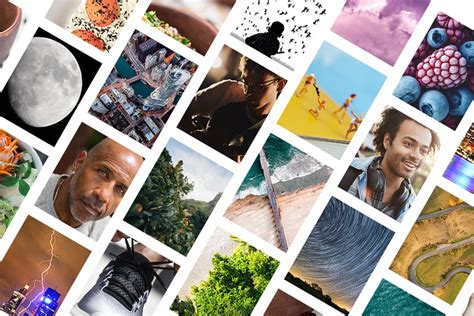
The platform emphasizes authentic connections and professional development. Through features like Albums, Blogs, and Reposts, users can organize their portfolios, share in-depth stories, and curate inspiring content. Community Spaces further facilitate collaboration, allowing users to build shared albums around specific themes, styles, or events. This interconnectedness is a cornerstone of the VSCO experience, aiming to foster a supportive environment where artists can thrive.
Navigating VSCO's Profile Features
VSCO's profile customization options allow members to craft a personal brand. Users can upload a profile picture, write a compelling bio, and add social media links to enhance their online presence. For members with a VSCO Membership, particularly Pro members, further customization is available, including the ability to add availability tags, pin featured images, and integrate direct social links. This level of personalization helps users stand out and communicate their unique identity within the community.
A significant aspect of VSCO's structure is its commitment to community safety and content protection. To ensure that work posted on VSCO is safeguarded from misuse, the platform requires users to have a VSCO account for full access to its community features. This measure aims to maintain a secure environment while still allowing creators to share their profiles more broadly.
The Direct Answer: No, You Cannot See Who Viewed Your VSCO Profile
Let's address the central question directly: No, VSCO does not provide a feature that allows you to see who has viewed your profile or your individual photos. This is a deliberate design choice by VSCO, reflecting a philosophy that prioritizes the creative process and community engagement over the granular tracking of viewer statistics.
As one user aptly puts it, "VSCO doesn’t let you see who’s viewed your profile or photos, which is kind of nice to keep things casual. I just enjoy sharing my moments without worrying about who’s checking them out. It’s all about the vibe! Just post your stuff and let it live its own life!" This sentiment highlights an appreciation for a platform that allows for sharing without the pressure of constant audience surveillance.
Another perspective emphasizes the freedom this lack of tracking provides: "I love that VSCO maintains a level of privacy when it comes to viewer stats. It's refreshing to share my photography and moments without the pressure of knowing who's stalking my profile. I feel more freedom to be creative. It’s not just about likes and views; it’s about the aesthetic." This viewpoint underscores how VSCO's approach encourages authenticity and artistic expression over popularity metrics.
Understanding VSCO's Privacy Settings and Controls
While you cannot see specific profile visitors, VSCO does offer certain controls to manage who can access your content. The platform's profiles are public by default. However, for creators who wish to limit access to those without VSCO accounts, there is a specific setting.
This "Viewer Access" feature, available to Plus and Pro members on iOS, allows users to control whether individuals without a VSCO account can view their profile. To access this:
- Mobile App: Navigate to the Profile section, tap "Edit," and scroll down to the "Viewer Access" section. You can toggle this setting on or off.
- Desktop (vsco.co): Go to vsco.co, select the Profile section, then "Edit Profile," and "Profile icon." Scroll down to "Viewer Access" and adjust the toggle.
By default, this toggle is set to "off," meaning only VSCO account holders can view your profile if you have not enabled it.
Indirect Indicators of Profile Engagement
Although direct visitor tracking is unavailable, there are indirect ways to gauge interest in your VSCO content:
- Notifications: When someone likes or comments on your photos, you will receive a notification. These notifications include the username of the engaging individual, providing a direct indication of who is interacting with your work. You can find these in the "Activities" section, accessible via the menu icon in your profile.
- Follower List: Your followers are your most engaged audience. Regularly checking your follower list can give you an idea of the individuals who are consistently interested in your content. This list is accessible through the menu icon on your profile, under "People."
How to Get Started With Using VSCO
Enhancing Your VSCO Presence and Views
For those looking to increase their visibility and engagement on VSCO, several proven strategies can be employed:
- Consistent Posting: Regularly sharing high-quality content keeps your profile active and signals to the VSCO algorithm that you are an engaged user.
- Content Quality: VSCO users often gravitate towards visually appealing and artistically edited content. Experiment with different editing styles, filters, and creative techniques. Abstract and experimental art, stunning nature photography, thought-provoking quotes, and well-executed modeling photos tend to perform well.
- Profile Optimization: A clear profile picture and a well-written bio are crucial. They help new visitors understand who you are and what your artistic focus is.
- Community Engagement: Actively engage with other creators by liking and commenting on their posts. Participating in VSCO trends and challenges can also boost your profile's discoverability.
- Cross-Promotion: Share your VSCO profile link on other social media platforms like Instagram, Twitter, or Facebook. This drives external traffic to your VSCO page. You can also share your new VSCO posts on these platforms with a call to action.
VSCO Membership and Account Insights
VSCO offers a Membership program that unlocks a range of advanced features, including "Account Insights." This feature, available for Plus and Pro members, provides data-driven analytics to help creators understand their audience and content performance.
Account Insights allow members to:
- Track Profile and Post Views: Visualize trends in how people discover your profile and view your content.
- Monitor Engagement: See how the VSCO community interacts with your work, including engagement trends over time.
- Identify Standout Content: The "Photo Spotlight" feature highlights your most impactful images.
These insights are presented graphically, offering a clear overview of your profile's performance. Accessing Insights on iOS involves navigating to your profile, tapping the menu icon, and selecting "View Insight." On the web, you can find a graphic icon on your profile page to access these analytics. It is important to note that VSCO Profile Insights are exclusively a Pro membership feature.
Privacy Beyond Viewer Tracking
VSCO's commitment to user privacy extends beyond the absence of visitor tracking. In the past, concerns were raised about the platform's public-by-default profiles, particularly regarding location sharing and potential exposure for younger users. To address these, VSCO offers several privacy controls:
- Location Hiding: You can disable location sharing in your privacy settings to prevent locations from appearing below your photos.
- Blocking Users: If you encounter an unwanted user, you can block them to prevent them from following, messaging, or reporting your posts.
- Private Spaces: For more controlled sharing, you can create private Spaces where you can invite specific individuals to view your content.
- Account Deletion: If you wish to remove your presence from the platform entirely, you can request account deletion through VSCO support.
VSCO vs. Instagram: A Comparative Glance
While both VSCO and Instagram are visual platforms, their core functionalities and philosophies differ. Instagram is primarily a social media platform with robust editing capabilities, offering extensive privacy options like private accounts. VSCO, on the other hand, is fundamentally a photo editing tool with a built-in social network, prioritizing the creative process and offering a more curated, less statistics-driven experience.
VSCO's default public profiles, while a point of criticism for some, contribute to its unique community dynamic. The absence of public like counts and the focus on aesthetic appeal over follower numbers create an environment that many users find less stressful and more conducive to genuine artistic expression. VSCO's "lurker-friendly" nature allows individuals to consume and appreciate content without the pressure of constant interaction.
Conclusion: Embracing the VSCO Ethos
In conclusion, the definitive answer to whether you can see who views your VSCO profile is no. VSCO prioritizes a creative and less scrutinized environment, focusing on the art itself rather than the metrics of who is viewing it. While direct visitor tracking is not a feature, users can leverage notifications, their follower list, and the robust insights provided by a VSCO Membership to understand engagement. By employing effective content strategies and utilizing the available privacy controls, creators can confidently share their vision and connect with the VSCO community on their own terms. The platform's design encourages a focus on artistic merit and authentic connection, allowing users to "just post your stuff and let it live its own life."