Filmora, developed by the globally recognized software company Wondershare, stands as a powerful and versatile video editing suite. It is meticulously crafted to serve a diverse user base, encompassing individuals, creative professionals, and businesses of all sizes, particularly those operating in the small to medium-sized enterprise sector. Filmora's primary appeal lies in its adept fusion of an intuitive, user-friendly interface with a comprehensive array of potent editing capabilities, making it a compelling choice for anyone seeking to create polished video content without an overly steep learning curve. The software is broadly categorized into two main versions: Filmora, which provides a robust set of features for fundamental video editing tasks, and Filmora Pro, unlocking advanced functionalities such as sophisticated color grading, precise motion tracking, and more intricate visual effects.
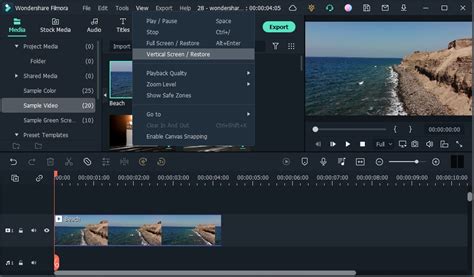
Filmora offers a flexible and adaptive pricing model designed to meet the varied requirements of its extensive user community. The software is predominantly accessible through a subscription-based structure, presenting users with a choice between monthly, annual, or perpetual license options. This approach allows individuals and businesses to select a plan that best aligns with their budget and usage frequency. Understanding the total cost of ownership for Filmora necessitates a holistic view, extending beyond the immediate subscription fees to include potential additional expenditures related to hardware prerequisites, necessary training, and ongoing technical support. For those wishing to explore the software's extensive features before committing to a purchase, Filmora generously provides a free trial version. This trial offers full access to the software's capabilities, with the sole limitation being the inclusion of watermarks on exported files, a common practice to showcase the software's potential while encouraging a paid subscription for watermark-free output.
Navigating Filmora's Licensing Options: Perpetual vs. Subscription
Filmora presents users with distinct licensing models, primarily the Perpetual Plan and subscription-based plans (Monthly/Annual). Each option comes with its own set of advantages and implications regarding access duration and future updates.
The Perpetual Plan: Lifetime Access to a Specific Version
The Perpetual Plan offers a compelling proposition: lifetime access to the specific version of Filmora for which the license was purchased. This means that once you acquire a perpetual license, you are entitled to use that particular iteration of the software indefinitely, including any updates released for that version. However, it is crucial to understand that this plan does not extend to future major releases of Filmora. For instance, if you purchase a perpetual license for Filmora 12, you will receive all updates and enhancements for Filmora 12, but you will not automatically gain access to Filmora 13 or subsequent versions without an additional purchase. This model is akin to a one-time payment for a specific software iteration, providing a sense of ownership and long-term usability for that particular release.
The Perpetual Plan is often favored by users who prefer a single, upfront payment and are content with a stable, well-established version of the software, without the need for continuous upgrades to the newest features. It’s a straightforward approach to software acquisition, eliminating the concern of recurring monthly or annual charges. However, it's important to note that the license obtained through the Perpetual Plan is typically device-specific. This means that a Windows license, for example, will only function on Windows-based computers. If you are a user who switches between operating systems or upgrades your hardware frequently, this specificity might require careful consideration.
Subscription Plans: Monthly and Annual Flexibility
In contrast to the Perpetual Plan, Filmora's subscription-based models, encompassing Monthly and Annual plans, operate on a recurring fee structure. When you opt for a subscription, you pay a monthly or yearly fee to utilize Filmora. This ongoing payment grants you continuous access to the software for the duration of your subscription period. A significant advantage of subscription plans is that they typically include access to the latest version of Filmora, along with all its new features, updates, and enhancements as they are released. This ensures that subscribers are always working with the most current iteration of the software, benefiting from the latest advancements in video editing technology.
These subscription plans are designed for users who value flexibility and wish to stay at the forefront of software development. They are particularly beneficial for individuals or businesses whose needs might evolve, or who want to leverage the newest tools and capabilities as they become available. The subscription model allows for a more predictable operational expense, especially for businesses that can factor these recurring costs into their budgets. The Basic and Advanced plans, often part of the subscription offerings, are generally single-user licenses, meaning they are intended for use by one individual only. These licenses are not transferable or shareable among multiple people, reinforcing the concept of individual or dedicated professional use.
Understanding Filmora's Cross-Platform Compatibility and Licensing
A critical aspect of Filmora's licensing structure revolves around its cross-platform compatibility, or rather, its limitations in this regard. It is essential for users to be aware that Filmora's licenses are not universally applicable across different operating systems.
Platform-Specific Licenses: Windows vs. Mac
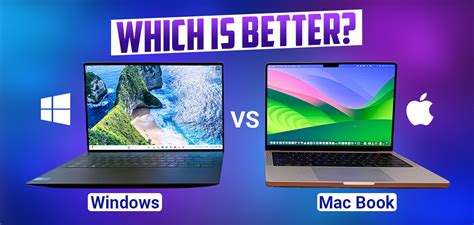
Filmora employs a strict platform-specific licensing policy. This means that a license purchased for the Windows version of Filmora is exclusively valid for use on Windows PCs. Similarly, a license acquired for the Mac version will only function on Apple devices. There is no inherent cross-platform compatibility built into a single license. Therefore, if you acquire a Windows license, it will only work on Windows devices. If you run Filmora for the first time, you will be prompted to activate it, and this activation process is tied to the operating system for which the license was issued.
This platform specificity has significant implications for users who operate in multi-platform environments or anticipate switching operating systems. If you move from a Mac to a Windows PC, or vice versa, you will not be able to transfer and activate your existing license on the new computer. This necessitates purchasing a separate license for the operating system you intend to use. For users who require simultaneous access to Filmora on both Windows and Mac machines, or for teams with mixed operating systems, this can present a logistical and financial consideration. In such scenarios, it is advisable to carefully assess your hardware and software ecosystem before purchasing a license.
Accommodating Multiple Users and Business Needs
For individuals or organizations requiring multiple users to access Filmora simultaneously, or for businesses with a team of editors, Filmora offers solutions beyond the standard single-user licenses. The Basic and Advanced plans, as mentioned, are single-user licenses, intended for use by one individual only and are not transferable or shareable. If you need multiple users to access Filmora simultaneously, consider purchasing additional licenses or opting for Filmora's Business Plan. The Business Plan is specifically designed to accommodate a greater number of users and often comes with features tailored for team collaboration and management, making it a more scalable solution for professional environments.
Exploring Filmora's AI Features and Pricing Tiers
Filmora has been increasingly integrating Artificial Intelligence (AI) capabilities into its editing suite, offering features that streamline complex tasks and enhance creative possibilities. These AI features often come with specific usage rights and pricing considerations, particularly concerning their operational modes.
AI Features: Normal Mode vs. High-Speed Mode
Filmora's AI functionalities operate in two distinct modes: Normal Mode and High-Speed Mode. In Normal Mode, your AI tasks are processed through a standard channel, which is the default and most accessible way to utilize these features. When you opt for Normal Mode, you can access all the AI features Filmora offers, albeit with processing times that align with standard computational speeds.
However, for users who require expedited processing of their AI tasks, Filmora offers a High-Speed Mode. To utilize this mode, you receive a certain amount of high-speed mode credits each month as part of your plan. When you choose High-Speed Mode, your AI tasks are processed with a faster speed and are given priority. This means that your AI-driven edits, effects, or analyses will be completed more rapidly, which can be a significant time-saver for projects with tight deadlines or for users who frequently engage with AI-intensive editing workflows. The tasks processed through the high-speed channel are, by definition, faster than those processed in Normal AI features. The availability and allocation of these high-speed credits are typically tied to specific subscription plans or can be purchased as add-ons.
AI Portrait Add-On and Filmstock Standard Assets
Filmora's integration extends to specialized add-ons and asset libraries, such as the AI Portrait Add-on and Filmstock Standard Assets. The AI Portrait Add-on, found under the Effects tab within Filmora, offers a selection of effect templates designed to enhance or modify portrait footage. Users can drag these templates to the timeline to preview the results of AI-powered portrait enhancements.
Regarding Filmstock Standard Assets, these are curated collections of media assets like video clips, music, and images that can be integrated into your projects. Filmora's annual and perpetual plans often include a period of usage for both Filmstock Standard Assets and the AI Portrait Add-on. Specifically, these plans typically include one month of usage for both when they are checked as part of the plan during purchase. After this initial period expires, users have the option to renew their access to these assets and add-ons for an additional fee. This allows users to experience the value of these premium resources and decide if they wish to continue their subscription beyond the included trial period. It is recommended to update to the latest Filmora version to ensure full compatibility and access to all available standard assets and AI features.
Ai Portrait effect in FILMORA 11 | everything you need to know
Free vs. Paid Filmora: Unlocking Full Potential
Filmora offers a tiered approach to its functionality, allowing users to experience its core capabilities for free while reserving advanced features and watermark-free exports for paid users. This model serves as an effective demonstration of the software's power and a clear incentive for upgrading.
The Free Version: Basic Editing and Export Limitations
You can access all of Filmora's basic editing features for free. This includes fundamental tools for cutting, trimming, splitting, and arranging video clips, applying basic transitions, adding text and titles, and incorporating background music. The free version also allows you to easily export your videos, enabling you to create and share your projects. However, the significant limitation of the free version is that watermarks will be added to the exported files. These watermarks are a visual indicator that the video was produced using the free version of the software and serve as a constant reminder of the paid version's benefits.
The trial version is functionally the same as the paid version in terms of editing capabilities, except for the aforementioned watermark in the new output files. This means that users can fully familiarize themselves with the editing workflow, experiment with various tools, and even preview their projects before exporting, all without any cost. This hands-on experience is invaluable for potential customers to gauge if Filmora meets their editing needs and workflow preferences.
Paid Versions: Unlocking Advanced Features and Watermark-Free Exports
When you choose to pay for Filmora, whether through a monthly, annual, or perpetual license, you unlock the full potential of the software. The primary and most immediate benefit of upgrading to a paid version is the removal of watermarks from your exported videos. This is crucial for anyone who intends to use their edited videos for professional purposes, commercial projects, or simply wishes to present a clean, polished final product.
Beyond watermark-free exports, paid versions of Filmora often grant access to a wider array of advanced features and premium assets. This can include a more extensive library of effects, transitions, titles, and music tracks, as well as access to specialized tools like advanced color correction, motion tracking, green screen effects, and the AI-powered features discussed previously. The specific features unlocked will depend on the particular plan or version of Filmora you subscribe to or purchase. For instance, the distinction between Filmora and Filmora Pro highlights this tiering, with the Pro version offering a more comprehensive suite of professional-grade editing tools. By paying for Filmora, users are investing in a professional-grade editing experience, enabling them to produce high-quality videos without the visual interruptions of watermarks and with access to a richer toolkit.
Filmora's commitment to continuous improvement means that paid users benefit from ongoing tweaks and updates designed to repair the product and introduce new functionalities. This iterative development process ensures that the software remains competitive and effective in meeting the evolving demands of video content creation.
Deployment Options: Desktop and Cloud Solutions
Filmora offers flexibility not only in its pricing but also in how users can access and utilize the software, catering to different working styles and accessibility needs. The software is available through both traditional desktop installations and modern cloud-based solutions.
Desktop Application: Local Installation and Control
The Filmora desktop application can be installed locally on your computer. This is the traditional method of software deployment, where the program resides and operates directly on your machine's hardware. Installing Filmora locally gives users direct control over the software and their project files. Edits are processed and rendered using your computer's processing power, RAM, and storage.
This method is often preferred by users who have robust computer systems, work with large media files, or prefer to maintain their projects entirely offline for security or privacy reasons. The desktop application provides a stable and reliable editing environment, as its performance is primarily dependent on the specifications of your local hardware. When you run Filmora for the first time after installation, you will be prompted to activate it, linking your license to that specific installation on your device.
Cloud-Based Solution: Accessibility and Collaboration
In addition to the desktop application, Filmora also offers a cloud-based solution. This allows users to access and edit their videos from anywhere with an internet connection. Cloud-based editing eliminates the dependency on a specific physical machine, offering a level of flexibility and accessibility that is increasingly valued in modern workflows.
This approach can be particularly beneficial for remote teams, freelancers who move between different workstations, or individuals who wish to work on their projects from various devices, such as laptops, tablets, or even different computers. While the exact functionalities of the cloud-based solution may vary, it generally aims to provide a seamless editing experience that can be accessed across different platforms, provided there is a stable internet connection. This deployment option aligns with the trend towards Software as a Service (SaaS) models, offering convenience and scalability.
Filmora's support for different platforms and deployment options underscores its commitment to providing a versatile and accessible video editing experience for a wide spectrum of users. Whether you prefer the tangible control of a local desktop installation or the ubiquitous accessibility of a cloud-based solution, Filmora aims to accommodate your workflow.