The allure of instantly visualizing physical transformations has captivated users across social media and creative platforms. Among the most popular and engaging AI-driven effects is the "fat filter," which allows for the effortless simulation of weight gain in photographs and videos. This technology, accessible through various online tools and applications, offers a unique blend of entertainment, personal insight, and even professional utility. Users are drawn to its ability to create humorous content, track fitness aspirations, and explore hypothetical scenarios of physical change.
Understanding the Appeal of the Fat Filter
The widespread adoption of fat filters stems from their inherent ability to provide immediate and often amusing visual feedback. The core appeal lies in the simplicity of transforming one's appearance with a few taps or clicks.
Entertainment and Fun
Social media challenges, reaction videos, and lighthearted content creation are primary drivers for the fat filter's popularity. Users enjoy observing their faces become rounder and fuller, a trend that lends itself perfectly to shareable and engaging digital experiences. This playful aspect allows for a release from the pressures of idealized online personas, embracing humor and self-deprecation. The ability to create exaggerated or humorous images for social media or personal enjoyment makes it a go-to tool for injecting levity into digital interactions.
Fitness Progress Tracking and Health Awareness
Beyond mere amusement, fat filters serve a practical purpose in personal development. Fitness enthusiasts can utilize these tools to visualize potential body changes over time, offering a motivational aid in their fitness journeys. By seeing a projected outcome of weight gain, individuals can gain a clearer understanding of the impact of weight fluctuations on their physique. This can foster greater health awareness, encouraging better health management by providing a visual context for the consequences of various lifestyle choices.
Fashion and Styling Previews
For those interested in fashion, fat filters offer a novel way to preview how different outfits might look on various body types. Before committing to a purchase, individuals can use these filters to get a sense of how a garment might drape or fit on a fuller figure, aiding in more informed purchasing decisions.
Professional Applications
The utility of fat filters extends into professional domains. In medical, fitness, or wellness consultations, these tools can serve as valuable visual aids. They can help clients better understand the implications of weight changes and provide a tangible reference point during discussions about health goals and body composition.
How to Harness the Power of Fat Filters
The process of applying a fat filter is designed to be intuitive and accessible, even for users with no prior photo editing experience. While specific interfaces may vary between platforms, the general workflow remains consistent.
The General Workflow
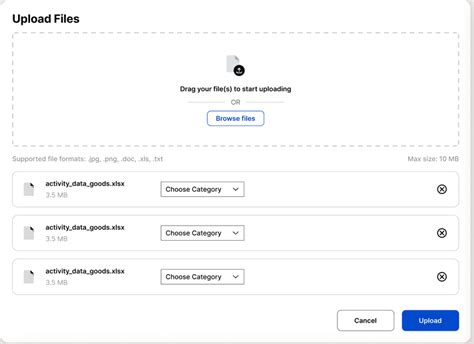
- Image Upload: The initial step typically involves uploading the desired image. This is often achieved through a simple drag-and-drop interface or by selecting a file from your device.
- File Processing: Once uploaded, the image undergoes processing. Users are usually kept informed of the progress and automatically directed to the next stage upon completion.
- Filter Selection and Adjustment: Users then select the specific "fat filter" style they wish to apply. Many tools offer adjustable parameters, allowing for customization of the intensity or "creativity level" of the effect.
- Generation and Refinement: Finally, the user initiates the image generation process. After a brief processing period, the edited image is ready for review. Most platforms allow for further refinement, enabling users to tweak the results until they are satisfied.
Achieving Realistic and Impressive Results
To maximize the effectiveness and realism of fat filter transformations, a combination of technical execution and thoughtful adjustments is essential.
The Importance of High-Quality Input
The foundation of any successful AI-driven edit lies in the quality of the source material. Starting with clear, high-resolution photographs is paramount. Blurry, pixelated, or low-quality images can hinder the AI's ability to accurately detect and apply changes, leading to less realistic or distorted transformations.
Optimizing Lighting and Composition
Proper lighting plays a crucial role in ensuring the filter's effects are rendered realistically. Images with consistent, even lighting, free from harsh shadows, allow the AI to better discern facial and body features. Natural light is often recommended for its ability to capture true-to-life details. Furthermore, a balanced composition, with the subject centered and the background uncluttered, helps the AI focus its processing power on the intended transformation without distraction.
The Art of Moderate Adjustments
While the allure of extreme transformations can be tempting, achieving the most visually appealing and believable results often comes from making moderate adjustments. Subtle changes tend to look more natural and can be more impactful than drastic alterations. It's about enhancing or simulating a change rather than creating an entirely new, unbelievable persona.
Review and Refinement
After the initial generation, a critical review of the edited image is vital. This stage allows users to identify any areas that may require further tweaking. Many tools offer iterative refinement options, enabling users to fine-tune specific aspects of the transformation, such as the roundness of cheeks or the fullness of the face, until the desired outcome is achieved.
Exploring Different Platforms and Tools
The accessibility of fat filters has been significantly enhanced by the proliferation of various digital tools, each offering unique features and user experiences.
Social Media Integrated Filters
Platforms like TikTok have made AI filters, including fat filters, readily available through their in-app camera features. Users can simply search for "Fat Filter" or "Fat Face Effect" within the app's effect library, tap to open it, and then use the "Try this effect" option to activate it on their camera. This seamless integration allows for spontaneous content creation and participation in viral trends.
How to get the Fat Face Filter Effect on TikTok
Dedicated AI Image Generators
For more advanced or specific transformations, dedicated AI image generation platforms have emerged.
- OpenArt AI: This platform offers a free online AI Fat Generator that allows users to upload their photos and apply various fun, engaging effects. The process involves uploading an image, selecting a style, and then generating the result, with options to review and adjust as needed.
- Media.io Fat AI Maker: This online tool provides a fun, chubby face filter that can instantly transform photos. It boasts realistic and entertaining edits, including the ability to create smooth 360° body transformation videos that morph from slim to chubby. Users access the "AI Effect" section within the "AI Media" interface, upload a clear, front-facing photo, and then export the result.
- Pixelbin's AI Fat Filter: Pixelbin offers a free tool that adds realistic fullness to facial and body features while maintaining natural characteristics. It can be applied to photos of friends, family, or even pets, adapting to various body types and genders. While free users receive a limited number of credits, additional credits can be purchased for more extensive editing.
Mobile Applications
Mobile applications provide the convenience of editing on the go.
- YouCam AI Pro: This app features an AI fat filter that allows users to refine effects using custom text prompts. After downloading and installing the app, users navigate to the AI Editing section, tap "Generate" to apply the filter, and then review and adjust their edited photo.
- PhotoDirector: Often cited as a leading app for AI-powered photo editing, PhotoDirector offers robust tools for simulating weight gain. Its "AI Replace" feature is useful for full-body edits, while the "Vivid Glam" or "Face Reshape" tool specifically targets facial fat effects. The app is available on iOS devices, allowing for seamless fat filter application on iPhones. The Face Reshape tool is particularly effective for adjusting cheeks, jawline, and overall facial width.
Online Photo Editing Suites
Comprehensive online editing platforms also incorporate these transformative AI capabilities.
- Fotor: Fotor offers a "Fat AI Maker" and a "Skinny AI Filter." While the focus here is the fat effect, Fotor's platform is versatile. The "Fat AI Maker" allows users to upload a full-body photo and transform the person into a rounder version, with adjustable sliders to control the degree of "fattening." This includes options for slightly chubby, plump, or exaggerated super-fat effects. Fotor also provides a pregnant filter for adding a baby bump. Beyond these, Fotor's suite includes tools for adding text, stickers, emojis, and frames to further enhance edited images. They also offer a mobile app for on-the-go editing.
Advanced Features and Creative Possibilities
The capabilities of AI fat generators extend beyond simple image manipulation, offering sophisticated features for more dynamic and personalized results.
Video Transformations and Morphing Effects
Some advanced AI tools can create dynamic video content. Services that offer "smooth 360° body transformation videos" allow users to see a gradual morphing effect from a slim to a chubbier physique. This is achieved through AI-driven morphing techniques that gradually increase body proportions in a natural-looking manner.
AI-Driven Body Fat Simulators
AI-powered body fat simulators take user input, such as desired weight, to generate predictive visuals of how weight gain would manifest. By adjusting parameters, users can observe the simulated changes over time.
Text-to-Image Generation for Fat Visualizations
Certain AI fat body generators can create images based solely on text descriptions. This allows users to visualize specific body transformations without needing an actual photograph. Users can input details regarding body shape, weight range, and clothing preferences to receive customized AI-generated images, offering a high degree of creative control.
Group Photo Transformations
The ability to apply transformations to multiple subjects simultaneously is another advanced feature. AI fat picture makers can fatten up everyone in a group photo with a single click, creating humorous and fun pictures for couples, families, or friends.
Transforming Celebrities and Characters
The creative applications are further expanded by the ability to apply fat filters to images of celebrities, historical figures, fictional characters, or even animals. This opens up possibilities for fan edits, humorous commentary, or simply exploring imaginative visual scenarios.
AI Image Generation for Fat Characters
Beyond editing existing photos, some AI fat picture makers can generate entirely new fat character images based on text prompts. Users can describe their desired character and select different image styles, allowing for the creation of unique, chubby visuals.
Practical Considerations and Best Practices
While the technology is impressive, certain considerations can enhance the user experience and the quality of the output.
Understanding "Natural-Looking" Modifications
Advanced fat AI generators strive for smooth and natural-looking modifications, making transformations highly realistic. This involves AI algorithms that understand human anatomy and proportion to ensure the simulated weight gain appears organic.
Customization and Control
Users often have the ability to control the degree of transformation. This means whether a user desires a slightly chubby look or an exaggerated, humorous effect, the tools can cater to these specific needs. Customization extends to transformation video lengths, ensuring they match user requirements.
Ease of Use and Accessibility
Many AI fat generators are designed with simple, intuitive interfaces, making the creation of transformations effortless. This user-friendliness ensures that individuals without extensive photo editing skills can still achieve impressive results. Furthermore, accessibility across multiple devices, including desktops, tablets, and smartphones, allows for flexibility in content creation.
Avoiding Common Pitfalls
- Distortion and Low-Quality Output: Reputable slimming or fattening filters, like Fotor's, are designed to avoid distorting the background or degrading photo quality. Careful use of manual adjustment tools, with smaller brushes and lighter intensity, can help maintain background integrity.
- Unrealistic Edits: While AI aims for realism, extreme settings can still produce unnatural results. Moderate adjustments and careful refinement are key to achieving believable outcomes.
Use Cases Beyond Personal Entertainment
The applications of AI fat filters and related body transformation tools extend into various professional and commercial spheres.
E-commerce and Marketing
In e-commerce, particularly for clothing, incorrect angles or lighting can misrepresent how a product looks. AI tools can help restore a more balanced visual representation of products or mockups, potentially boosting sales by showcasing items in a more appealing light.
Social Media Engagement
For social media content creators, these filters offer a way to create eye-catching and shareable posts. By presenting familiar subjects in new, often humorous ways, they can rack up more likes and engagement.
Photo Retouching Services
For professional photo retouchers, AI filters can serve as a time-saving alternative to manual editing in software like Photoshop. The speed, natural-looking results, and customizable options make AI a valuable asset for meeting editing demands efficiently.
Health and Wellness Visualizations
As mentioned earlier, these tools can be invaluable in health and wellness contexts.
- Bodybuilders and Athletes: Individuals focused on gaining mass can visualize what an additional 20-30 pounds might look like on their frame.
- Pregnancy Visualizations: Expectant individuals can gain an idea of how weight gain during pregnancy might appear on their bodies.
- Recovery and Health Journeys: Those recovering from illness or eating disorders can use AI to visualize what a healthy weight looks like on them, serving as a motivational tool.
- Long-Term Projections: Users can explore how natural metabolic processes might alter their body over 10-20 years.
Facial Feature Refinement
Specific tools, like Fotor's AI feature for removing double chins, demonstrate the precision of these technologies. By accurately detecting and adjusting specific areas, AI can create a more refined and sculpted facial appearance without requiring actual weight loss.
Enhancing Body Curves and Balance
The concept of a "balanced figure" is subjective, and AI tools can help users achieve their desired aesthetic. Body reshape tools allow for adjustments to body contours, highlighting the waistline or enhancing curves to create a fuller-looking silhouette, which can serve as inspiration for fitness goals.
Frequently Asked Questions About Fat Filters
Addressing common queries helps demystify the technology and its applications.
1. How do I get the fat filter?Fat filters are commonly found within social media apps like TikTok and Instagram, as well as in dedicated photo editing applications like PhotoDirector, YouCam AI Pro, and online platforms like OpenArt AI, Media.io, and Fotor.
2. How to edit a fat belly in a photo for free?Many online platforms and mobile apps offer free basic versions or trials that allow for editing fat bellies and other body parts. Fotor, for instance, provides free usage of its slimming and reshaping tools, which can be adapted to simulate weight gain.
3. How do I make myself look fatter in a photo?You can use AI fat filters available in various apps and online tools. These tools typically involve uploading your photo and then applying a "fat filter" or using body reshaping tools to increase body size and fullness.
4. How to increase weight in a photo?AI weight gain creators and fat body makers are designed specifically for this purpose. They analyze your photo and realistically simulate weight gain, allowing you to increase body size and proportions.
5. How to get the fat face filter?Fat face filters are readily available on platforms like TikTok and within photo editing apps such as PhotoDirector (using its Face Reshape tool) and YouCam AI Pro. Simply search for "fat face filter" within the app's effect library.
6. How to make a face fat in a photo?Use the "Face Reshape" tool in apps like PhotoDirector or search for "fat face filter" effects on social media platforms. These tools allow you to adjust facial features like cheeks, jawline, and chin to create a rounder appearance.
7. What is the best filter to make you chubby?PhotoDirector is frequently recommended for its AI tools that effectively simulate chubbiness. Its Face Reshape tool and AI Replace feature are particularly adept at creating these effects.
8. What is the AI that makes photos fat?Several AI tools can make photos fat, including those within PhotoDirector, OpenArt AI, Media.io, Fotor, and Pixelbin. These tools utilize AI algorithms to realistically alter body and facial features.
9. What app has the fat face filter?PhotoDirector is a popular choice, offering a dedicated Fat Face filter within its Face Reshape tool. Many social media apps also feature similar built-in effects.
10. Is there a fat filter on iPhone?Yes, applications like PhotoDirector and YouCam AI Pro are available on the iPhone App Store and provide AI features for applying fat filters to photos and videos.
11. What is the filter that makes your face look fat?The "Face Reshape" tool in apps like PhotoDirector is a prime example of a filter designed to make faces look fatter by adjusting facial structures.
12. What is the app that adds weight to photos?PhotoDirector and Vivid Glam are leading apps for adding weight to photos, offering various AI-powered features to simulate body and facial fat.