The journey to a seamless video editing workflow often hinges on a critical component: the graphics card. For users of DaVinci Resolve, a software renowned for its powerful capabilities in video editing, visual effects, and color grading, the choice of GPU can make a monumental difference. This guide delves into the intricacies of selecting the best graphics card for DaVinci Resolve, exploring options across various budgets and use cases, and shedding light on why this component is so vital for modern video production.
Understanding the Role of a Graphics Card in DaVinci Resolve
At its core, DaVinci Resolve is a graphically demanding application. Whether you're engaging in complex color grading, intricate visual effects, or simply scrubbing through high-resolution footage, the graphics processing unit (GPU) is the workhorse that handles these intensive tasks. The GPU's power directly influences the speed and fluidity of your editing experience, affecting everything from real-time playback and scrubbing to the final rendering and export times.
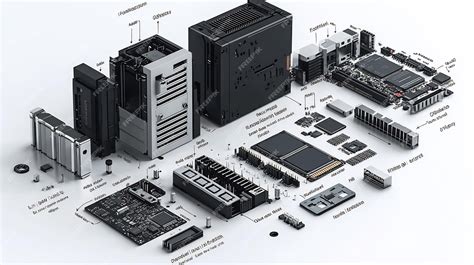
The software's reliance on the GPU is particularly pronounced with the advent of its advanced AI-powered features, such as Magic Mask, Super Scale, and Face Refinement. These tools, driven by DaVinci's Neural Engine, leverage machine learning models that run directly on the GPU, consuming significant VRAM and processing power. Consequently, a capable graphics card isn't just a luxury; it's a necessity for unlocking the full potential of DaVinci Resolve, especially when working with 4K, 8K, or heavily effects-laden projects.
High-End GPUs: For the Uncompromised Professional
For professionals whose livelihoods depend on DaVinci Resolve, compromising on hardware is not an option. When performance is paramount and budget is a secondary concern, certain GPUs stand out as the ultimate choices.
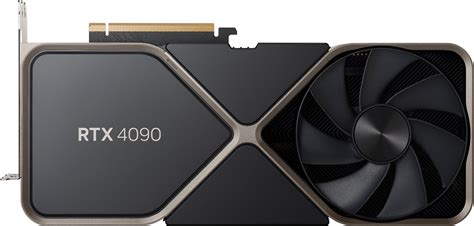
1. Nvidia GeForce RTX 4090: The Pinnacle of Performance
If money is truly no object, the Nvidia GeForce RTX 4090 is the undisputed champion. This range-topping beast is designed for extreme performance, offering unparalleled power for both professional video editing and demanding gaming. It boasts a staggering 24GB of GDDR6X VRAM, which is instrumental in making DaVinci Resolve, even when working with 8K footage, operate with buttery smoothness. The sheer number of CUDA cores (16,384), combined with impressive clock speeds and memory bandwidth, ensures that even the most complex timelines and effects are handled with ease. While it is an eye-wateringly expensive proposition and requires a robust supporting PC, the RTX 4090 offers exceptional future-proofing and unmatched performance for those who can afford it. Its capabilities extend to 4K ray tracing, making it a formidable card for those who also engage in 3D rendering or high-end gaming.
2. Nvidia GeForce RTX 5090: The Next Generation Flagship
While not yet widely available at the time of writing, the upcoming Nvidia GeForce RTX 5090 is poised to redefine the top tier. Expected to feature even more advanced architecture and potentially more VRAM (with rumors suggesting GDDR7), it promises to surpass the already formidable RTX 4090. This card is designed to handle 8K editing with absolute confidence and will undoubtedly be a future-proof investment for professionals demanding the absolute best. Its substantial VRAM capacity and cutting-edge CUDA cores will ensure that DaVinci Resolve's AI features and complex visual effects are rendered with unprecedented speed.
3. AMD Radeon RX 7900 XTX: AMD's High-End Contender
For those who prefer AMD or are looking for a powerful alternative to Nvidia's top-tier offerings, the AMD Radeon RX 7900 XTX presents a compelling option. Offering a substantial 24GB of GDDR6 VRAM and high-end graphical performance, it competes closely with Nvidia's offerings, often at a more attractive price point. While it might encounter slightly more compatibility issues with certain video editing software compared to Nvidia, its raw horsepower makes it a strong contender for 4K editing and demanding workflows. Its Navi 31 RDNA 3 architecture ensures it can breeze through most video editing tasks.
Mid-Tier GPUs: The Sweet Spot of Price and Performance
For many video editors, a balance between cost and capability is crucial. Mid-tier graphics cards offer a significant performance uplift over integrated graphics without the exorbitant price tag of high-end options.
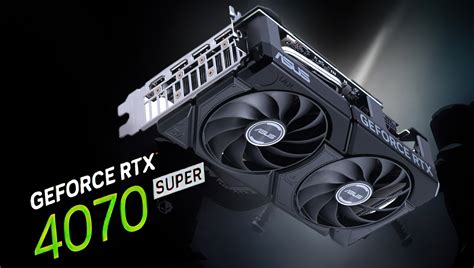
1. Nvidia GeForce RTX 4070 Super: A Strong All-Rounder
The Nvidia GeForce RTX 4070 Super strikes an excellent balance between price and performance. While it offers 12GB of VRAM, which is less than some AMD counterparts, it excels in tasks involving GPU-accelerated effects and gaming. Its CUDA cores and features like DLSS, which allows for rendering at a lower resolution to boost performance, make it a versatile choice. For users who also engage in 3D work or gaming, the RTX 4070 Super is a particularly strong contender, often outperforming AMD cards in these specific areas.
2. AMD RX 7800 XT: Excellent Value for Money
The AMD RX 7800 XT is frequently lauded as one of the best graphics cards for video editing when considering the balance of price and performance. With 16GB of VRAM, it often outperforms similarly priced Nvidia cards in many DaVinci Resolve and Premiere Pro workflows. This ample VRAM is a significant advantage for handling larger projects and higher resolutions. While it may not be the top choice for dedicated 3D rendering or GPU-intensive gaming, for general video editing, it offers exceptional value and robust performance.
3. Nvidia GeForce RTX 3060 (12GB): A Capable Workhorse
Even though it's an older generation card, the Nvidia GeForce RTX 3060 with 12GB of VRAM remains an incredibly capable option for DaVinci Resolve, especially for its price point (often found under $300). This card provides sufficient performance for faster rendering and can handle many editing tasks without breaking the bank. Its 12GB of VRAM is a key selling point, offering more headroom than some newer cards with less memory.
4. Nvidia GeForce RTX 4070: A High-End Nvidia Option on a Budget
For those loyal to Nvidia but seeking a more affordable high-end solution than the RTX 4090, the RTX 4070 is a strong choice. It offers a significant performance boost over lower-tier cards and comes with 12GB of VRAM, which is generally sufficient for many 4K workflows. Its overclocked variant further enhances its capabilities, making it a well-rounded option for video editing and other demanding tasks.
Entry-Level GPUs: Getting Started Without Breaking the Bank
For users on a tighter budget or those just starting with DaVinci Resolve, entry-level graphics cards can provide a much-needed performance boost over integrated graphics.
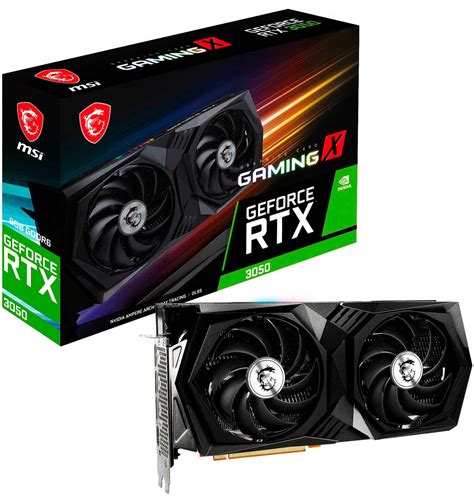
1. Nvidia GeForce RTX 3050 (8GB / 6GB): Affordable and Capable
The Nvidia GeForce RTX 3050, particularly the 8GB variant, offers a decent entry point into dedicated graphics for video editing. While it might stutter on very demanding DaVinci Resolve projects due to its VRAM limitations, it provides a noticeable improvement for FHD footage and less intensive software like Adobe applications. The 6GB version is even more affordable and can still offer a reasonable boost for basic editing, though it may struggle with higher resolutions or more complex projects. It's also a good option for older computers that might be bottlenecked by a more powerful card.
2. AMD Radeon RX 7600: A Budget-Friendly AMD Choice
For AMD enthusiasts on a budget, the RX 7600 presents a sensible mid-range option. With 8GB of VRAM, it offers acceptable performance in DaVinci Resolve, though users might occasionally wish for more memory for more complex tasks. It represents a good value for money for those looking to upgrade from integrated graphics without a significant financial outlay.
3. Nvidia GeForce RTX 2060 Super: A Solid Older Option
Nvidia's RTX 2060 Super, with its 8GB of VRAM, remains a capable and more budget-friendly choice for DaVinci Resolve users. While it belongs to an older generation, it can still handle many Resolve tasks reliably, provided the projects aren't excessively demanding. It's a good option for those who can find it at a reasonable price.
4. Nvidia GeForce GT 1030: The Absolute Budget Option
For those on an extremely tight budget, the Nvidia GeForce GT 1030 is the most affordable dedicated graphics card available. However, with only 4GB of VRAM and an older architecture, its capabilities are severely limited. It's only suitable for the most basic video editing projects, primarily for FHD footage, and users should not expect any significant performance gains for demanding tasks.
Professional Graphics Cards: Stability and Optimization
Beyond the consumer-grade gaming cards, professional GPUs offer specific advantages for certain workflows.
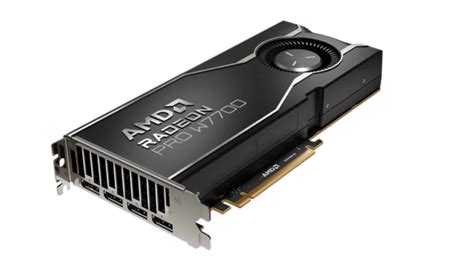
AMD Radeon PRO W7700: Optimized for Stability
The AMD Radeon PRO W7700 is a powerful single-slot GPU from AMD's professional range, specifically certified for 3D rendering and CAD programs. While its primary focus is on engineering and architecture, its optimized driver system stability for professional applications can be a benefit for video editing, especially in mission-critical scenarios where reliability is paramount. It offers 16GB of VRAM and is energy-efficient. However, it comes at a higher price point than comparable gaming cards and is mainly recommended for professionals heavily involved in 3D CAD software.
Integrated Graphics and Apple Silicon: Viable Alternatives?
Apple Mac Mini M4: The All-in-One Solution
For Mac users, the Apple Mac Mini with the M4 chip offers a compelling all-in-one solution. With its integrated GPU cores, it provides impressive performance for most video editing software, including DaVinci Resolve. The unified memory architecture, configurable up to 32GB, allows for efficient data sharing between the CPU and GPU. While it offers excellent value and a compact design, users should be mindful of the potentially pricey storage and RAM upgrades and the limited port selection.
AMD Ryzen 7 8700G: A Powerful APU Option
On the PC side, AMD's Ryzen 7 8700G stands out as an APU (Accelerated Processing Unit) with a surprisingly capable integrated Radeon 780M GPU. While it won't match the performance of discrete high-end GPUs, it offers acceptable entry-level performance for video editing, especially when paired with higher-clocked RAM. It's a great budget option for users who need a capable processor with integrated graphics, but it's important to note its limitations regarding PCI-E 4.0 speeds, which could impact future discrete GPU upgrades.
The Impact of AI on GPU Requirements
The ever-increasing integration of Artificial Intelligence into software like DaVinci Resolve has significantly amplified the demand for GPU power. Features like AI-powered color correction, object tracking, and intelligent reframing rely heavily on the GPU's processing capabilities and VRAM. As these AI tools become more sophisticated and prevalent, even mid-tier cards can hit their limits, leading to playback stutters and lag spikes. This trend makes having a GPU with ample VRAM (16GB or more is increasingly recommended for AI-intensive workflows) more critical than ever for maintaining a smooth and efficient editing experience.
Nvidia CUDA in 100 Seconds
Considerations When Choosing Your GPU
Beyond raw specifications, several practical factors influence the best graphics card choice for your DaVinci Resolve workflow.
1. Physical Space and Power: High-end graphics cards are often physically large and power-hungry. Ensure your PC case has sufficient space to accommodate the card's length and width, as well as adequate clearance for its cooling solution. Equally important is your PC's Power Supply Unit (PSU). A powerful GPU requires a robust PSU to prevent system instability or damage. While modern cards are more power-efficient than their predecessors, always check the recommended PSU wattage for your chosen GPU.
2. Motherboard Compatibility: Fortunately, most modern graphics cards utilize the PCI Express (PCIe) x16 slot, which has been a standard for over a decade. Unless your motherboard is exceptionally old, compatibility with a new graphics card should not be an issue, provided you've addressed space and power requirements.
3. Workflow and Budget: The most crucial aspect is understanding your typical workflow. Are you editing 1080p footage with minimal effects, or tackling complex 8K projects with extensive color grading and VFX? Your budget will, of course, be a primary determining factor. It's about finding the sweet spot where your hardware meets your needs without unnecessary overspending.
4. Cloud Computing as an Alternative: For those who find themselves on the cusp of affordability or need occasional access to extreme power, cloud computing solutions like Vagon Cloud Computer offer a flexible alternative. These services allow you to rent high-performance GPUs on demand, eliminating the need for significant upfront hardware investment and the hassle of upgrades. This can be particularly beneficial for tackling specific, demanding projects without altering your existing setup.
Conclusion
Selecting the right graphics card for DaVinci Resolve is a critical decision that directly impacts your productivity and creative output. While the Nvidia GeForce RTX 4090 (and its successor, the RTX 5090) represents the pinnacle of performance, excellent options exist across all budget tiers. The AMD RX 7800 XT offers remarkable value, while cards like the RTX 4070 Super provide a strong balance for those who also game or dabble in 3D. For entry-level users, the RTX 3050 can provide a significant upgrade. As AI continues to weave itself into the fabric of video editing software, prioritizing GPUs with ample VRAM and processing power will become increasingly vital for a smooth and efficient DaVinci Resolve experience. Ultimately, the best graphics card for you will be the one that best aligns with your specific workflow, budget, and future aspirations.