Snapchat stories offer a dynamic and engaging way to share moments with friends and followers. While individual snaps are ephemeral, the ability to string them together into a cohesive narrative is where the magic truly happens. For those looking to elevate their storytelling beyond a single image or video, creating a collage within a Snapchat story provides a powerful visual tool. This guide delves into the various methods and considerations for making impactful collages on Snapchat, from quick, in-app features to more curated approaches.
The Power of Multi-Snap: Seamlessly Adding Multiple Images
One of the most straightforward ways to achieve a collage-like effect in your Snapchat story is by leveraging the "Multi-Snap" feature. This allows you to capture and upload several snaps consecutively, which are then displayed to your viewers as a single, continuous story segment. This is particularly useful when you have a series of related photos or short video clips that you want to present without the interruption of individual uploads.
The key to effectively using Multi-Snap lies in preparation and understanding the upload process. To add multiple pictures or videos at once, you need to ensure your device is offline before you begin capturing. This is achieved by putting your phone into airplane mode, which disables both Wi-Fi and cellular data. Once in airplane mode, you can take all the snaps you intend to include in your multi-snap sequence. Each snap you take will be queued locally on your device, ready for upload once you reconnect to the internet.

The process is intuitive. On Android devices, for example, you can access quick settings by swiping down on the home screen, and then again to reveal the full panel, where airplane mode can be activated. After capturing your first snap, it will appear in your story editor, but crucially, it won't upload yet. You then simply tap the "Add" (+) icon to add your next snap. You can repeat this process, taking your time to perfect each individual snap. This approach ensures that your followers will view your story segment all at once, rather than experiencing a time gap between each snap as you upload them individually.
Once you have captured all the desired photos or videos, you can then reconnect your device to Wi-Fi or cellular data. As you get back online, Snapchat will begin uploading the queued snaps. It's important to note the order in which they appear in your editor. The snap at the bottom is the first one you took, and they stack upwards. When you go to view your story, you'll want to tap through them in sequence, starting with the last snap you added, as it's chronologically next in the sequence. After all the snaps have been uploaded, you can then check your story to see how the multi-snap segment appears to your viewers.
Utilizing Snapchat's Collage Maker Lens for Curated Designs
Beyond the sequential nature of Multi-Snap, Snapchat offers a more deliberate approach to collage creation through its dedicated "Collage Maker Lens." This feature provides a structured framework for assembling multiple images into a visually appealing collage.
To access this tool, you'll need to find the Collage Maker Lens within the Snapchat app. Once activated, you can begin selecting the photos you want to include. The advice here is to choose your best and funniest snaps, but with a strategic eye. When picking your photos, keep in mind that you want them all to work together well as a whole. This means looking for photos with similar colors or subjects, as this can create a more harmonious and aesthetically pleasing final product.
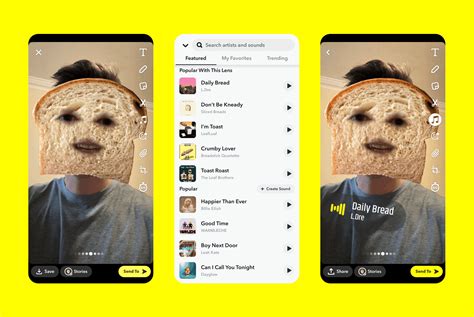
The Collage Maker Lens typically offers various collage designs, allowing you to choose the layout that best suits your chosen images. You can often select the number of photos you wish to use, and then fine-tune the spacing. This includes setting how much space you want between the photos and defining the border around your collage. After uploading your chosen photos, you can position them to ensure they look their best within the selected layout. Finally, you can often customize the background color to complement your images.
This method is ideal for creating a more polished and intentional collage, perfect for showcasing a collection of related moments, a themed event, or simply a creative expression of your favorite snaps.
Leveraging Snapchat Memories for Collage Creation
Snapchat's "Memories" feature plays a crucial role in enabling more advanced collage creation, especially when you want to incorporate images that might not be immediately available in your camera roll. While Snapchat itself is designed for ephemeral content, meaning you can't use anyone else's photos directly in your collage (as they only appear for a few seconds), Memories allows you to save your own past snaps.
When you save a photo using Snapchat Memories, it is uploaded to the cloud and also stored as a photo file on your phone. From this saved collection, you can then access and upload these photos directly into your chosen collage-making tool, whether it's the in-app Collage Maker Lens or an external application.
This is particularly beneficial for retrospective collages. For instance, if you have a collection of artistic pictures from a past event or a series of humorous selfies taken over time, you can go back through your Memories, select the best ones, and then use them to create a hilarious or memorable collage. The key, as mentioned earlier, is to ensure the chosen photos work well together. If you opt for a collage design with many small, intricate details, and your chosen snaps are also detailed, the final collage might appear chaotic. Therefore, selecting snaps with cohesive themes, colors, or subjects will lead to a more visually pleasing outcome.
External Tools and Advanced Collage Creation
While Snapchat's native features are excellent for quick and integrated collage creation, the realm of digital photo editing offers even more flexibility and creative control. Many external applications and online platforms specialize in photo collage creation, providing a vast array of templates, customization options, and editing tools that go beyond what's available within Snapchat itself.
These external tools often allow for more intricate control over image placement, sizing, rotation, and effects. You can experiment with different artistic styles, add text overlays, stickers, and other graphic elements to truly personalize your collage. Once your collage is perfected on an external platform, you can then save it as a single image file to your device. This image can then be uploaded to your Snapchat story as a regular snap, effectively functioning as a pre-designed collage.
How To EASILY Make A Collage In Photoshop (+ FREE Templates)
The user testimonials provided offer insights into the satisfaction derived from using such external services. Phrases like "great and flexible templates," "prompt delivery of a high-quality product," and "very easy to create a collage, even for me with restricted IT capabilities" highlight the benefits of using dedicated collage makers. The experience of one user who found a site after a Google search and was "delighted" emphasizes the accessibility of these tools. The recurring themes of "great service," "great product," "exceeded my expectations," and "prompt delivery" underscore the potential for professional-looking results. The ability to create a collage "in 5 minutes" and describe the process as "easy and hassle-free" further points to the efficiency and user-friendliness of these external options.
When selecting an external tool, consider the following:
- Template Variety: Does the tool offer a wide range of pre-designed templates to suit different styles and occasions?
- Customization Options: Can you adjust borders, spacing, background colors, and add text or other embellishments?
- Ease of Use: Is the interface intuitive and user-friendly, especially if you have limited technical skills?
- Output Quality: Does the tool allow you to save your collage in a high-resolution format suitable for sharing on social media?
- Integration with Snapchat: While you'll save the collage as an image, consider how easily you can then upload it to your Snapchat story.
By combining the spontaneity of Snapchat's features with the advanced capabilities of external collage makers, you can create truly unique and engaging visual narratives for your Snapchat stories. Whether you're aiming for a quick, fun update or a meticulously crafted visual statement, the options for making collages on Snapchat are diverse and powerful.