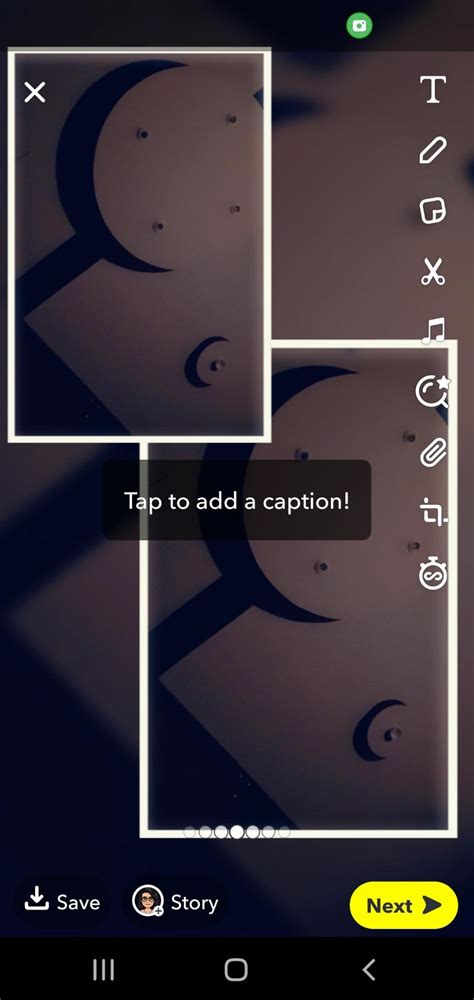
Snapchat, a platform renowned for its ephemeral messaging and engaging visual content, offers users a dynamic way to express themselves. Among its many features, the ability to create photo collages stands out as a particularly effective method for conveying a series of related thoughts, emotions, or events within a single, cohesive visual. Whether you're aiming to share a collection of hilarious selfies, document a memorable trip, or simply present a more detailed narrative than a single image allows, understanding how to construct a Snapchat collage is an invaluable skill. This guide will delve into the various techniques and tools available, from in-app lenses to external applications, empowering you to transform your individual snaps into captivating visual stories.
Harnessing In-App Features for Collage Creation
Snapchat provides several built-in functionalities that simplify the process of creating collages directly within the app, making it accessible even for those new to digital art.
The Power of Collage Maker Lenses
One of the most straightforward methods to begin creating a collage is by utilizing a specific lens designed for this purpose. When you open Snapchat, the initial step involves tapping the search icon, typically located in the top left corner of the screen. From there, a search bar appears, where you can enter keywords. Searching for 'Collage Maker Lens' will reveal several options.
Once a suitable 'Collage Maker Lens' is selected, it activates, presenting your screen with distinct slots ready to be populated with your chosen photographs. To fill these slots, you can tap directly on a slot, which will then prompt your camera to activate, allowing you to capture a new image in real-time. However, the flexibility of these lenses extends beyond just capturing new content. For those who wish to incorporate images already stored on their device, there's another lens often referred to as 'Your Collage.' This particular lens grants you the ability to pull and select images directly from your device's camera roll.
After you have captured your images or selected them from your camera roll, the arrangement of your collage is not fixed. Most collage lenses provide a 'layout' icon. Tapping this icon reveals a variety of collage styles, offering a diverse range of options to suit your creative vision. Whether your preference leans towards a simple two-image split, a structured grid, or a more dynamic and asymmetrical arrangement, there is usually an option available to match your desired aesthetic.
Mastering the Multi-Snap Feature
Beyond dedicated collage lenses, Snapchat's 'Multi Snap' feature offers another ingenious way to present a sequence of images or videos as a cohesive story, effectively creating a narrative flow that can be perceived as a form of sequential collage. This is particularly useful when the time gap between individual snaps might detract from the overall impact of your story.
The key to effectively using Multi Snap lies in managing your device's connectivity. To add multiple pictures or videos to your Snapchat story at once, the trick is to take and upload all the desired snaps while your device is in airplane mode. This mode disables Wi-Fi and cellular data, ensuring that the snaps are queued for upload rather than being posted individually as they are taken.
The process begins by putting your phone into airplane mode. Once activated, you can proceed to take all the Snaps you intend to include in your story. As you capture each image or video, it will be added to your story, but crucially, it won't upload to Snapchat's servers yet because your device is offline. Each snap will be queued, ready for when you reconnect to the internet.
To add subsequent snaps to your story while in airplane mode, you generally tap the 'Add (+)' icon associated with your story. This allows you to continue building your sequence. The advantage here is that you can take your time perfecting each individual snap, knowing that your followers will eventually view your entire story as a continuous sequence, rather than experiencing the pauses and delays associated with individual uploads.
Once you have captured and queued all your desired photos and videos, the next step is to re-establish your internet connection. As soon as your device is back online, Snapchat will begin uploading the queued snaps. It's important to note the order of upload; typically, the snap at the bottom of the queue is the first one you took. To ensure the sequence is correct, you'll want to work from the bottom up, tapping the last snap added to the list first, as it's the next in the chronological sequence. After all snaps have been uploaded, you can then review your multi-snap story to ensure it flows as intended.
Editing and Customization within Snapchat
Once your collage or multi-snap sequence is assembled within Snapchat, there are further customization options available. After arranging your photos using a collage lens, or after uploading your multi-snap sequence, you are not limited to the initial layout.
For collages created with specific lenses, the 'layout' icon is your gateway to exploring different visual arrangements. This allows for significant flexibility in how your images are presented. Furthermore, Snapchat offers options to adjust the spacing between photos and the border around your collage. You can also often customize the background color of your collage to complement your chosen images.
Even for individual snaps that you might want to incorporate into a more complex visual, Snapchat's editing tools offer a degree of manipulation. For instance, if you want to isolate a specific part of an image to use in a collage, you can often use the scissor tool within the 'Edit Snap' function. This involves tracing around the desired area of the image, effectively creating a cutout that can then be used in other creations.
Leveraging External Tools for Enhanced Collage Creation
While Snapchat's native features are powerful, a richer and more sophisticated collage creation experience can be achieved by utilizing dedicated third-party applications and online tools. These platforms often provide a wider array of templates, advanced editing capabilities, and more granular control over every aspect of your collage.
The Versatility of PhotoGrid and Similar Applications
Applications like PhotoGrid have become popular among social media users for their extensive collage-making features. These tools are designed to be user-friendly, even for individuals with limited technical expertise, while offering a professional-level output.
PhotoGrid, for example, boasts a vast design ecosystem, offering tens of thousands of ready-made templates, layouts, stickers, backgrounds, and text effects. This extensive library allows users to quickly transform their ideas into polished visuals without being constrained by limited options. Whether the goal is to create a simple photo collage, a business card, an eye-catching social media post, a holiday greeting card, or to simply customize images in a preferred style, PhotoGrid provides the necessary resources.
The core functionality of such applications involves combining multiple photos - often ranging from two to over ten - into a single collage. Users can adjust the spacing and grids, add text overlays, incorporate stickers for visual flair, and select from a wide range of backgrounds. The level of customization is typically very high, allowing users to fine-tune every detail, from the thickness of borders to the color of the background.
Beyond static collages, many of these applications are integrating AI-powered features. AI Photo Editing Tools are becoming increasingly prevalent, enabling users to enhance image quality, remove backgrounds, erase unwanted objects or watermarks, and even expand images naturally with just a few clicks. This simplifies complex photo editing tasks and significantly boosts workflow efficiency. Furthermore, AI Image and Video Generators are emerging, allowing users to create images and videos from simple text prompts or by using reference images. This opens up new avenues for creative expression, enabling the generation of AI images in various styles and the transformation of existing photos into short videos with creative effects.
The accessibility of these tools is a significant advantage. Many are available as mobile applications, allowing users to start their image editing and photo collage creation process anywhere and at any time. This "on-the-go" capability aligns perfectly with the spontaneous nature of mobile photography and social media sharing.
Considerations for Image Selection and Composition
Regardless of the tool used, the success of a photo collage hinges on thoughtful image selection and composition. When aiming to create a visually appealing and coherent collage, several principles come into play.
Cohesion and Theme: To ensure your collage tells a story effectively, select photos that work well together as a whole. Look for commonalities in color palettes, subjects, or the overall mood you wish to convey. For instance, if you're documenting a beach vacation, selecting photos with similar blue and sandy tones, or images that capture different aspects of the same experience (e.g., swimming, sunbathing, exploring), will create a more harmonious collage.
Variety within Unity: While cohesion is important, avoid selecting photos that are too similar. A good collage often benefits from a mix of close-ups and wider shots, different angles, or varied expressions if featuring people. This provides visual interest and prevents the collage from becoming monotonous.
Layout and Flow: The chosen collage design plays a crucial role in directing the viewer's eye and establishing a narrative flow. A grid layout might be suitable for showcasing a series of distinct moments, while a more dynamic layout with overlapping images could emphasize a particular emotion or a sense of movement. Consider how the images will interact with each other within the chosen layout.
Background and Borders: The background color and the spacing or borders between images are not mere decorative elements; they significantly influence the overall aesthetic. A neutral background can help your photos stand out, while a colored background can add personality or tie into the theme. Similarly, the width and style of borders can affect the perceived formality or playfulness of the collage.
Quality of Images: While Snapchat is often associated with spontaneous and sometimes lower-resolution snaps, strive to use the highest quality images available for your collage. This is especially true if you plan to print your collage or if you're using external tools that can enhance image clarity. Even small, intricate details in a collage can look significantly better when derived from clear, sharp photographs.
The Role of Snapchat Memories
Snapchat Memories is a feature that allows users to save their Snaps and Stories privately within the app, rather than having them disappear after viewing. This serves as a personal archive and a valuable resource for collage creation. When you save a photo using Snapchat Memories, it is typically uploaded to the cloud and also retained as a file on your phone. This dual storage ensures that your memories are accessible and safe.
From Snapchat Memories, you can then upload these saved photos directly into your chosen collage maker, whether it's an in-app lens or an external application. This means you're not limited to only using photos you've just taken; you can revisit and repurpose older Snaps to create new and interesting collages. This feature significantly expands the creative possibilities, allowing for the compilation of themed collages from a broader range of your captured moments.
Beyond the App: Professional and Large-Scale Collages
For those seeking to create high-quality, printed collages or large-format displays, specialized services and tools offer advanced capabilities. These often cater to specific needs, such as event displays or personalized gifts.
Services like EasyCollage
User testimonials highlight the effectiveness of services like EasyCollage for creating professional-quality printed collages. Feedback frequently mentions the ease of use, even for individuals with limited technical skills, and the prompt delivery of high-quality products. The flexibility of templates offered by such services allows users to combine artistic pictures into cohesive and visually appealing arrangements.
The process often involves selecting a design from a range of templates, specifying the number of photos to be used, and then uploading the chosen images. These services typically provide options for setting the spacing between photos and the border dimensions, as well as customizing the background color. The final output is often a printed poster or canvas, with users expressing delight at the quality of the photos on the final product, even for smaller images within the collage.
The turnaround time for these services is also a significant factor. Many users report quick production and delivery, with teams going the extra mile to meet urgent deadlines, such as for upcoming events like weddings. This responsiveness, combined with the quality of the final product, makes these services a popular choice for those who want a tangible, polished collage.
AI-Powered Photo Editing Tools
The integration of Artificial Intelligence is revolutionizing photo editing and collage creation. Tools like PhotoGrid AI are designed to make complex editing tasks faster and easier, requiring no prior skills. With a single click, users can enhance image quality, remove backgrounds, erase unwanted objects or watermarks, and expand images naturally. These powerful AI tools not only simplify the process but also significantly boost the efficiency of the creative workflow.
The ability to generate images and videos using AI further expands the creative landscape. By simply providing text prompts or reference images, users can generate AI images in diverse styles, transform existing photos into short videos, and apply creative video effects. This convergence of collage creation, photo editing, and AI generation within a single platform offers unparalleled flexibility and creative potential, allowing for the production of unique and sophisticated visual content.
Considerations for Different Audiences and Platforms
When creating a Snapchat collage, it's important to consider your intended audience and the platform's inherent characteristics. Snapchat thrives on authenticity and personality. While collages provide a structured way to present images, maintaining a sense of your unique style is crucial. Think of your collage as a conversation starter, a way to share more context or a series of related thoughts in a single, engaging package.
For example, if you frequently use funny Snapchat filters for selfies, gathering your best and funniest snaps to create a humorous collage can be highly effective. The key is to ensure that the selected photos complement each other and contribute to a cohesive overall impression.
How to Use Multi Snap on Snapchat
The visual density of a collage also matters. If you opt for a collage design with numerous small, intricate details, and your source photos are also busy or complex, the final result might appear chaotic. Conversely, a simpler layout with fewer, more impactful images can convey a clear message with greater impact.
Ultimately, Snapchat collages are a versatile tool for storytelling. By understanding the available in-app features, exploring the capabilities of external applications, and applying principles of good design and composition, you can effectively transform your individual snaps into compelling visual narratives that resonate with your audience.