Instagram has evolved into a visual storytelling platform, and the ability to create compelling collages is a key skill for users aiming to stand out. Among the various collage styles, the overlapping collage offers a dynamic and artistic way to present multiple images within a single frame. This technique, when executed effectively, can transform a simple collection of photos into a visually engaging narrative. This guide will delve into the intricacies of creating overlapping collages for Instagram, exploring the tools, techniques, and creative considerations that contribute to a polished and impactful final product.
Understanding the Overlapping Collage Aesthetic
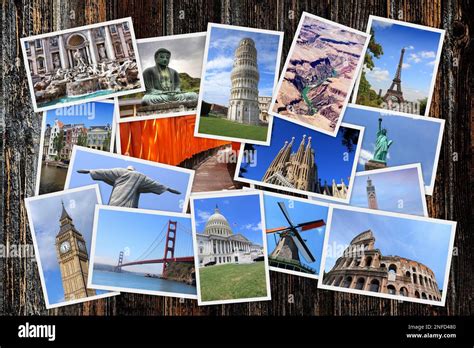
An overlapping collage is characterized by images that are layered on top of each other, creating a sense of depth and visual interest. Unlike traditional grid-style collages where images are neatly separated, overlapping designs allow for a more fluid and organic arrangement. This style can evoke a feeling of spontaneity, a curated memory album, or a sophisticated artistic statement, depending on the execution. The key to a successful overlapping collage lies in the thoughtful selection of images, their placement, and the interplay of colors, shapes, and textures. It’s about creating a harmonious composition where each element contributes to the overall message without overwhelming the viewer.
The Power of Digital Tools: Adobe Express for Collage Creation
For those looking to create visually appealing Instagram collages, particularly of the overlapping variety, user-friendly digital tools are invaluable. Adobe Express stands out as a powerful yet accessible platform that caters to all skill levels, making it an excellent choice for beginners and experienced designers alike. The platform is designed with simplicity and ease of use in mind, allowing users to quickly transform their vision into reality.
The core functionality of Adobe Express for collage making is straightforward: users simply upload their favorite photos. The collage maker then intelligently combines these images into a single, cohesive collage. This process is not limited to a single creation; you can make as many Instagram collages as you’d like with Adobe Express, encouraging experimentation and the development of a unique visual style. The true strength of Adobe Express lies in the extensive customization options available at your fingertips.
Editing and Enhancing Your Images Within the Collage
A crucial aspect of creating a compelling overlapping collage is the ability to refine individual images. Adobe Express integrates robust photo editing capabilities directly within the project. Once your photos are uploaded and arranged, you can select any individual image to fine-tune its appearance. This allows for a consistent look and feel across all elements of your collage, or for deliberate stylistic variations.
The available photo effects are diverse and impactful. You can experiment with Duotone filters to impart a specific color mood or artistic flair. Adjusting contrast and brightness can help images stand out or recede, guiding the viewer's eye through the composition. Cropping images is essential for controlling which parts of a photo are visible and for shaping them to fit seamlessly within the overlapping design. Beyond these, users can explore a myriad of other adjustments, including saturation, highlights, shadows, and even apply various artistic filters to achieve a desired aesthetic. This level of control ensures that each element of your collage is not just placed, but intentionally crafted.
Leveraging Templates for Inspiration and Efficiency
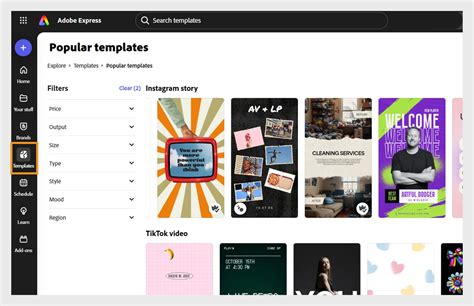
While creating an overlapping collage from scratch offers ultimate creative freedom, utilizing templates can be a significant advantage, especially for those new to design or seeking a quick yet effective solution. Adobe Express offers thousands of templates, many of which can be adapted for overlapping collage styles. These pre-designed layouts provide a starting point, offering inspiration for image placement, color schemes, and overall composition.
When using a template, the process involves selecting a design that resonates with your vision and then replacing the placeholder images with your own photos. Many templates are inherently designed to accommodate multiple images, and with a little adjustment, they can be transformed into an overlapping arrangement. For instance, you might take a template with distinct photo boxes and then manually layer images over each other, adjusting their size and opacity to achieve the desired overlap. The template serves as a structural foundation, allowing you to focus on the artistic nuances of your image selection and arrangement.
Advanced Techniques for Dynamic Overlapping Collages
Moving beyond basic layering, several advanced techniques can elevate your overlapping collages:
- Strategic Opacity and Blending: Adjusting the opacity of individual images allows them to subtly blend into the background or the images beneath them. This creates a softer, more integrated look. Experimenting with different blending modes (available in more advanced editing software, but some principles apply to opacity adjustments in simpler tools) can also create unique visual effects, such as making parts of an image appear transparent or luminous.
- Shape and Form Manipulation: Don't be afraid to crop your images into non-rectangular shapes. Using the cropping tool to create circles, ovals, or even irregular polygons can add a unique dimension to your collage. These shapes can then be layered to create interesting negative spaces and visual pathways.
- Color Harmony and Contrast: Consider the color palettes of your chosen images. Do they complement each other? A collage with a cohesive color scheme can feel more unified and professional. Alternatively, strategic use of contrasting colors can draw attention to specific images or create a bold, energetic feel.
- Thematic Storytelling: Overlapping collages are excellent for telling a story or conveying a theme. Arrange images in a sequence that suggests a narrative, or group them by color, emotion, or subject matter. For example, a travel collage might feature a map as a background layer, with overlapping images of landmarks, food, and experiences.
- Using Background Elements: Beyond just photos, consider incorporating graphic elements, textures, or solid color backgrounds. A subtle texture can add depth, while a bold graphic can act as a framing element or a visual anchor for the overlapping images.
Optimizing for Instagram: Size, Resolution, and Format
When creating any content for Instagram, understanding the platform's specifications is crucial for optimal presentation. For Instagram Stories, which are a popular format for collages, the ideal aspect ratio is 9:16 (vertical). For feed posts, square (1:1) or vertical (4:5) formats are common. Ensuring your collage is created or exported at the correct dimensions will prevent cropping or distortion.
Resolution is also key to image quality. Aim for a resolution of at least 1080 pixels wide. Instagram compresses images, but starting with a high-resolution file ensures the best possible quality after compression. For overlapping collages, pay attention to how the layers interact at different resolutions. Sometimes, fine details in overlapping elements can become lost if the overall resolution is too low.
The file format typically used for Instagram is JPEG. When saving your collage, choose the JPEG format and a high-quality setting to preserve as much detail as possible without creating excessively large files.
The "Free" Aspect: Accessibility and Value
A significant advantage for users exploring collage creation is the availability of free tools and resources. Adobe Express offers a free plan that provides access to many core features, making it an excellent entry point. This free plan includes thousands of templates, essential photo editing tools and effects, animation capabilities, and a decent amount of storage. This accessibility means that users can experiment and create professional-looking collages without an initial financial investment. The availability of these powerful features without cost democratizes the creative process, allowing anyone with an idea and an internet connection to produce engaging visual content for their Instagram presence.
Adobe Express Tutorial - Creating a Collage Art design.
Beyond the Basics: Thinking Critically About Composition
Creating an overlapping collage is more than just stacking images; it's an exercise in visual composition. Consider the principles of design:
- Balance: Is the visual weight distributed evenly? Overlapping elements can create asymmetry, which can be effective, but it needs to be intentional.
- Hierarchy: What do you want the viewer to see first, second, and third? The size, color, and placement of images can establish a visual hierarchy.
- Rhythm and Movement: How does the eye travel through the collage? Overlapping elements can create a sense of flow or dynamism.
- Unity and Variety: While variety in images is key, there should also be a sense of unity that holds the collage together. This can be achieved through consistent editing, color palettes, or a unifying theme.
Thinking about these elements, even intuitively, will lead to more impactful and aesthetically pleasing results. For instance, a common misconception is that more is always better. However, a carefully curated selection of just a few overlapping images can often be more powerful than a cluttered arrangement of many. The negative space between or around the overlapping elements is just as important as the images themselves.
Iterative Design and Experimentation
The process of creating an overlapping collage is often iterative. It rarely involves placing images perfectly on the first try. Be prepared to move elements around, resize them, adjust their opacity, and experiment with different combinations. This is where the flexibility of tools like Adobe Express truly shines. You can easily undo actions, try new arrangements, and refine your composition until it feels right.
Don't be afraid to step away from your project for a while and come back with fresh eyes. What seemed like a perfect arrangement initially might reveal flaws upon a second viewing. Conversely, an arrangement that felt awkward at first might suddenly click into place after a short break. This period of iteration is essential for achieving a polished and professional outcome.
Embracing the Artistic Potential
The overlapping collage is a versatile format that can be adapted to a wide range of styles and purposes. Whether you’re aiming for a minimalist, chic aesthetic, a vibrant and energetic display, or a deeply personal and narrative-driven piece, the principles of thoughtful image selection, strategic layering, and meticulous editing remain constant. By understanding the tools available, experimenting with different techniques, and considering the fundamental principles of visual design, you can unlock the full artistic potential of the overlapping collage and create truly captivating content for your Instagram presence. The ability to combine multiple visual narratives into a single, cohesive frame offers a unique opportunity to communicate complex ideas and emotions in a visually engaging manner.