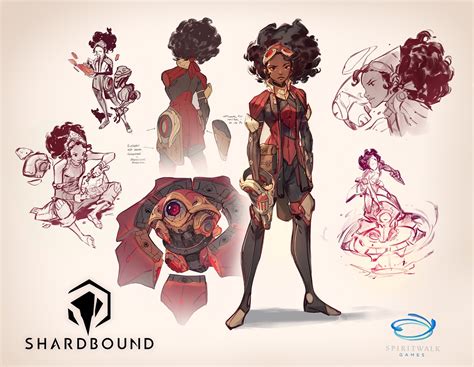
Digital painting has emerged as a powerful and versatile medium, captivating artists with its blend of traditional artistic principles and cutting-edge technology. This umbrella term encompasses a wide array of artistic styles, including digital illustration, concept art, portraiture, still life, and more. For aspiring digital artists, Adobe Photoshop stands out as a premier tool, offering an expansive suite of features to bring creative visions to life. This guide delves into the core aspects of digital painting in Photoshop, from understanding its benefits to mastering essential techniques.
The Advantages of Embracing Digital Painting
Digital artists frequently highlight the significant advantages digital painting offers over traditional methods. One of the most compelling benefits is convenience. The preparation involved in traditional art, from gathering materials to varnishing a canvas, can be time-consuming and require dedicated space. Digital painting, conversely, streamlines this process.
Another key advantage is the ease of editing. With software like Adobe Photoshop, mistakes can be undone instantly, providing a forgiving and iterative creative environment. The program boasts over 60 built-in tools, empowering artists to modify their images with unparalleled flexibility. This ease of correction significantly improves productivity. Digital painting can save considerable time and effort, allowing artists to focus on the creative aspects rather than getting bogged down by technical hurdles. Furthermore, the advent of AI tools like Generative Fill can expedite the creation and editing of elements within seconds, transforming tasks that might have previously taken hours into moments.
The long-term cost-effectiveness of digital painting is also a major draw. While physical media requires purchasing new canvases or boards for each project, digital painting software allows for an almost infinite canvas with a simple command (Ctrl + N or Cmd + N on Mac). If a project doesn't go as planned, no materials are wasted.
Finally, the ability to share digital paintings wherever and whenever is a significant benefit in today's interconnected world. Whether creating a logo for a YouTube channel or an illustration for Instagram, exporting and sharing digital artwork is straightforward, facilitating broad reach and engagement.
Essential Tools for Digital Painting
Embarking on digital painting may initially seem daunting, but a few essential tools are all that are needed to begin. Unlike consumable art supplies, these digital tools can last for many years. These are the instruments that artists will use to make their mark, whether that involves creating neat lines, dynamic streaks of color, or intricate, fine-tuned details.
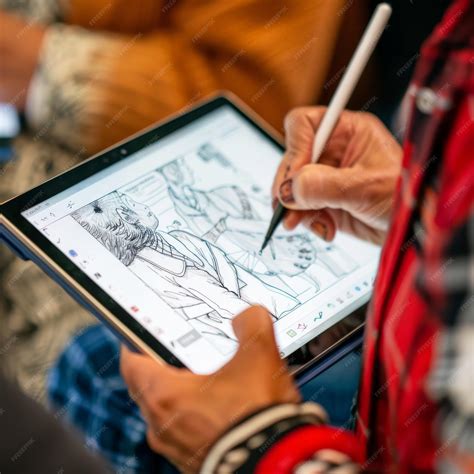
The most common and indispensable tool is a stylus, used in conjunction with a drawing tablet. Several types of drawing tablets are available, each offering a different user experience:
- Graphic Tablets: These are the standard option, essentially a large touchpad connected to a computer. The artist draws on the tablet's surface while viewing the artwork on their monitor.
- Display Tablets: These function as a separate screen, allowing the artist to draw directly onto the image. However, they can be prone to dead pixels with frequent use.
- All-in-One Tablets: Representing the premium, albeit most expensive, option, these devices are essentially computers integrated into a tablet format, offering a self-contained digital art studio.
In addition to hardware, specialized software is crucial to capture and manipulate digital paintings. Adobe Photoshop, with its extensive array of over 60 tools, ensures artists are not solely reliant on brush strokes to achieve their desired effects.
how to choose a drawing tablet
Getting Started with Digital Painting in Adobe Photoshop
Beginning your digital painting journey in Adobe Photoshop is an accessible process. The software opens up a world of creative possibilities, with access to over 60 tools and an almost limitless supply of brushes. For those considering a career in digital art, popular choices include 3D modeler, storyboard artist, video game concept artist, or cartoon animator.
Setting Up Your Workspace and Document
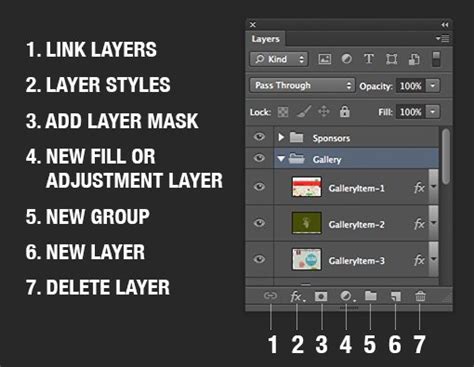
The first step in creating a digital painting in Photoshop is to set up a new document. A common starting point for a character design or illustration might be a document around 800x778 pixels. Before diving into the artwork, it's essential to establish your layer structure. Creating a new layer specifically for your sketch is a fundamental practice. This sketch can be done either directly in Photoshop or on paper and then imported.
Organizing your artwork onto separate layers is paramount for efficient workflow and easy corrections. As demonstrated by artists like Hatice Bayramoglu, a 3D artist and illustrator from Turkey, having individual layers for each object or element in your sketch-such as a character, a tree, or background elements-allows for independent editing. This separation makes it significantly easier to fix errors or modify specific parts of the painting later on without affecting other areas.
The Sketching and Initial Coloring Phase
Once the sketch layer is established, the next step involves defining the main shapes and beginning the coloring process. Artists often begin by establishing the background. Using the Paint Bucket Tool (G), the background can be filled with a base color. It's crucial to maintain an organized layer order. Typically, the sketch layer is placed at the top of all other layers and its blending mode is set to Multiply. This allows the sketch lines to remain visible while you paint beneath them.
With the sketch layer set to Multiply, you can begin coloring the character and other elements on their own dedicated layers. When using the Brush Tool (B) for initial coloring, it's often recommended to set the brush hardness to 100% to achieve clean, defined edges.
Refining Shapes and Adding Details
As the painting progresses, artists may find it necessary to adjust the file size to accommodate finer details. This is where the iterative nature of digital painting truly shines. For instance, a character's face might be the next area to receive attention, with careful coloring to define its form.
To add depth and complexity to elements like a tree, an artist might create a new copy of the tree layer and then introduce more detailed elements onto this duplicate. Screenshots can be invaluable for documenting these detailed stages of the process. The addition of elements such as grass and small flowers can further enrich the scenery, building a more immersive environment.
As the scenery and tree detailing reach a satisfactory point, attention can shift back to the character. Sometimes, an initial character design might appear too simple or not quite right. This realization prompts a period of experimentation, trying out different looks and adding more details to refine the character's appearance. Throughout this process, maintaining a clear layer order remains essential, with new layers being created as needed for additional elements or adjustments.
The character's clothing and body can then be further detailed, incorporating more specific colors like yellow and green. It's important to remember that not every single element needs to be over-detailed; focusing on key areas can be more effective. The artist continues to work on the main details and lights, striving for a pleasing contrast. Color adjustments are a common part of this stage, with artists sometimes needing to change colors to achieve the desired aesthetic.
Utilizing Advanced Tools and Techniques
To enhance the visual impact of the painting, various advanced tools and techniques come into play. For bright areas, the Color Dodge blending mode can be exceptionally effective, creating luminous highlights. The Burn Tool can be used to introduce darker areas and add depth, particularly to elements like trees. For softer, more atmospheric effects, the Smudge Tool can be employed to create smooth, blurry transitions, especially useful for clouds and backgrounds.
As the painting nears completion, specific areas might require further attention. For example, if clouds lack sufficient detail, additional layers can be created to enhance them. Similarly, if the painting needs more visual interest, new layers can be used to paint in additional elements like small flowers.
The final stages often involve refining the character's hair and face, building upon the established details. Before finalizing, a crucial step is color correction. This is often achieved by merging all layers into a single one. Then, through the Image > Adjustment > Brightness/Contrast menu, subtle adjustments can be made to fine-tune the overall color balance and mood of the artwork.
Mimicking Traditional Paint Styles in Photoshop
For artists transitioning from traditional mediums or those seeking to emulate specific textures, Photoshop offers techniques to mimic various paint styles, such as watercolor, oil, and acrylic. While the course material might focus on a "watercolor" portrait, the underlying principles and tool usage can be adapted. Understanding how to set up files, manage layers, and utilize custom brushes are foundational skills that apply universally.
The user interface (UI) of Photoshop can be optimized for a painting workflow, making tools and panels readily accessible. This optimization, combined with custom brushes, can significantly enhance the painting experience.
how to choose a drawing tablet
Polishing Your Digital Masterpiece
The concluding stages of digital painting involve adding finishing touches that elevate the artwork. This can include applying texture overlays to introduce subtle surface details, using adjustment layers for non-destructive color and tonal modifications, and experimenting with blending modes to create sophisticated visual effects. These techniques allow artists to refine their work and achieve a polished, professional look.
By following along with tutorials and understanding the capabilities of Photoshop, artists can gain confidence in their ability to create beautiful and compelling digital imagery. The journey of digital painting is one of continuous learning and exploration, where experimentation and practice lead to the development of a unique artistic voice.
The Creative Landscape of Digital Art Careers
The skills honed through digital painting in Photoshop are highly sought after in various creative industries. Aspiring artists can find fulfilling careers as:
- 3D Modelers: Creating three-dimensional assets for games, films, and virtual reality.
- Storyboard Artists: Visualizing narratives for animation, film, and advertising.
- Video Game Concept Artists: Designing characters, environments, and props for video games.
- Cartoon Animators: Bringing animated characters and stories to life.
These roles, among many others, leverage the foundational principles of art and design, enhanced by the digital tools available today. Photoshop, in particular, is a versatile program used across a wide spectrum of applications, making proficiency in it a valuable asset for anyone pursuing a career in digital art. The ability to create stunning visuals in Photoshop is an attainable goal, requiring dedication, practice, and a willingness to explore the software's vast potential.