Ibis Paint X, a powerful and versatile digital art application, offers a wealth of features to enhance your creative process. Among its most innovative functionalities are QR codes, which serve as digital keys unlocking a vast array of custom resources. These codes can revolutionize how you access and integrate new tools, from intricate brushes and realistic textures to complete filter presets and canvas setups, significantly elevating your digital art endeavors. This comprehensive guide delves into the world of Ibis Paint X QR codes, exploring their nature, benefits, methods of discovery, import procedures, and even the process of creating your own. Prepare to unlock a new dimension of creativity by becoming adept at using QR codes within Ibis Paint X.
Understanding the Magic of Ibis Paint X QR Codes
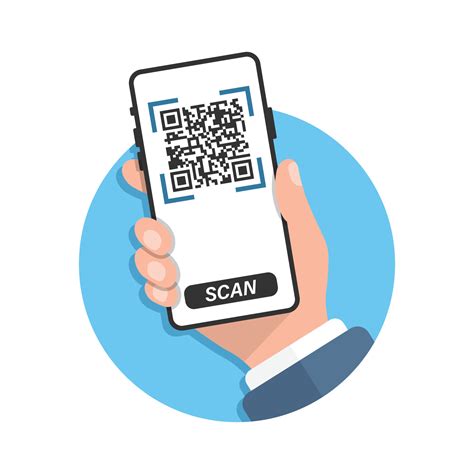
At their core, QR codes within Ibis Paint X function as digital conduits, enabling the seamless transfer of custom assets directly into your application. Instead of engaging in time-consuming manual downloads or painstakingly recreating complex elements from scratch, a simple scan of a QR code instantly imports all necessary data. This mechanism transforms the way artists can expand and personalize their digital art environment.
The Compelling Advantages of QR Code Integration
The appeal of QR codes in Ibis Paint X lies in their ability to streamline the acquisition of creative resources. They provide an effortless pathway to enrich your artistic toolkit. Imagine discovering the ideal brush for rendering lifelike hair or stumbling upon a captivating filter that imparts a distinctive, professional aesthetic to your work. QR codes make accessing such valuable assets remarkably straightforward.
Furthermore, QR codes represent a powerful avenue for artists to share their bespoke creations with the broader digital art community. This fosters a collaborative ecosystem where innovation and artistic expression can flourish, driven by shared resources.
Expanding Your Creative Arsenal with Diverse Resources
A significant benefit of employing QR codes is the sheer breadth of resources accessible through them. The possibilities are virtually limitless, encompassing a wide spectrum of artistic needs:
- Brush Types: You can find QR codes for specialized brushes, such as those designed for watercolor effects, airbrush techniques, calligraphy, or even custom-designed brushes for unique linework and textures.
- Canvas Templates: These codes can import pre-configured canvas templates, complete with specific dimensions, aspect ratios, and helpful guidelines, saving you the initial setup time for various project types.
- Filter Settings: Discover QR codes that import complete filter presets, applying specific visual effects, color adjustments, or stylistic treatments to your artwork with a single scan.
- Texture Patterns: Access a variety of texture patterns that can be imported and applied to your digital canvases, adding depth, realism, and tactile qualities to your creations.
The sheer variety ensures that artists of all disciplines and skill levels can find something to enhance their workflow and artistic output.
Streamlining Workflow and Organization
Beyond expanding creative options, QR codes contribute significantly to maintaining an organized digital art workspace. Instead of accumulating numerous downloaded files that can clutter your device's storage, you can simply scan a QR code whenever a specific resource is needed. This on-demand access keeps your primary storage clean and your workflow efficient.
Facilitating Collaboration and Learning
QR codes are also exceptionally valuable tools for collaborative projects and for artists looking to learn new techniques. When working with fellow artists, exchanging custom assets becomes as simple as sharing QR codes, ensuring everyone is working with the same stylistic elements or tools.
For those in the learning phase, QR codes offer a practical way to explore and replicate the work of established artists. By importing pre-made brush sets or filter configurations, aspiring artists can experiment with techniques, deconstruct professional workflows, and gain hands-on experience with advanced artistic effects. This direct interaction with expertly crafted assets accelerates the learning curve and encourages experimentation.
Locating Ibis Paint X QR Codes: A Digital Treasure Hunt
The internet serves as an expansive repository for Ibis Paint X QR codes. Numerous online communities, dedicated forums, and social media groups are hubs for artists who actively share and discuss these valuable resources. These platforms are indispensable for discovering unique brushes, filters, textures, and other custom assets.
Official Channels and Developer Releases
Often, the developers themselves will release QR codes to showcase new features, offer promotional content, or provide exclusive assets. Keeping an eye on official Ibis Paint X announcements or social media channels can yield access to these valuable releases.
Artist Communities and Forums
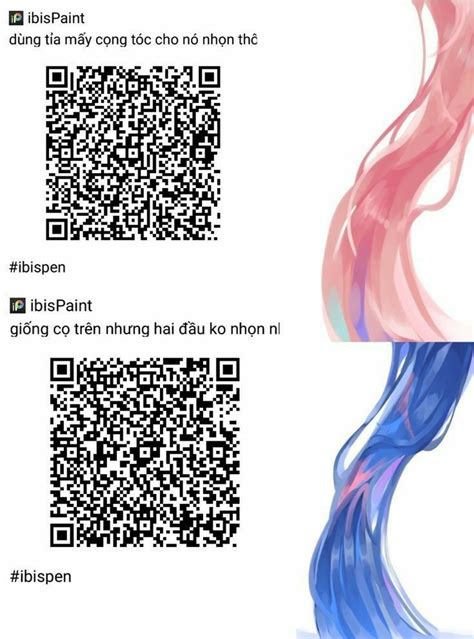
Immerse yourself in the vibrant world of online artist communities and forums that cater to digital art and specifically Ibis Paint X. Platforms such as DeviantArt, Pixiv, and various art-centric forums frequently feature dedicated threads or sections where artists generously share their custom resources, including QR codes. Many artists meticulously craft and share their custom brushes, filters, and textures on these platforms, often providing QR codes for effortless access by fellow creators.
YouTube Tutorials: A Visual and Resourceful Hub
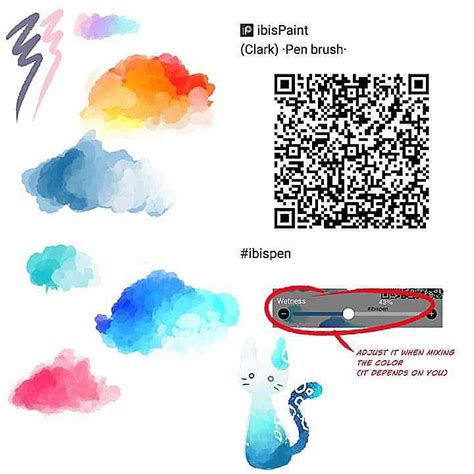
YouTube has evolved into far more than just a platform for learning new artistic techniques; it is also a surprisingly rich source for Ibis Paint X QR codes. Many artists who create tutorials not only demonstrate their processes but also include QR codes for the custom brushes, filters, or canvas templates they utilize within the video descriptions. This dual benefit of visual learning and direct resource acquisition makes YouTube an invaluable tool for Ibis Paint X users.
Navigating the Digital Landscape Safely: Essential Precautions
While the internet is indeed a treasure trove of Ibis Paint X QR codes, it is paramount to exercise caution when downloading and scanning them. To mitigate potential security risks and ensure you are importing legitimate assets, adhere to the following best practices:
- Prioritize Trusted Sources: Only scan QR codes that originate from reputable and trusted sources. This includes official developer channels, well-established artist communities, or creators with a proven track record.
- Research the Source: Before committing to scanning a QR code, take a moment to investigate the source. Look for reviews, comments from other users, or any available information that validates the authenticity and safety of the shared resource.
- Be Wary of Unsolicited Codes: Exercise extra diligence with QR codes found in random online spaces or shared through unverified channels.
By adopting a cautious and informed approach, you can safely harness the wealth of resources available through Ibis Paint X QR codes.
Importing QR Codes into Ibis Paint X: A Seamless Process
Once you've successfully located and verified an Ibis Paint X QR code, the process of importing it into your application is remarkably straightforward and intuitive.
The Scanning Procedure
- Initiate Scanning: Open the Ibis Paint X application on your device. Navigate to the section where you typically manage brushes, filters, or other assets. Look for an option related to importing or scanning QR codes. This is often represented by a QR code icon or a menu item labeled "Import QR Code" or "Scan QR Code."
- Activate Camera: Upon selecting the scan option, your device's camera will activate within the Ibis Paint X interface.
- Position the Code: Carefully align your device so that the QR code is clearly visible within the camera's frame. Ensure the code is well-lit and not obscured.
- Automatic Detection: The application is designed to automatically detect and scan the QR code once it's properly framed.
Confirmation and Integration
- Confirmation Message: Upon successful scanning, Ibis Paint X will typically display a confirmation message, often indicating the type of resource that has been imported (e.g., "Brush imported successfully," "Filter settings loaded").
- Resource Availability: The imported resource will then be available within its respective category in the Ibis Paint X interface. For example, a scanned brush will appear in your brush library, ready for use.
Troubleshooting Common Import Issues
While the process is generally smooth, occasional hiccups can occur. Here are solutions for common problems:
- Blurry or Unclear Image: Ensure the QR code image itself is sharp, clear, and not pixelated or distorted. A low-quality image can prevent successful scanning. Try to find a higher-resolution version of the QR code.
- Incompatible Version: Occasionally, a QR code might be generated for a slightly different or older version of Ibis Paint X. If you encounter persistent issues, verify that the QR code is compatible with your current app version. Developers often specify compatibility when sharing codes.
- App Permissions: The Ibis Paint X application requires permission to access your device's camera for the QR code scanning functionality. If scanning fails, check your device's app settings to ensure that Ibis Paint X has been granted the necessary camera permissions.
- Internet Connection: While not always required for direct import, some QR codes might link to online resources or require an active internet connection for full functionality. Ensure you have a stable connection if the import process seems to stall.
- Resource Already Exists: If you try to import a resource that is already present in your library, Ibis Paint X might prompt you to overwrite it or simply indicate that the item already exists.
By understanding these potential issues and their solutions, you can ensure a frustration-free experience when importing QR codes into Ibis Paint X.
Unleashing Your Creativity: Creating and Sharing Your Own QR Codes
Feeling inspired to contribute to the Ibis Paint X community? You can easily create your own QR codes for custom brushes, filters, textures, or canvas settings, allowing you to share your unique creations with others.
The Export Process
- Access Resource Settings: Navigate to the specific resource you wish to export as a QR code. This could be a custom brush you've meticulously designed, a unique filter configuration, or a texture pattern you've developed.
- Locate "Generate QR Code": Within the settings or options menu for that particular resource, you should find an option such as "Generate QR Code," "Export as QR Code," or a similar designation.
- Generate and Save: Selecting this option will prompt Ibis Paint X to generate a QR code image representing your resource. You can then save this image to your device's gallery or share it directly.
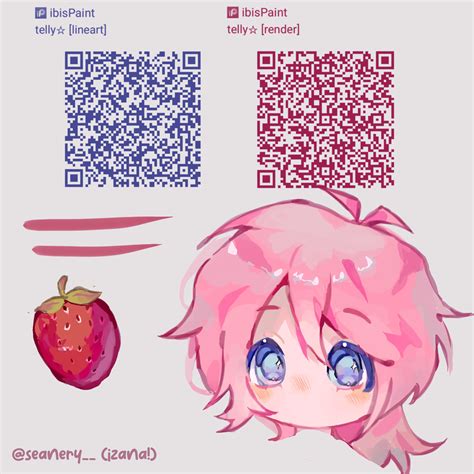
Effective Sharing Strategies
To maximize the reach and usability of your shared QR codes, consider these best practices:
- Provide Clear Instructions: When sharing your QR codes, accompany them with clear, concise instructions on how users can import them into Ibis Paint X. This ensures a smooth experience for those who discover your work.
- Include a Preview: Enhance the appeal of your shared resource by including a preview image or a short video demonstrating the QR code's effect or the resource in action. This gives potential users a tangible idea of what they will gain.
- Utilize Relevant Hashtags: When posting your QR codes on social media platforms, employ relevant hashtags. This increases discoverability. Examples include #ibisPaintX, #QRcodes, #custombrushes, #digitalart, #artresources, and #artistsoninstagram.
- Organize Your Shared Resources: If you plan to share multiple QR codes, consider organizing them by type (e.g., brushes, filters) or by theme. This makes it easier for users to find exactly what they are looking for.
- Engage with Your Community: Respond to comments and questions from users who are importing your resources. This fosters a sense of community and encourages further sharing.
Maintaining Your Digital Assets
As you accumulate and create QR codes, itâs wise to implement a system for organization and backup:
- Organize Your QR Codes: Create a dedicated folder on your device or cloud storage for your QR code images. You might categorize them by type of resource or by the artist who created them.
- Backup Your Resources: While QR codes are convenient, always back up the original custom brushes, filters, or textures they represent. This ensures you don't lose your valuable creations if the QR code data becomes inaccessible or corrupted.
- Stay Updated: Regularly update your Ibis Paint X application to the latest version. Updates often include improvements to existing features, bug fixes, and sometimes enhanced QR code functionality, ensuring compatibility and optimal performance.
- Be Mindful of Storage: While the QR code images themselves consume minimal storage space, the resources they unlock can vary in size. Be aware of your device's storage capacity, especially if you import a large number of complex assets.
By embracing the creation and sharing of QR codes, you not only enhance your own artistic journey but also contribute to the vibrant and ever-growing community of Ibis Paint X users, fostering a collaborative environment for digital art creation.