In the ever-evolving landscape of digital media, efficient image optimization is paramount for delivering fast-loading websites and seamless user experiences. While JPG has long been a staple for digital photography, the emergence of the WebP format, developed by Google, offers significant advantages in terms of compression and quality. This article delves into the intricacies of converting JPG images to the WebP format, with a particular focus on bulk conversion capabilities, empowering users to optimize their visual assets efficiently and without compromising quality.
The Imperative of WebP: Why Transition from JPG?
The JPG format, officially known as JPEG (Joint Photographic Experts Group), has been a dominant force in digital imaging for decades. It employs a lossy image compression technique, enabling a reduction in file size by sacrificing some image quality. This compression level is adjustable, allowing users to strike a balance between visual fidelity and storage requirements. JPG supports 24-bit color, rendering millions of hues, making it exceptionally well-suited for photographs and intricate images. However, its susceptibility to compression artifacts makes it less ideal for images containing text, large uniform color blocks, or simple graphics.
In contrast, WebP is a modern image format designed for superior compression and enhanced quality compared to its predecessors like JPEG and PNG. It ingeniously supports both lossy and lossless compression methods, offering remarkable versatility for various use cases where either reduced file size or uncompromising image quality is the priority. One of WebP's standout features is its ability to incorporate transparency, akin to PNG, but with significantly improved compression efficiency. This makes it a preferred choice for web developers striving to optimize images without any discernible sacrifice in visual quality. Furthermore, WebP's support for animation, mirroring GIF but with even better compression ratios, positions it as a highly adaptable format for diverse visual content on the internet.
The primary advantage of converting JPG to WebP lies in WebP's inherent superior compression efficiency. Developed by Google, WebP leverages both lossy and lossless compression techniques to achieve file sizes that are substantially smaller than those of JPG, all while maintaining comparable image quality. Beyond compression, WebP boasts advanced features that are absent in JPG, such as alpha channel transparency and animation capabilities. This makes WebP a more versatile format for contemporary web development, where transparent backgrounds and dynamic animated elements are increasingly prevalent. The alpha transparency in WebP is achieved without a substantial increase in file size, a stark contrast to the PNG format, which, while often used for transparent images, can result in considerably larger file sizes.
Moreover, the adoption of WebP can actively contribute to more sustainable web practices. Smaller image files necessitate less data transfer, which consequently reduces the energy consumption of data centers and network infrastructure. This environmental benefit, coupled with widespread support for WebP across modern browsers and image tools, ensures both compatibility and ease of use for users and developers alike.
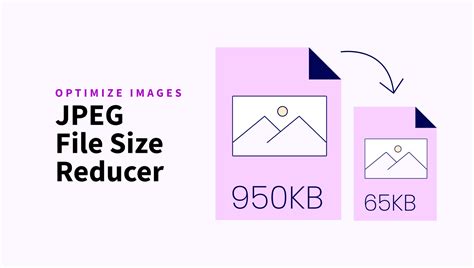
Streamlining the Conversion Process: Bulk JPG to WebP Tools
The process of converting a single JPG to WebP is often straightforward, but when faced with hundreds or even thousands of images, manual conversion becomes an impractical and time-consuming endeavor. This is where the power of bulk converters comes into play. These specialized tools are designed to handle multiple files simultaneously, drastically reducing the time and effort required for image optimization.
Several online platforms and software solutions offer robust bulk JPG to WebP conversion capabilities. These tools typically operate on a simple, intuitive principle: upload your JPG files, initiate the conversion process, and download the optimized WebP images.
Key Features of Effective Bulk Converters:
- Batch Conversion Functionality: The cornerstone of any bulk converter is its ability to process numerous files in one go. This feature allows users to upload a collection of JPG images and convert them all simultaneously, saving significant time.
- User-Friendly Interface: The best tools boast intuitive interfaces that require no prior technical expertise. Features like drag-and-drop functionality for file uploads and clear, concise instructions make the process accessible to users of all skill levels.
- Quality Preservation: A critical aspect of conversion is maintaining image quality. Advanced converters employ sophisticated algorithms to ensure that the resulting WebP files retain the visual fidelity of the original JPGs, often allowing users to set quality parameters.
- No Software Installation: Many online converters eliminate the need for downloading or installing any software or plugins. This provides immediate access and avoids cluttering local storage.
- Editing Capabilities: Some platforms go beyond simple conversion, offering integrated photo editing toolkits. These toolkits can be used to crop, resize, remove backgrounds, add captions, and apply various retouching features to the converted images, further streamlining the workflow.
- Speed and Efficiency: The ability to convert files quickly, even large ones, is a significant advantage. Tools that process conversions in seconds or minutes, regardless of file size, are highly valued.
- File Format Flexibility: While the focus here is JPG to WebP, many comprehensive converters support over a hundred image file conversion options, allowing for a single platform to manage diverse image format needs.
- Security and Privacy: Reputable converters prioritize user data security. This often involves encrypting files during transfer and automatically deleting them from servers after a specified period, ensuring privacy.
Step-by-Step Guide to Bulk JPG to WebP Conversion
While the specific steps may vary slightly between different tools, the general process for bulk JPG to WebP conversion is remarkably consistent. Here’s a typical workflow:
- Upload Your JPG Files: Navigate to the chosen online converter tool. You will usually find a button labeled ‘Choose Files’ or a designated dotted area where you can drag and drop your JPG image(s). Select all the JPG files you wish to convert. Many tools allow you to upload a considerable number of files at once.
- Initiate the Conversion: Once your files are uploaded, locate the ‘Start Conversion’ button, often positioned on the right side of the interface. Clicking this button will initiate the bulk conversion process for all selected files. Some advanced tools might offer settings adjustments prior to this step, such as image quality presets or compression levels.
- Download Your Converted Files: After the conversion process is complete, you will be presented with options to download your newly created WebP files. This might include a ‘Download All’ button to retrieve all converted images in a single archive (often a ZIP file) or individual ‘Download WEBP’ links next to each converted file.
- Optional: Edit Your Images: If the converter tool includes an integrated photo editing toolkit, this is your opportunity to further refine your images. You can crop them to specific dimensions, resize them for different platforms, remove unwanted backgrounds, add text overlays or captions, and apply various filters or effects to enhance their visual appeal.
1000 IMAGES to WebP Conversion in Seconds
Exploring Advanced Features and Considerations
Beyond the basic conversion process, several advanced features and considerations can enhance the JPG to WebP workflow:
- Lossy vs. Lossless Compression: WebP supports both lossy and lossless compression. Lossy compression reduces file size by discarding some data, which is generally imperceptible to the human eye, especially at higher quality settings. Lossless compression, on the other hand, preserves all original data, resulting in larger file sizes but perfect fidelity. For most web optimization purposes, a well-configured lossy conversion offers the best balance of file size reduction and quality. Some converters allow you to specify the compression type and quality level. For instance, setting the image quality to 100% can effectively achieve a near-lossless conversion.
- URL Upload Support: Some advanced converters offer the convenience of uploading images directly from a web address (URL). This is particularly useful if you have images hosted online that you want to convert without downloading them first.
- Generous File Size Limits: When dealing with high-resolution images, file size can be a concern. Tools with a generous file size limit, such as 200MB per file, can handle large assets effortlessly.
- API Integration: For developers and businesses requiring automated workflows, many platforms offer APIs (Application Programming Interfaces). These APIs allow for custom integrations with applications, enabling programmatic conversion and optimization of images as part of a larger system. This can automate the process of turning any format into WebP, creating automated workflows on preset configurations.
- Chrome Extensions: For users who frequently perform conversions, dedicated Chrome extensions can provide a highly integrated and convenient experience. These extensions often allow for in-browser conversion without needing to navigate to a separate website, and some even offer offline conversion capabilities.
Understanding the Technical Nuances: JPG vs. WebP
To fully appreciate the benefits of WebP, a deeper understanding of its technical underpinnings compared to JPG is beneficial.
JPG (Joint Photographic Experts Group):
- Compression: Primarily uses lossy compression. The algorithm selectively discards image data to reduce file size.
- Color Depth: Supports 24-bit color (approximately 16.7 million colors).
- Transparency: Does not support transparency. Images with transparent backgrounds will typically have a solid color background instead.
- Animation: Does not support animation.
- Artifacts: Can exhibit compression artifacts, especially at lower quality settings or with sharp lines and text.
- Use Cases: Ideal for photographs and complex, colorful images where some loss of detail is acceptable for significant file size reduction.
WebP:
- Compression: Supports both lossy and lossless compression. Lossy WebP generally achieves better compression than JPG at comparable quality. Lossless WebP offers competitive compression against PNG.
- Color Depth: Supports 24-bit color with an 8-bit alpha channel for transparency.
- Transparency: Supports alpha channel transparency, similar to PNG, but with more efficient compression.
- Animation: Supports animation, offering better compression than GIF.
- Artifacts: Less prone to visible artifacts compared to JPG at similar compression levels.
- Use Cases: Highly versatile. Excellent for photographs, graphics with transparency, and animated elements on the web. Its superior compression makes it ideal for optimizing web performance.
The development of WebP represents a significant leap forward in image compression technology. While JPG remains a valuable format for specific applications, WebP's combination of smaller file sizes, high quality, and advanced features makes it the superior choice for modern web development and digital asset management.
Security and Privacy in Online Conversions
When utilizing online tools for JPG to WebP conversion, particularly for sensitive or proprietary images, security and privacy are paramount concerns. Reputable services address these concerns through several measures:
- Data Encryption: Files are typically encrypted during the upload and download process, ensuring that they cannot be intercepted or read by unauthorized parties.
- Automatic Deletion: Most trustworthy converters implement policies for automatically deleting uploaded and converted files from their servers after a set period. This can range from a few minutes to 24 hours, significantly minimizing the risk of data exposure.
- No Manual Access: Developers of these tools often state that they do not manually access or store user files. The processing is automated, and access is restricted to the user who initiated the conversion.
- Privacy Policies: A clear and transparent privacy policy is a good indicator of a service's commitment to user data protection. This policy should detail what data is collected, how it is used, and how it is protected.
For users with extremely sensitive data, converters that process files entirely within the browser, without uploading them to a server, offer the highest level of privacy. These solutions ensure that your data never leaves your local machine.
The Future of Image Optimization: Beyond WebP
While WebP is a significant advancement, the field of image optimization continues to evolve. Newer formats like AVIF (AV1 Image File Format) are emerging, offering even greater compression efficiency and visual quality than WebP. However, WebP currently enjoys broader browser support, making it a more practical choice for most web applications today. The ongoing development in image compression promises even more efficient and higher-quality solutions for the future, further enabling faster, more engaging digital experiences.
The ability to efficiently convert JPG to WebP in bulk is no longer a niche requirement but a fundamental aspect of modern digital asset management. By understanding the benefits of the WebP format and leveraging the power of bulk conversion tools, individuals and businesses can significantly enhance their web performance, reduce bandwidth consumption, and deliver a superior experience to their audience.