Adobe Photoshop has long reigned as the undisputed king of image editing and graphic design software. For decades, it has been the industry standard, a go-to tool for professionals and hobbyists alike. However, the landscape of creative software is constantly evolving. With increasing subscription costs, a desire for more specialized tools, and the emergence of powerful new contenders, many users are actively seeking "one-time purchase Photoshop alternatives." This guide explores a diverse range of software that not only rivals Photoshop's capabilities but, in some areas, offers distinct advantages, catering to various needs from professional photography and graphic design to digital painting and quick social media edits.
The best Photoshop alternatives don't just match Adobe's industry-standard software; in some ways, they exceed it. There are plenty of digital art and photo editing programs offering features that Photoshop doesn't, from advanced digital painting tools to the simple option to buy the software outright rather than subscribing. In this comprehensive guide, we've outlined the top Photoshop alternatives based on extensive testing and hands-on reviews, focusing primarily on desktop software, though mobile-specific solutions are also touched upon. Our expert reviewers spend hours testing and comparing products and services so you can choose the best for you.
Affinity by Canva: The Unbeatable Free Powerhouse
Specifications:
- Platform: Mac OS 13+, Windows 10+
- Latest version: 2 (as of the latest information)
- Free trial: No
- Free version: Yes
Reasons to buy:
- Totally free
- Fully featured
- Not bogged down by AI (unless you opt-in for Premium Canva features)
Reasons to avoid:
- No built-in photo organizing capabilities
- No iPad version yet
- Premium account needed for AI tools
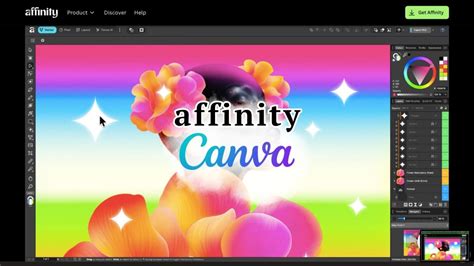
Canva made a significant and bold move by making its newly acquired software, Affinity, completely free. Previously a one-off cost, it now costs absolutely nothing. However, this generosity is meaningless if the software isn't up to par. Thankfully, Affinity is packed with fantastic features and tools, making it the closest thing to Photoshop that we've seen yet.
From its interface to its extensive range of features, Affinity is squarely aimed at professional photographers and designers. It's also fully compatible with Photoshop and other file formats, and crucially, it's free. While there are no built-in AI tools, including denoising, unless you opt for a Premium Canva subscription, it does offer a useful object selection tool, though it's not always perfect. In our tests, Photoshop's object selection tool did a better job of picking out a bird against a blue sky.
Most photo editing in Affinity is non-destructive, working in a way that's very similar to Adobe's approach. However, it lacks photo organizing or cataloging abilities, which may be a drawback for photographers who will need a separate application for that purpose. Affinity is available for both Mac and Windows.
Procreate: The iPad's Digital Painting Champion
Specifications:
- Platform: iPad (iOS 16.3+), separate Procreate Pocket iPhone app (iOS 15.4+)
- Latest version: 5.4.8 (as of the latest information)
- Free trial: No
- Free version: No
Reasons to buy:
- Low cost
- Excellent Apple Pencil support
Reasons to avoid:
- iOS and iPadOS only
- Lacks some advanced photo editing features found in Photoshop
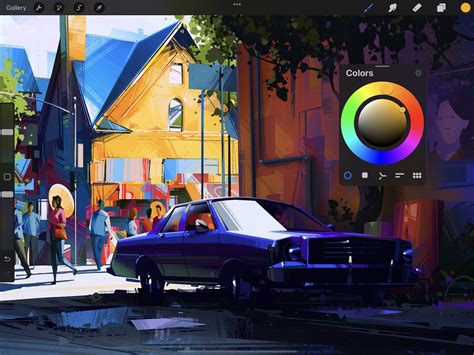
If you're looking for a dedicated painting app for your iPad, Procreate is a highly recommended option. What began as a basic drawing app in 2010 has evolved into a highly professional tool, earning it several Apple Design Awards. Our testing found that its user-friendly layout is brimming with features artists love, from realistic pencils and inks to advanced layer compositing and unique digital tools. Added palm support eliminates the worry of accidentally drawing on your canvas, and an ever-growing library of Procreate brushes helps add flair to your artwork.
Procreate offers full support for both first- and second-generation Apple Pencils, depending on your iPad model. Since 2019, a dedicated iPhone version named Procreate Pocket has been available. Newer versions have also seen improvements in 3D painting tools, and animators might want to explore the newly updated Procreate Dreams app. If you're considering an iPad primarily for Procreate, consult our guide to the best iPads for this purpose. While you won't find all the photo editing features expected from Photoshop, for digital painting specifically, Procreate offers most of what you'll need.
Luminar Neo: AI-Powered Photo Enhancement
Specifications:
- Platform: macOS 12+; Windows 10+
- Latest version: 1.26 (as of the latest information)
- Free trial: No
- Free version: No
Reasons to buy:
- Good for beginners
- Generate new objects with AI
- Expand your canvas with AI
Reasons to avoid:
- Other AI tools might offer more advanced capabilities
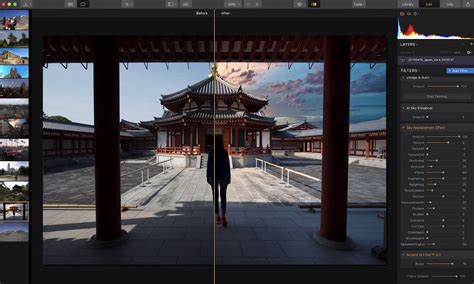
Skylum's Luminar Neo stands out as a capable Photoshop alternative on various fronts. It offers many of the same excellent photo editing tools and appears to be designed specifically with photographers in mind. Our review of Skylum Luminar Neo focused on its generative AI tools, which we found to be comparable to Photoshop's offerings. The most reliable of these is the GenExpand tool, which allows you to expand your canvas, with the extra parts being intelligently filled in by AI.
Photopea: The Browser-Based Photoshop Alternative
Specifications:
- Platform: Web-based
- Latest version: 5.2 (as of the latest information)
- Free trial: No
- Free version: Yes
Reasons to buy:
- Free version available
- Cross-platform compatibility
Reasons to avoid:
- Lacks some of the most advanced features
- Ads are present in the free version
Thanks to continual advances in web technology, you don't always need a discrete application to perform many tasks typically done in Photoshop. Photopea, which runs entirely in your browser, is a prime example. Designed as an advanced editor with professional tools, it bears a distinct resemblance to Photoshop and includes most of the tools needed for everyday image work. It can open most standard file formats, including JPG, PNG, and RAW, and it even accepts Sketch, GIMP, and Photoshop PSD files.
Photopea supports layers and layer masks, allows the use of blend modes, and features a comprehensive set of selection tools, ranging from standard marquees to a magnetic lasso and a quick selection tool. The free version is ad-supported, but a premium subscription is available to remove ads and unlock additional features like 60 undo levels (compared to 30 in the free version).
Capture One Pro: Subscription-Free Professional Photography
Specifications:
- Platform: Windows, macOS
- Latest version: 16.7 (as of the latest information)
- Free trial: 7 days
- Free version: No
Reasons to buy:
- Excellent workflow
- Great tethering options, now including wireless
- Superb RAW processing
- Moveable panels offer great multi-monitor support
Reasons to avoid:
- Not a huge plugin library
- User interface can appear a bit dull
- Some users may be wedded to a modular screen setup
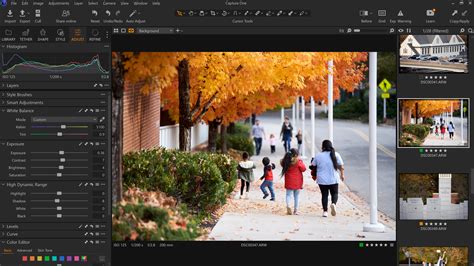
Capture One Pro is another strong contender that bravely champions the one-time purchase model over subscriptions. It's a fully featured piece of software well-suited for professional and serious enthusiast photographers. It's a go-to program for many in-house studio photographers, partly due to its excellent tethering tools, which allow direct camera control and shutter firing through the software â invaluable for fine-tuning studio setups.
As noted in our reviews, Capture One Pro is one of the most capable RAW processors available, offering a broad spectrum of options for advanced color work. It also provides a suite of image management tools that rival Lightroom's, with import and culling options designed to streamline the management of large photo batches. Bulk tagging is intuitive, and the software cleverly uses face-detection technology to automatically zoom in on faces for sharpness checks, aiding in efficient culling. While not a cheap option, the cost is a one-time investment rather than a perpetual drain.
ArtRage: Realistic and Intuitive Digital Painting
Specifications:
- Platform: macOS 10.9+, Windows 10+; separate apps for iOS and Android
- Latest version: Vitae (as of the latest information)
- Free trial: No
- Free version: No
Reasons to buy:
- Realistic thick oils and delicate watercolors
- Intuitive drawing experience
Reasons to avoid:
- Not the cheapest option
- Mobile apps are sold separately
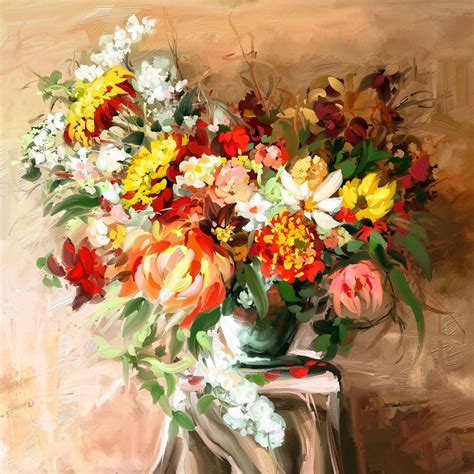
ArtRage is another excellent choice for those seeking digital painting that convincingly mimics traditional media. It offers realistic oils, pencils, watercolors, canvas textures, and other traditional painting tools, many of which are fully customizable, effectively replicating an old-school art studio in a digital format. Its creators describe ArtRage as "a canvas for thick, expressive oils and delicate watercolors, a sketchpad with a full set of pencils, and a sheet of paper with a stack of wax crayons all in one."
The latest version, ArtRage Vitae, is available for Windows and macOS. Our reviewers found it excels at virtually smearing and blending thick oils to create natural color gradients; sketching with pencils and shading with the edge of the tip; and creating delicate watercolor strokes that react to canvas texture. Like most visual editing software, it includes layers, blend modes, guides, grids, and perspective layout tools, and you can use photos as references. For beginners looking for an affordable and intuitive digital painting program, ArtRage is a seriously worthwhile option.
Krita: The Free Open-Source Champion for Digital Artists
Specifications:
- Platform: Mac, Windows, Linux
- Latest version: 5.2.15 (as of the latest information)
- Free version: Yes
Reasons to buy:
- Completely free
- Open-source
- Excellent brush selection and performance
Reasons to avoid:
- Lacks some dedicated photo editing features
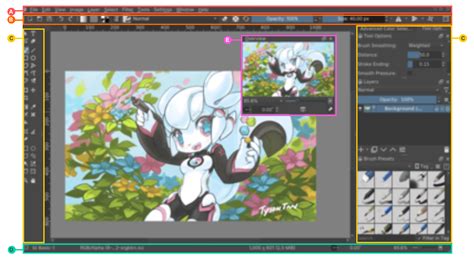
For those seeking free software for digital painting, Krita is an outstanding Photoshop alternative. As an open-source program, it has been developed by artists aiming to provide quality, affordable software. The focus is on tools that artists truly want and need. During our review, we were particularly impressed by Krita's brush tools, which include 100 brush types, nine brush engines, and a brush stabilizer. Krita allows for multi-layer workflows, and its interface is very similar to Photoshop, making it easy for users familiar with Adobe's software to master. However, our testing revealed that as a digital painting program, Krita does lack some of Photoshop's specific photo editing features.
Sketch: The UI/UX Design Standard
Specifications:
- Platform: macOS 14+
- Latest version: 2025.3.4 (as of the latest information)
- Free trial: 30 days
- Free version: No
Reasons to buy:
- Professional toolset
- Clear focus on UI/UX design
- Now available on web and iOS
Reasons to avoid:
- No raster editing capabilities
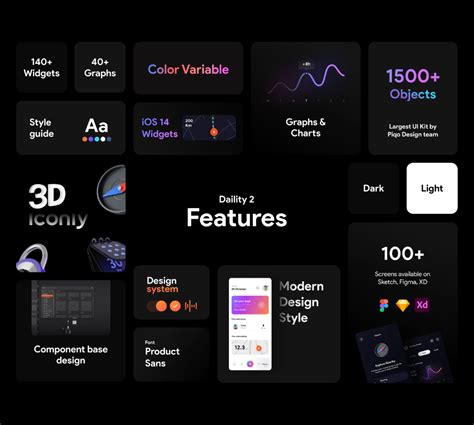
Sketch is a professional vector graphics application that has generated significant buzz within the design community, particularly among web designers, since its launch in 2010. It's highly flexible, supporting infinite zooming and vector shapes for multiple resolutions. Users can build new graphics from primitive shapes or start with the Vector or Pencil tool. We found Sketch to possess a pleasingly simple UI and many features comparable to Photoshop and Illustrator, including layers, gradients, a color picker, and style presets. Its popularity has led to a wealth of community-created plugins to extend its functionality.
A few years ago, Sketch introduced a flurry of new features, including improvements to real-time collaboration. Developers can now view, inspect, and measure designs in any browser, on any operating system, all for free. Additionally, new document permissions allow designers to restrict who can edit specific designs.
GIMP: The Versatile Free Photoshop Alternative
Specifications:
- Platform: Linux, Windows, Mac
- Latest version: 3.0.8 (as of the latest information)
- Free trial: No
- Free version: Yes
Reasons to buy:
- Completely free
- Open-source
Reasons to avoid:
- Steeper learning curve
- Can sometimes feel laggy
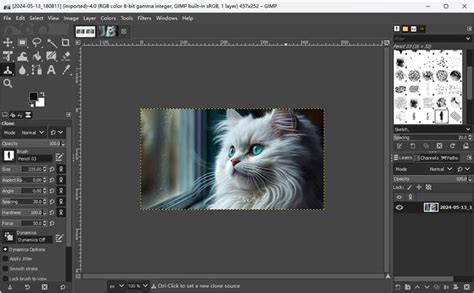
GIMP (GNU Image Manipulation Program) is a free, open-source Photoshop alternative that has been around for years and is available for Linux, Windows, and Mac. We believe GIMP offers a wide toolset, similar to Photoshop in many respects, making it a great option for those seeking a no-cost image editor. Our testing concluded that while the interface differs somewhat from Photoshop, a version is available that mimics Adobe's look and feel, easing migration for those switching from Photoshop.
The full suite of tools includes painting tools, color correction, cloning, selection, and enhancement features. It ensures good compatibility, allowing you to work with all the most popular file formats. You'll also find a capable file manager built-in, akin to Adobe's Bridge. As open-source software, GIMP is constantly being improved, so if you've tried it before and weren't satisfied, it's worth revisiting.
Pixelmator Pro: A Mac and iPad Powerhouse
Specifications:
- Platform: macOS 12+, iPadOS 26+
- Latest version: 4.0 (as of the latest information)
- Free trial: Yes
- Free version: No
Reasons to buy:
- Part of Apple Creator Studio
- Can be purchased as a standalone application
- Easy to use
Reasons to avoid:
- Some brushes lack pressure sensitivity
- Cannot rotate the canvas
Pixelmator Pro has received a significant upgrade and is now part of Apple's Creator Studio, though the Mac app can also be bought separately. It combines photo editing, illustration, and painting tools into a single application. It offers non-destructive image editing and supports features like tabs, fullscreen, and split view. The interface is minimalist and won't confuse beginners. With plenty of great templates, it's ideal for new users, and it provides the expected Photoshop-level features for image editing, adjustable brushes, masking, and layering. It also includes AI features such as automatic background removal and Super Resolution for upscaling images.
However, in our tests, we found some brushes lacked pressure sensitivity, and we were unable to rotate the canvas as is possible in Procreate. If you're already considering subscribing to Apple Creator Studio, Pixelmator Pro is a great addition. However, for a standalone application, we'd likely recommend Procreate or Affinity over Pixelmator Pro.
ON1 Photo RAW: The Professional's All-In-One Solution
Specifications:
- Platform: Windows, Mac
- Processor: Four-Core Intel or AMD processor with 64-bit support; 2 GHz or faster processor with SSE 4.2 or better or Apple Silicon. ARM processors are not supported.
- RAM: 8GB (16GB if shared with the GPU)
- Hard disk space: 6GB
- Display: 1920x1080 resolution
Reasons to buy:
- New generative AI features
- All-in-one organizing, editing, and effects
- Available via subscription or a one-time purchase
- Great effects, filters, and presets
Reasons to avoid:
- RAW processing could be improved
- Some AI masking and generative AI tools can be glitchy
Like Capture One, ON1 Photo RAW is a photo editing application that could potentially replace both Lightroom and Photoshop for the right photographer, provided they don't require Photoshop's most advanced features. While we preferred Capture One's RAW processing and seamless user interface, ON1 Photo RAW is roughly a third of the cost, making it a compelling option for those seeking software under the $100 price point.
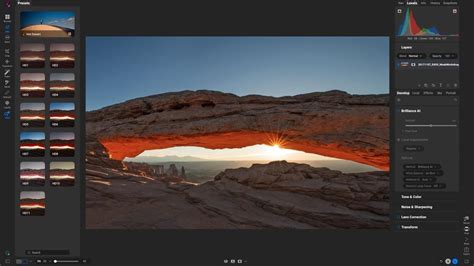
ON1 Photo RAW functions as an organizer, RAW processor, and editor all in one. The program's use of layers and masks allows for local edits beyond typical RAW processing, including the creation of composites. Unlike Photoshop, ON1 Photo RAW is not designed for both graphic design and photography; it's primarily intended for photo work. During our testing, we appreciated the customizable presets, which provide thumbnails to inspire creative possibilities. The all-in-one design and the option to choose either a one-time purchase or a subscription are significant advantages.
Luminar Neo: Fun, Powerful, and Beginner-Friendly
Specifications:
- Platform: Windows 10 (64-bit) v1909 or higher; macOS 12.0 or higher
- Processor: Intel i5 8th gen or better, AMD Ryzen 5 or better; Apple Silicon
- Hard drive: 10GB
- RAM: 8GB (16GB recommended)
- Minimum screen resolution: 1280Ã768px
Reasons to buy:
- Integrated image catalog
- Generative AI features
- Numerous AI-powered enhancements
- Available as a 'perpetual' license
Reasons to avoid:
- Workflow inconsistencies
- Generative AI results can vary
- Presets can be uninspiring
- Heavy commercialization
We believe Luminar Neo is more beginner-friendly than even Photoshop Elements, largely because you don't need to grapple with a layer-based workflow. Think of Luminar Neo as a more feature-rich Camera RAW (included with Photoshop) rather than a direct Photoshop alternative. This software excels at rapidly guiding inexperienced photo editors to produce professional-grade edits with a gentle learning curve, while also allowing prolific photographers to process their library at impressive speeds. This is all made possible by Luminar Neo's intuitive design and abundance of AI-powered tools.
By adjusting just one or two sliders, you can radically transform an image. The software also features an AI Assistant, enabling beginners to use text-based prompts for both learning and editing. Luminar's AI tools exhibit some inconsistency, with some performing better than others, and at times, the layout can feel slightly unintuitive. Consequently, it's not the software we'd recommend to professionals and serious amateurs. However, beginners, casual users, or prolific photo editors will find Luminar Neo a joy to use. Crucially, you're not locked into a subscription; plans are perpetual, although update support typically lasts for a year, requiring an upgrade fee for access to the latest updates.
Photoshop Elements 2025: A Gentler Introduction to Photoshop
Specifications:
- Platform: Windows, Mac
- Processor: Intel 6th Generation or newer processor or AMD equivalent with SSE4.2 support, Apple M1 or newer
- RAM: 8 GB
- Hard drive space: 10 GB
- Minimum screen resolution: 1280x800 pixels
Reasons to buy:
- New AI features
- Guided edits are easy to learn
- Affordable, non-subscription option
Reasons to avoid:
- RAW processing requires a plugin
- Limited non-destructive RAW edits
- Not as advanced as full Photoshop
- 3-year license
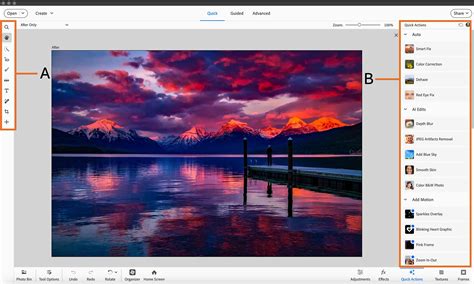
The venerable Photoshop Elements 2025, while showing its age slightly, remains an excellent purchase for anyone put off by Photoshop's professional austerity and its subscription fee. Although made by the same company behind Photoshop, Photoshop Elements 2025 is a distinctly different software. It's designed with beginners in mind, featuring a Guided mode with an ever-expanding list of effects that walk users through each step. It also includes an Expert mode with a full range of tools, but those accustomed to the full Photoshop experience may find the more limited advanced tools and the somewhat dated user interface disappointing.
You can acquire Photoshop Elements on its own or as part of a bundle with Adobe Premiere Elements, which handles video editing in the same user-friendly way Photoshop Elements handles photography.
GIMP: The Enduring Free Open-Source Rival
Specifications:
- Platform: Windows, Mac, Linux
- Processor: 1 GHz or faster
- RAM: 2 GB (16 GB recommended)
- Memory: 400MB
- Display: 1024x768
Reasons to buy:
- Free, open-source, and widely available
- Many familiar long-standing tools
- Offers extensive advanced editing and graphics options
Reasons to avoid:
- Interface can feel more dated than Photoshop's
- Higher learning curve for some users
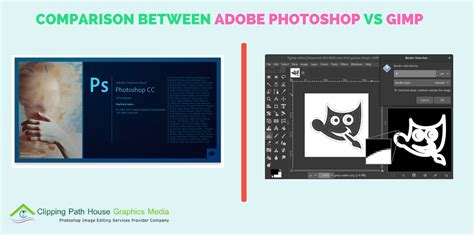
When I first explored GIMP, I was surprised by how similar the open-source software felt to Photoshop. GIMP, which stands for GNU Image Manipulation Program, is capable of tackling both photo editing and graphic design tasks. GIMP still incorporates many of Photoshop's essential features, including layers and masking.
While GIMP shares numerous similarities with the industry-standard photo editor, it does lack certain functionalities. Features like Content-Aware Fill aren't included in the default download, although a similar effect can be achieved with a plugin. As free software, GIMP can sometimes feel a few versions behind Photoshop. For instance, it currently lacks generative AI fill and generative expand features. My most significant annoyance, however, was that many tools were named differently or located in different places, requiring an avid Photoshop user to relearn their positions.
Why Consider a Photoshop Alternative?
Photoshop may be an industry standard, but there are several compelling reasons why someone might opt for alternative software. Cost is a primary driver; Photoshop's subscription model can become prohibitively expensive, especially for freelancers or those on a budget. Many alternatives offer a one-time purchase, providing a sense of ownership and long-term value.
Furthermore, some users find Photoshop's extensive feature set daunting and prefer simpler, more focused applications. Alternatives can offer a more streamlined interface and a gentler learning curve, making them ideal for beginners or those who don't require every advanced feature Photoshop offers. Additionally, specialized software often excels in specific areas, such as digital painting or RAW processing, providing a superior experience for niche tasks.
Finally, the rapid pace of innovation means that some alternatives are introducing cutting-edge features, including advanced AI tools, that may not be available or as refined in Photoshop.
The Future of Creative Software
The market for image editing and graphic design software is more vibrant and competitive than ever. While Photoshop remains a powerful and feature-rich option, the rise of affordable, user-friendly, and specialized alternatives provides users with unprecedented choice. Whether you're a professional photographer seeking robust RAW editing, a digital artist craving realistic painting tools, a designer focused on UI/UX, or a casual user looking for a simple way to enhance photos, there's a Photoshop alternative out there that perfectly fits your needs and budget. The freedom from mandatory subscriptions and the ability to own your software outright are significant draws, making these alternatives not just viable, but often preferable choices for a wide spectrum of creative individuals.