In the digital age, our printed photographs remain precious anchors to our past, holding cherished memories, significant people, and beloved places. As the world increasingly embraces digital formats, the desire to preserve and share these tangible links to our personal history has never been stronger. While professional services and bulky flatbed scanners have historically been the go-to solutions for digitizing photo collections, the device most of us carry daily - our smartphone - has emerged as a surprisingly potent tool for this very purpose. Photo scanning applications, designed to transform your phone into a portable scanner, have surged in popularity, promising a convenient and efficient way to bring old photos into the modern digital realm. Among these, the Photomyne app stands out for its robust features and user-friendly interface, particularly for Android users.
The Core of Photomyne: Advanced Scanning Capabilities
Photomyne's primary function revolves around its sophisticated scanning technology. The app is engineered to simplify the digitization process, making it accessible even to those with minimal technical expertise. The magic begins the moment you point your Android device's camera at an old photograph. Photomyne's intelligent system automatically detects the borders of each photograph, even when multiple prints are visible within the same frame. It excels at identifying edges, angles, and shadows, accurately discerning where one photo concludes and another commences.
Beyond simple detection, the app performs crucial corrections to ensure a high-quality digital output. Raw captures from a phone camera often suffer from tilted edges or slight distortions because users rarely hold their devices perfectly straight. Photomyne's system intelligently re-aligns the image, correcting its perspective so that it appears flat and rectangular, mirroring the appearance of a scan from a traditional flatbed scanner. This auto-correction feature saves users considerable time and effort in post-processing.
The scanning capabilities extend beyond standard prints. Photomyne is designed to handle a diverse range of media, including:
- Photos: Standard prints of various sizes.
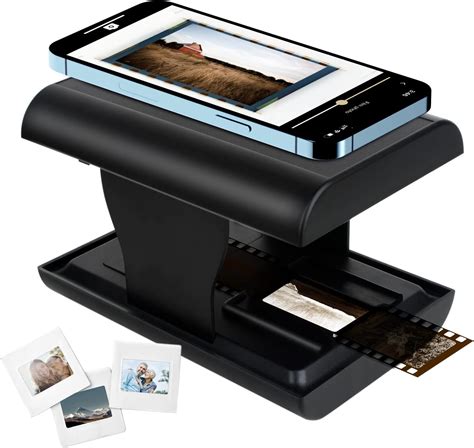
- Slides and Negatives: Allowing for the digitization of photographic film.
- Kids' Art: Preserving children's creative endeavors.
- Documents: Such as recipes, letters, or important notes.
- Scrapbook Pages: Capturing entire layouts with multiple images and embellishments.
The app streamlines the process of scanning multiple items. Users can scan an entire album page by page in a matter of minutes. For even greater efficiency, Photomyne allows for scanning batches of up to three photos at a time, which is ideal for quick and good results. While scanning one photo at a time is recommended for the absolute best printing quality, batch scanning significantly accelerates the digitization of large collections.
One of the most impressive aspects of Photomyne's scanning technology is its "magic" of auto-detection, auto-rotation, auto-cropping, and auto-color restoration. This means that the app automatically identifies, straightens, trims, and enhances the scanned images with minimal user intervention. This level of automation is particularly beneficial for users who want to preserve their memories without investing significant time in manual editing.
Enhancing and Organizing Your Digital Memories
Once a photo is scanned, Photomyne doesn't stop there. The app offers a suite of editing and organizational tools designed to transform a collection of scattered prints into a structured and meaningful digital archive. After the initial scan and auto-enhancements, users have the ability to enrich their photos with vital contextual information. This includes adding:
- Dates: To precisely pinpoint when the memory occurred.
- Names: Identifying the people featured in the photos.
- Stories: Allowing users to record anecdotes or personal narratives associated with the image.
- Locations: Tagging where the photo was taken, adding geographical context.
These details are crucial for creating a rich, searchable, and easily navigable digital library. By adding these metadata, users can turn a simple collection of digital images into a comprehensive historical record of their lives and families.
Photomyne also provides features for further visual enhancement and organization:
- Adding photos to new or existing albums: This allows for logical grouping of memories, such as by event, year, or person.
- Applying color filters: To achieve specific aesthetic effects.
- Colorizing Black & White Photos: A particularly valuable feature for bringing historical black and white images to life with color. While specialized apps exist for this purpose, Photomyne's integrated solution offers convenience, and users have reported decent results on many of their photos.
- Sharpening blurry faces: This AI-powered enhancement can improve the clarity of key subjects in photos, making them more visually appealing.
- Adding audio recordings: This unique feature allows users to attach spoken memories or stories directly to a photo, adding an auditory dimension to the visual record.

Convenience, Cost, and Comparison
One of the most significant advantages of using Photomyne, or any mobile scanning app, is its unbeatable convenience. Unlike bulky and expensive dedicated scanners, your phone is always with you. This means you can scan photos during brief moments of downtime - while waiting for a commercial break, for a pot of water to boil, or during a quiet afternoon spent reminiscing at a relative's home. This flexibility makes digitizing a large collection feel less like a daunting project and more like a series of manageable tasks that can be spread out over time.
This convenience is directly linked to speed and immediacy. Traditional flatbed scanners often involve a sequential process: scan one photo, save it to a computer, and repeat. Photomyne, on the other hand, offers a nearly instantaneous workflow. You capture the image, the app processes it in seconds, and the digital photo is saved to your device.
From a cost-effectiveness perspective, Photomyne presents a compelling alternative to traditional methods. Dedicated photo scanners can cost hundreds of dollars, and professional scanning services can accumulate significant expenses for large photo collections, often charging per photo. Photomyne operates on a "freemium" model. A free version allows users to experience basic photo scanning and assess the quality, with affordable subscription options unlocking unlimited scanning, cloud backup, and advanced features. While subscriptions can add up over time, users retain the option to download their scans and store them elsewhere. The Photomyne Membership, available via monthly/yearly auto-renewing subscriptions or a one-time payment, offers unlimited scanning, saving, sharing, backup, and access to all enhancement features, including B&W photo colorization.
When comparing Photomyne to traditional scanners like the EPSON FastFoto, some differences emerge. FastFoto and similar scanners excel at scanning both sides of a photo simultaneously and effortlessly handling entire stacks of pictures. However, Photomyne shines when dealing with albums that have several pictures per page or pages larger than standard letter size (8 ½ by 11 inches), especially when individual photos need to be saved separately. Photomyne's ability to intelligently separate multiple photos from a single scan makes it superior in these scenarios.
Scan Albums With Photomyne Tutorial Video
Considerations and Best Practices for Optimal Results
While Photomyne offers remarkable ease of use, achieving the best possible scan quality depends on a few factors. The quality of your phone's camera and your scanning technique are paramount. A newer smartphone with a high-resolution camera will naturally produce sharper and more detailed scans than an older, budget model.
Furthermore, the scanning environment plays a critical role. Proper lighting is essential. Direct, harsh lighting can lead to glare and distracting shadows, while insufficient light can result in grainy, "noisy" images. The ideal scenario involves bright, indirect natural light, such as near a window but out of direct sunlight.
It's also important to manage expectations regarding the time investment. While each individual scan is swift, digitizing hundreds or thousands of photos is inherently a time-consuming project. Users will need to dedicate time to finding a suitable scanning spot, arranging their photos, and performing the scans.
The freemium model of most apps, including Photomyne, comes with inherent limitations in the free version. These might include a cap on the number of scans, watermarks on saved images, or restricted access to premium features like color restoration or cloud backup. Users considering Photomyne should evaluate these limitations against their needs and decide if a subscription or one-time purchase is warranted.
To maximize efficiency and results:
- Wipe your phone's camera lens before you begin scanning.
- Find a well-lit area with indirect natural light.
- Utilize batch scanning features where applicable to speed up the process. Photomyne's ability to scan multiple photos in a single shot and then intelligently separate them is a key advantage here.
- Explore the organizational tools to create a structured and meaningful digital archive.
The Verdict: An Accessible Gateway to Preserving Memories
For the vast majority of individuals, the advantages offered by a photo scanning app like Photomyne significantly outweigh the potential drawbacks. It provides an accessible, cost-effective, and remarkably convenient way to preserve precious memories that might otherwise be lost to time or neglect. While a high-end scanner might offer marginally superior quality, its effectiveness is nullified if it remains unused due to its complexity, cost, or space requirements. Photomyne democratizes photo digitization, making it a task that can be accomplished by almost anyone, anywhere, with the device they already own.

The app is particularly lauded by users who have large collections of old photos and have been daunted by the prospect of traditional scanning methods. Many have found Photomyne to be a "lifesaver," enabling them to digitize hundreds, even thousands, of photos in a matter of hours, often with results that appear better than the original prints. The ability to quickly scan an entire album and then share it with family members further enhances its appeal. For those looking to preserve their family history and share it across generations, Photomyne offers a powerful, user-friendly, and technologically advanced solution. It truly is a strong contender for an app that can revolutionize how we interact with our past.