Adobe Photoshop Touch for Phone offered a powerful and creative suite of tools for mobile image editing, bringing many of the core functionalities of its desktop counterpart to smartphone users. While no longer available on official app stores, understanding its capabilities and legacy provides valuable insight into the evolution of mobile photo manipulation. This article explores the features, benefits, and considerations surrounding Photoshop Touch for Phone, drawing upon its publisher descriptions and user experiences.
Bringing Desktop Power to Your Pocket
Adobe Photoshop Touch for phone was designed to "bring the fun and creative possibilities of Adobe® Photoshop® software to your phone." It aimed to transform images with "core Photoshop features," offering "most of the same features as the tablet version." This meant users could leverage sophisticated editing capabilities directly on their mobile devices, a significant advancement for on-the-go creativity.
Key Features and Functionalities
The application provided a robust set of tools for image manipulation. Users could:
- Utilize Layers: A fundamental aspect of Photoshop, layers allowed for complex image compositing and non-destructive editing. This enabled users to work on different elements of an image independently, offering greater control and flexibility.
- Employ Selection Tools: Features like the "Scribble Selection tool" allowed users to "select part of an image to extract just by scribbling." The "Refine Edge feature" was particularly useful for capturing "hard-to-select image elements, like hair" with precision, even using a fingertip.
- Apply Adjustments and Filters: Users could "improve your photos using classic Photoshop features to bring out the best in your photography." This included applying "precise tone and color adjustments to your entire composition, a particular layer, or a select area." A "huge library of professional effects and filters" was available for artistic expression.
- Creative Effects and Brushes: The app facilitated creating "something of-worldly using painting effects, filter brushes, and so much more." This opened up endless creative possibilities for artistic image enhancement.
- Text and Graphical Elements: Users could "make your images pop with graphical text," with options to "apply strokes, add drop shadows and fades, and more."
- Camera Fill Feature: This unique tool allowed users to "take advantage of your device’s camera to fill an area on a layer."
- Image Combination and Blending: The app enabled users to "quickly combine images together." It also supported features like "double exposure," allowing for the artistic blending of two images.
- High-Resolution Support: Photoshop Touch for Phone worked with "high-resolution images" of "up to 12 megapixels," ensuring that image quality was maintained throughout the editing process.
- Integration with Creative Cloud: A "free membership to Creative Cloud provides 2GB of cloud storage," facilitating seamless workflow and access to projects across devices. An "Internet connection and complimentary level of membership to Adobe Creative Cloud is required for use of this feature."
Safety and Verification
When considering the download of software from third-party sources, safety is a paramount concern. Adobe Photoshop Touch for phone, as indicated by security scans, has been verified as safe to download. Using "VirusTotal technology," the file passed a "comprehensive security scan," resulting in a "Clean" score. It was confirmed to be "Virus free, Spyware free, Malware free" and "Verified by Security Partners." The file integrity was confirmed with SHA256 and SHA1 hashes, and the scan was last performed on "Monday, December 18, 2023." The "Softonic security commitment" highlighted that the file "comes from the official developer and has passed all our security checks."
However, it's crucial to note that the application is "no longer available in Google Play nor App Store." This means users must rely on third-party sites for the APK file. While the provided information suggests safety, it is always recommended to "scan the downloaded app with your antivirus" as a precautionary measure. The text also notes a potential for antivirus software to "detect the Photoshop Touch for phone as malware if the download link to air.com.adobe.pstouchphone is broken," which could lead to redirection to Google Play.
Installation Process
To install Photoshop Touch for phone on an Android device from a third-party source, the typical process involves:
- Clicking on a download button (e.g., "Continue To App").
- The app will be downloaded onto the device.
- Once downloaded, the installation process begins. A pop-up window will display the permissions required by the app.
- Users must "Click on Accept to continue the process."
- The app will then be downloaded and installed, showing a progress indicator.
Alternatively, if redirected to Google Play, the user would simply tap the "Install" button on the app's listing page.
User Experience and Interface Considerations
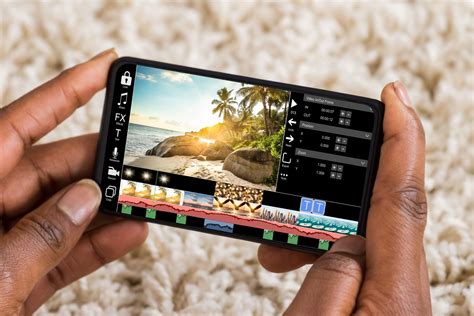
The phone version of Photoshop Touch featured a "redesigned interface optimized for smaller screens." This aimed to make the powerful tools accessible and manageable on a smartphone. However, the "help system lacks in-depth explanations and comprehensive tutorials," which "could potentially present a learning curve for newcomers." Users with prior image-editing experience were expected to find it easier to navigate and utilize the app's features effectively.
Challenges and Optimizations
"Manipulating selections on smaller phone screens can be a task requiring precision and patience." The traditional "marching ants" selection display could pose visibility challenges, necessitating "frequent zooming in and out." Additionally, "certain features and text functionality may benefit from enhancements to provide a smoother and more intuitive user experience."
Photoshop Touch vs. Photoshop Express
Adobe Photoshop Express is the currently supported image enhancement application from Adobe. However, for many, Photoshop Touch remains a more feature-rich alternative. Key differences include:
- Tonal Curves: Photoshop Touch permits users to "adjust tonal curves such as exposure and contrast within a picture," offering more granular control than Photoshop Express.
- Selective and HDR Adjustments: Users could perform "selective and HDR adjustments," allowing them to "change the settings of a certain section of a photo like saturation, brightness, etc."
- Creative Effects: Photoshop Touch offered unique features like "double exposure and mirror effect features that Photoshop Express doesn't showcase."
- Brush Tools: "Brush tools are also only bolstered on the previous edition," providing more advanced painting and touch-up capabilities.
While Photoshop Express has the advantage of supporting various publishing platforms and offering printing capabilities, Photoshop Touch was often seen as a more powerful tool for deep image manipulation on mobile devices.
BETTER ALL-IN-ONE IPAD PHOTO EDITOR: ADOBE PHOTOSHOP EXPRESS VS ADOBE PHOTOSHOP (IPAD)
The Legacy of Photoshop Touch for Phone
"Old but gold," Adobe Photoshop Touch for Phone is described as a "great image editing utility for mobile artists." Compared to its successor, it was "more equipped with editing features and tools that you can effortlessly utilize to cater to your photo enhancement needs." A significant benefit noted was "ad-free navigation," meaning "no intrusive advertisements can interrupt you as you work on the enhancement of your pictures."
Developed by "Adobe Systems," the latest version released was "1.2.1." While it received an average rating of "3.3" from its users on one platform, its comprehensive feature set and the power it brought to mobile editing cemented its place as a valuable, albeit discontinued, tool for creative professionals and hobbyists alike. The app's ability to handle "high-resolution images" and its integration with Adobe's ecosystem further solidified its utility for those seeking professional-grade editing on the go.
The application's design philosophy, focusing on delivering core Photoshop functionalities to a mobile platform, paved the way for future mobile editing applications. It demonstrated that complex image manipulation was not solely confined to desktop computers, empowering a new generation of mobile creators. The emphasis on layers, selections, and precise adjustments in Photoshop Touch for Phone laid the groundwork for the sophisticated mobile editing experiences available today.