The Procreate iPad app stands as a powerful and versatile tool for artists of all levels, offering a vast canvas for both static illustrations and dynamic animations. However, for newcomers, the sheer potential of Procreate can sometimes feel overwhelming, leading to the common concern of not knowing what to draw. This guide aims to demystify the starting process by providing a wealth of drawing and animation ideas, along with practical advice and resources to help you embark on your creative journey. Whether you're a complete beginner seeking to grasp the fundamentals or an experienced artist looking to explore new avenues, Procreate offers a welcoming and inspiring environment.
Mastering the Fundamentals of Procreate
Before diving into specific drawing ideas, it's essential to build a solid foundation in the app's core functionalities. For those brand new to Procreate, understanding the basic tools, layers, brushes, and color selection is paramount. Several resources are available to guide you through these essentials. A dedicated blog post can walk you through some of the basics, offering a foundational understanding of how to navigate and utilize the app's features. For a more hands-on and project-based learning experience, consider enrolling in a class specifically designed for Procreate beginners. These courses often provide step-by-step instructions and practical exercises, ensuring you gain confidence and proficiency in using Procreate for your artistic endeavors.
Procreate Drawing Ideas to Spark Your Imagination
The beauty of Procreate lies in its adaptability to a wide range of artistic styles and subjects. Here are several drawing ideas that have proven popular and effective for artists using the app:
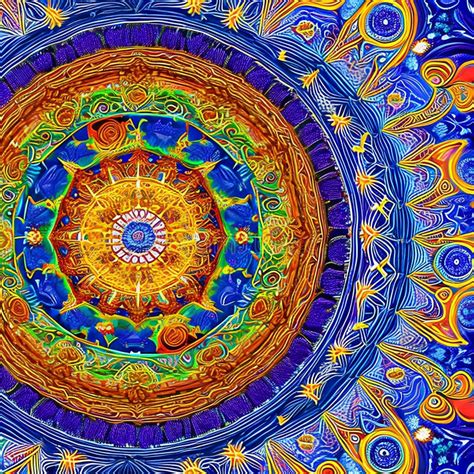
Idea 1: Themes of Symmetry and Serenity - Mandalas
Among the most beloved and creatively fulfilling subjects to illustrate in Procreate are mandalas. This art form offers a fantastic avenue for creative expression and is an excellent way to enter a state of flow. Procreate significantly simplifies the process of drawing intricate mandalas, making it both enjoyable and accessible. The inherent nature of mandalas means there are virtually no limits to your creative exploration. This approach is particularly beneficial for experimenting with different brushes and discovering new color palettes within Procreate.
Recognizing that color selection can be another hurdle for beginners, curated sets of custom color palettes are available. These palettes are designed to remove the guesswork from creating harmonious and appealing color schemes, proving useful not only for mandalas but also for any other drawing ideas you choose to pursue within Procreate.
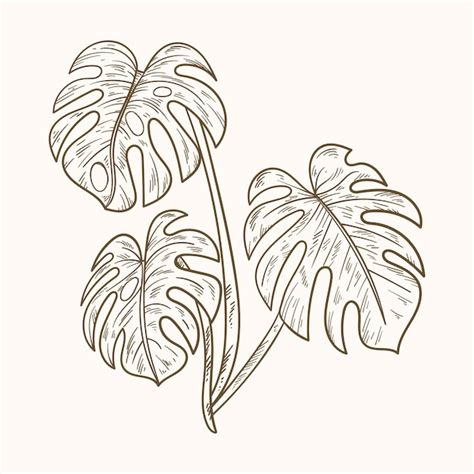
Idea 2: Embracing Nature's Beauty - Tropical Motifs and Monstera Leaves
Tropical motifs consistently perform well in the art market, and monstera leaves, in particular, have seen a surge in popularity. When unsure about what to draw, turning to greenery and tropical plants is a reliable strategy. The process of sketching a monstera leaf, even with the intention of watercolor painting, can be effectively executed within Procreate. The app’s tools allow for detailed linework and shading, capturing the unique texture and form of these popular plants.
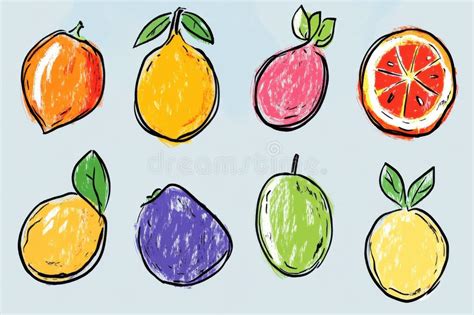
Idea 3: A Zest for Design - Citrus Fruits
Another appealing subject for drawing in Procreate is citrus fruit. These subjects are highly sought after by surface designers due to their vibrant colors and universally recognizable shapes. The fundamental forms of citrus fruits make them an approachable subject for artists at any skill level. For those looking to learn a straightforward technique for rendering citrus fruit in Procreate, step-by-step tutorials are readily available, guiding you through the process from initial sketch to final polish.
Idea 4: The Art of Expression - Hand Lettering
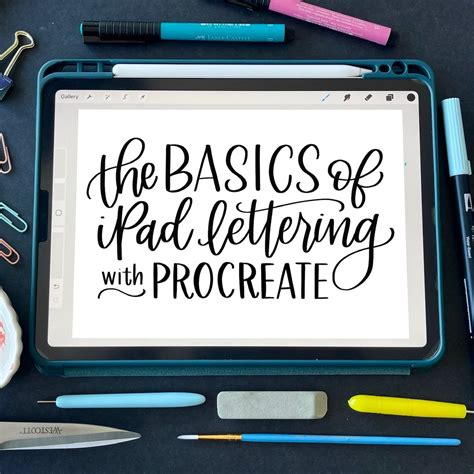
Hand lettering presents a compelling option for drawing within Procreate. Lettered illustrations hold significant appeal in the art licensing industry and are equally fabulous for hobby artists. Hand lettering is an ideal skill for crafting personalized greeting cards for friends and family or for sharing inspiring quotes on social media platforms. Procreate’s versatile brush library and precise control over strokes allow for the creation of unique and expressive typographic art.
Idea 5: Bringing Creatures to Life - Animal Illustrations
The creation of animal illustrations is a passion for many artists, and Procreate proves to be an exceptional medium for this pursuit. Animal illustrations constitute a substantial portion of many artists' portfolios, and the inspiration for new animals to draw is seemingly endless. When undertaking animal drawings, employing reference photos is a common practice to ensure accuracy in shape and proportion, a process that Procreate facilitates with ease. For those eager to enhance their skills in illustrating animals, specialized classes offer in-depth guidance on various Procreate techniques, empowering artists to draw any animal they desire.
Draw animal fur fast and easy with just default Procreate brushes
Idea 6: The Magic of Repetition - Seamless Patterns
Saving one of the most impactful ideas for last, seamless patterns, also known as repeat patterns, are a paramount skill for aspiring surface designers. Even for hobby artists, the creation of seamless patterns offers a fun and distinctive method for showcasing their artwork. The possibilities for motif creation are boundless. When faced with the question of what kind of pattern to design, starting with fundamental elements like florals is a wise approach, as floral motifs never go out of style and are a cornerstone of the surface pattern design world.
For individuals entirely new to pattern-making, comprehensive resources exist. While it may initially appear to be a daunting skill, with consistent practice, mastering it is well within reach.
Exploring the Frontiers of Animation in Procreate Dreams
Beyond static illustrations, Procreate introduces Procreate Dreams, a powerful application designed to bring your creations to life through animation. The tutorials available for Procreate Dreams, though based on an early initial release, offer a strong foundation for understanding its animation capabilities. Features have been added and refined since the initial release, continuously enhancing the user experience.
Three Pillars of Animation in Procreate Dreams
Procreate Dreams offers distinct approaches to animation, catering to different creative workflows and desired outcomes:
- Frame-by-Frame Animation: This traditional method involves drawing each frame of your animation individually. It offers the highest level of control and is ideal for achieving fluid, hand-drawn motion.
- Keyframe Animation: This technique utilizes keyframes to define the start and end points of an animation. Procreate Dreams then interpolates the motion between these keyframes, allowing for smoother transitions and more efficient animation of objects and characters.
- Performing: This innovative feature allows you to record your movements and gestures, translating them directly into animation. It’s an intuitive way to add dynamic and expressive motion to your characters.
Bringing Characters to Life with Animation Classes
For those looking to animate characters, dedicated classes provide a comprehensive starting point. One such class begins from the very basics, guiding you through the entire process of bringing a character to life within Procreate Dreams. For those who prefer to jump right in, there's even an option to download a pre-made character file to use in your practice. The instructors behind these classes are often experienced directors and animators, bringing a wealth of knowledge and practical expertise to their teachings. Brooke Glaser, for instance, offers an action-packed 17-minute session that provides a focused and engaging learning experience.
Draw animal fur fast and easy with just default Procreate brushes
Overcoming Creative Blocks and Embracing the Process
The journey of creation, whether it's a drawing or an animation, can sometimes be met with the daunting presence of a blank canvas. However, the six Procreate drawing ideas presented here are intended to serve as catalysts, sparking your creativity and inspiring you to begin producing work on your iPad. Even if your initial creations don't meet your own definition of "perfect," the act of putting your work out there and practicing a skill you're passionate about is invaluable. The sense of accomplishment and creative fulfillment that follows the act of creation is a powerful motivator, and it's a feeling that many artists find incredibly rewarding.
For those seeking a more in-depth exploration of Procreate and its capabilities, advanced tutorials and classes are available. These resources delve into new drawing subjects and impart valuable Procreate tips and tricks, further empowering your artistic journey.
The commitment to learning and practicing within Procreate, whether for drawing or animation, is a rewarding endeavor. By utilizing the provided ideas, resources, and learning opportunities, you can effectively overcome creative blocks and unlock your full artistic potential. The continuous evolution of Procreate and Procreate Dreams ensures that there are always new techniques to explore and new ways to express your creativity.