Adobe Photoshop Elements, a powerful yet accessible photo editing software, offers a compelling solution for individuals seeking to enhance and transform their digital images. This guide provides a detailed overview of how to purchase Photoshop Elements, exploring its licensing, bundled options, and available discounts, drawing upon expert insights and user-friendly explanations.
Understanding the Adobe Elements Ecosystem
The Adobe Elements family comprises two distinct yet complementary software titles: Photoshop Elements and Premiere Elements. While both are designed with ease of use and creative expression in mind, they cater to different media types.
Photoshop Elements is specifically tailored for photo editing. It empowers users who capture photographs and desire straightforward, guided approaches to improve their images, apply creative transformations, and explore artistic possibilities. Its interface and toolset are geared towards making complex editing tasks manageable for a broad audience, from beginners to hobbyists.
Premiere Elements, on the other hand, is dedicated to video editing. It is the ideal choice for users who want to easily edit home movies, social media clips, or any form of video content. It simplifies the process of cutting, trimming, adding effects, and creating polished video projects.
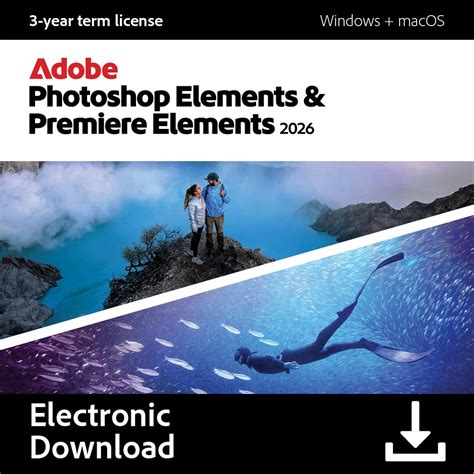
The Photoshop Elements and Premiere Elements Bundle: A Recommended Choice
For users who regularly engage with both photography and videography, the Photoshop Elements and Premiere Elements Bundle is highly recommended. This bundled offering provides access to both powerful editing applications, ensuring a comprehensive solution for all your creative media needs. By opting for the bundle, you gain the synergy of two robust tools, streamlining your workflow and expanding your creative potential across both photo and video formats. This integrated approach is particularly beneficial for individuals who document their lives through both stills and moving images, offering a cohesive editing experience.
Licensing and Purchase Options: A One-Time Investment
A key advantage of Adobe Photoshop Elements and Premiere Elements is their one-time purchase model. Unlike subscription-based software, you acquire a license for these applications with a 3-year term. This means you make a single payment, and in return, you gain access to all the features, tools, and updates released within that three-year period. This model offers predictability in budgeting and avoids the recurring costs associated with subscription services.
It is important to understand the implications of the 3-year term. After the three-year license expires, the editing software itself will become inaccessible. However, a significant benefit is that your media managed within the Elements Organizer will remain available indefinitely. The Elements Organizer is a crucial component for managing, tagging, and organizing your photo and video libraries, ensuring that your valuable memories and projects are preserved even after the software license has ended. This distinction is vital for users to grasp when considering their long-term digital asset management.
Exploring Discounts and Special Offers
Adobe recognizes the diverse needs of its user base and offers several avenues for discounted purchases.
Student and Teacher Discounts: A notable offering is the student and teacher discount available on the Photoshop Elements & Premiere Elements bundle. This initiative makes the powerful editing tools more accessible to educational communities, supporting learning and creative development. To qualify, users typically need to provide valid proof of enrollment or employment within an educational institution.
Upgrade Pricing: For existing users, Adobe provides discounted upgrade pricing if you own an earlier version of Photoshop Elements or Premiere Elements. This allows loyal customers to transition to the latest versions at a reduced cost, ensuring they can benefit from the newest advancements without incurring the full price of a new license. To take advantage of this offer, you will likely need to provide proof of ownership of a previous version.

Differentiating Photoshop Elements from Professional Photoshop
It is crucial to distinguish Photoshop Elements from its professional counterpart, Adobe Photoshop. While both bear the "Photoshop" name, their target audiences and feature sets are fundamentally different.
Adobe Photoshop is a professional-grade photo editing tool characterized by its extensive and advanced features. It is designed for photographers, graphic designers, and digital artists who require granular control, complex manipulation capabilities, and industry-standard tools for demanding creative and commercial work. Its learning curve is steeper, and its price point reflects its professional positioning.
Photoshop Elements, conversely, is engineered for the everyday user. Its strength lies in its simplicity, intuitive interface, and guided editing options. It focuses on making common photo enhancement and creative transformation tasks accessible to a wider audience, including those with limited prior editing experience. The guided edits, in particular, walk users step-by-step through complex processes, demystifying techniques that might otherwise be intimidating.
Availability and Purchase Channels
Photoshop Elements can be purchased directly from the official Adobe website. This is generally the most reliable channel, ensuring you receive legitimate software and access to any applicable discounts or promotions. When visiting the Adobe website, navigate to the "Elements" section to find information on both Photoshop Elements and the bundle.
The purchasing process typically involves selecting your desired product, proceeding to checkout, and completing the payment. Upon successful purchase, you will receive instructions on how to download and install the software. Keep your purchase details handy, as they may be required for activation or future reference, especially when claiming upgrade pricing.
Understanding License Restrictions
It is important to note that Photoshop Elements and Premiere Elements do not currently offer team-specific plans. Each license acquired is intended for individual consumer use. This means that the licenses are not transferable for commercial team use or distribution among multiple users within an organization. The software is designed to empower individual creators and hobbyists.
The Elements Organizer: Your Digital Asset Hub
As mentioned earlier, the Elements Organizer plays a vital role in the Adobe Elements experience. It serves as a central hub for managing, organizing, and finding your photos and videos. Key features of the Organizer include:
- Tagging and Keywords: Apply tags and keywords to your media for easy searching and categorization.
- Facial Recognition: Automatically identify and tag people in your photos.
- Event and Location Organization: Group media by events or the locations where they were captured.
- Smart Tags: Adobe's AI can suggest relevant tags for your media.
- Date and Time Sorting: Easily sort and view your media based on when they were taken.
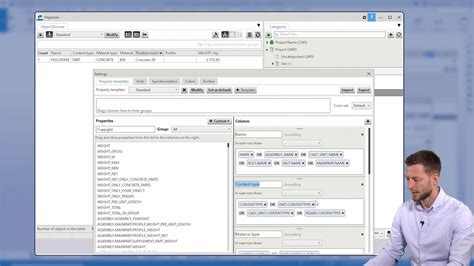
The longevity of the Elements Organizer's availability, even after the software license expires, highlights Adobe's commitment to ensuring users can retain access to their organized media libraries. This is a significant consideration for anyone who values their digital memories and wants a lasting way to manage them.
Maximizing Your Editing Experience
When considering the purchase of Photoshop Elements, think about your primary editing needs. If you primarily work with photos, Photoshop Elements alone might suffice. However, if you also dabble in video creation or plan to do so, the bundle offers a more comprehensive and cost-effective solution.
The guided edits within Photoshop Elements are a standout feature for beginners. These step-by-step tutorials cover a wide range of enhancements, from simple color correction and blemish removal to more creative effects like black and white conversion or artistic filters. This feature significantly lowers the barrier to entry for users who are new to photo editing.
Overview of the Guided Edit Mode in Photoshop Elements (Part 1)
The software also offers different editing modes: Quick, Guided, and Expert. Quick mode provides a simplified interface with essential tools for fast edits. Guided mode offers step-by-step instructions for specific tasks. Expert mode unlocks the full range of advanced tools for users who want more control, mirroring some of the capabilities found in professional software but presented in a more accessible manner. This tiered approach ensures that users can grow with the software as their skills and needs evolve.
Considerations for the Future
While the 3-year term license offers a clear purchase path, it's worth considering how Adobe might evolve its licensing for Elements products in the future. Though currently a one-time purchase, software models can change. However, based on the current offering, the 3-year term provides a defined period of access to the latest features, ensuring you are working with up-to-date tools. The indefinite availability of the Elements Organizer is a strong point of reassurance for long-term media management.
For those looking to purchase, comparing prices directly on the Adobe website and checking for any ongoing promotions is always advisable. Understanding the specific features included in the latest version of Photoshop Elements will also help you determine if it meets your creative objectives. The commitment to providing accessible, powerful editing tools for a broad audience remains a core tenet of the Adobe Elements line.