The realm of graphic design is constantly evolving, and at its heart lies the powerful tool of Adobe Photoshop. Among its myriad capabilities, the creation of compelling text effects stands out as a cornerstone for designers aiming to elevate their work. From the tangible textures of food and nature to the ethereal glow of fantasy or the nostalgic charm of retro aesthetics, Photoshop offers an expansive canvas for transforming typography into captivating visual statements. This guide delves into the diverse and exciting world of Photoshop text effects, exploring a curated collection of techniques and tutorials designed to inspire and empower designers of all levels.
The Art of Textual Transformation: Why Photoshop Text Effects Matter
Typography is more than just conveying information; it's about evoking emotion, setting a tone, and creating a memorable visual identity. Photoshop text effects allow designers to imbue words with personality, making them an integral part of the overall design narrative. Whether you're aiming for a playful, sophisticated, gritty, or fantastical look, Photoshop provides the tools to bring your textual visions to life. The possibilities are truly endless, ranging from the seemingly simple to the elaborately complex, ensuring that every design project can benefit from a unique typographic treatment.
From Edible to Ethereal: Exploring a Spectrum of Text Effects
The sheer variety of text effects achievable in Photoshop is astounding. Designers can draw inspiration from the natural world, creating effects that mimic elements like water splashes, ice, or even organic textures like hay.
Nature-Inspired Typography
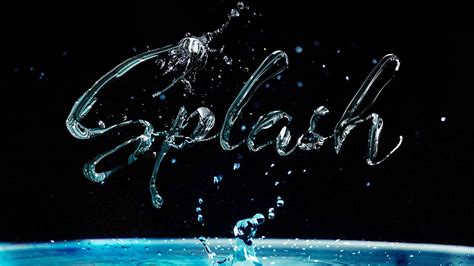
For those who appreciate the beauty of natural elements, Photoshop offers ways to integrate them seamlessly with text. Imagine a text effect that looks like water splashing, as if liquid has been frozen in time around your letters. This can be achieved by combining careful selection tools and adjustment layers to mimic the dynamic movement and transparency of water. Similarly, a "floral text effect" can be conjured by using simple selection and adjustment tools to weave organic floral elements into the very fabric of the text. For a more grounded, rustic feel, an "autumn-inspired Photoshop tutorial" can guide you in creating text that appears to be made of hay, perfectly placed within a field photograph. This effect leverages textures and layer masks to convincingly simulate the organic, slightly irregular nature of dried grass.
Foodie Fonts: Deliciously Designed Text
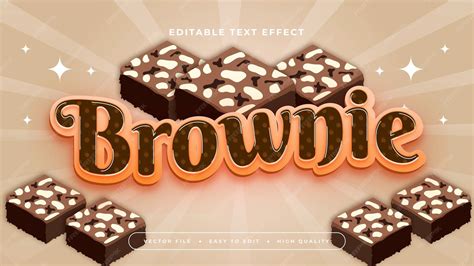
The culinary world provides a rich source of inspiration for mouth-watering text effects. Who can resist the allure of text that looks good enough to eat? Tutorials exist to create a "water splash text effect in no time," which can also be adapted to mimic the glossy sheen of icing or the rich texture of melted chocolate. More explicitly, you can learn "how to create a mouth-watering text effect with brownies, cookies, and donuts." These effects often involve layering textures and using layer styles to replicate the granular surfaces of baked goods or the smooth, inviting look of candy. A "realistic lollipop text effect" can be achieved using a combination of text and shape layers, coupled with various textures and filters to capture the translucent, sugary appearance of a lollipop.
Futuristic and Fantasy Typography
Stepping into the realm of science fiction and fantasy opens up a universe of creative possibilities. A "futuristic metal text effect" can be crafted using step-by-step tutorials that guide you through the process of applying metallic textures, bevels, and lighting effects to give your text a robust, industrial, or even alien feel. For those who recall the magical scripts from beloved childhood stories, there are techniques to create "fairytale text" that evokes a sense of wonder and enchantment. While some effects might lean towards the unusual, such as a "skin text effect" that can look a little creepy, these are often excellent for honing your skills and exploring the boundaries of Photoshop's capabilities.
Retro and Nostalgic Text Styles
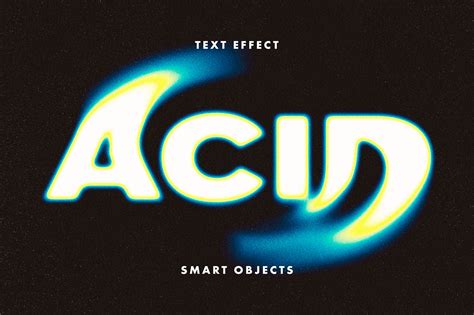
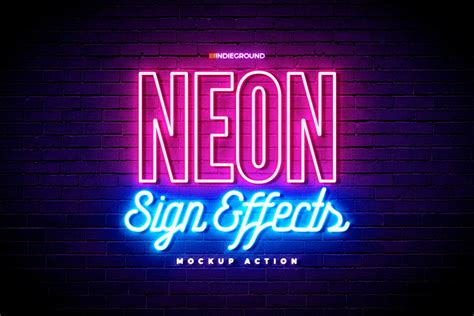
The past is a wellspring of design inspiration, and Photoshop allows for the faithful recreation of iconic retro aesthetics. If you're a "retro TV fan," you can learn to create "vintage sitcom title art of the 80s and 90s." These effects often involve specific color palettes, distressed textures, and characteristic font choices to capture the nostalgic charm of those eras. A "glowy" text effect, reminiscent of neon signs, can be rendered with such realism that it's "hard to believe it’s not a photo." This typically involves using multiple layer styles, outer glows, and subtle textures to simulate the vibrant emission of light from a physical neon tube.
[ Text Effect ] How to Create 80s RETRO TEXT in Photoshop CC 2020
Advanced Techniques for Sophisticated Designs
Beyond the more thematic effects, Photoshop offers sophisticated techniques for adding depth, complexity, and artistic flair to your typography.
Integrating Typography with 3D and Depth
The seamless integration of text with 3D elements can dramatically enhance a design. You can learn "how to integrate typography with 3D effect into an image naturally." This often involves understanding how light and shadow interact with 3D forms and applying them convincingly to text. Furthermore, tutorials exist on "how to add depth and shape to your text the same as the background, so your image looks complicated and great." This approach ensures that the text doesn't just sit on top of the image but feels like an intrinsic part of the scene, enhancing the overall visual narrative. The "use of 3D text is a great addition to almost any design project," offering a tangible sense of volume and presence.
Textured and Layered Text Effects
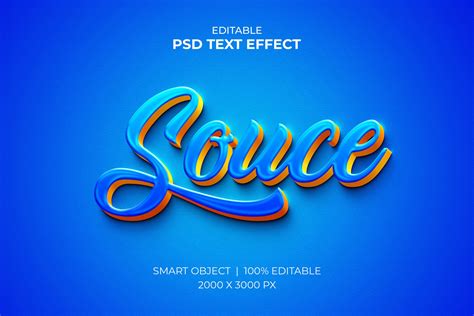
Textures are fundamental to creating realistic and visually interesting text effects. Using "gradient map and the textured image you can create fantastic modern duo tone text affect in Photoshop." This technique allows for unique color combinations and a sophisticated interplay of tones. More broadly, "using textures with layer styles is a great way of achieving some cool effects." This involves applying photographic textures to text layers and using layer masks and blend modes to integrate them seamlessly. A "confetti text effect" can be brought to life using a couple of textures, brushes, and layer styles, mimicking the celebratory scattering of confetti. A "grungy text effect" often relies on distressed textures and rough edges to convey a raw, urban aesthetic.
Mastering Strokes and Wraps
Achieving precise control over text appearance includes managing outlines and text placement. The technique for "Multiple Text Strokes With Smart Objects In Photoshop" is invaluable for designers who need to add several distinct outlines around their text, each with its own color, width, and style. This is efficiently managed using Smart Objects. For effects that go beyond simple outlines, "Faking Text Wrap In Photoshop" allows for the illusion that text is conforming to the contours of an object or image. Taking this further, "Wrapping Text in 3D With Photoshop" allows you to bend and shape text to follow the curves of three-dimensional objects, adding a significant layer of realism and visual interest.
Beginner-Friendly Approaches and Expert-Level Mastery
Photoshop text effect tutorials cater to a wide range of skill levels, ensuring that everyone from novices to seasoned professionals can find valuable resources.
Accessible Tutorials for Beginners
For those "still learning the fundamentals of design or want some quick-and-easy text ideas to jazz up your print designs," beginner tutorials are a significant asset. These often focus on fundamental tools and layer manipulation. For instance, a "quick Photoshop tutorial shows how to combine a text quote with the portrait using a few simple tools in just one minute," demonstrating that impactful effects can be achieved rapidly. Even seemingly simple effects like a "classic, simple and elegant text effect" remain timeless and are excellent starting points. Learning to create a "summery sand writing text effect from scratch" also provides a hands-on introduction to texture and displacement mapping.
Advanced Techniques for Experienced Designers
More knowledgeable designers can delve into tutorials that help them "create beautifully complex word art and 3D special effects." These advanced tutorials often require a basic understanding of various Photoshop techniques but provide links to supplementary information to ensure a smooth learning process. Effects like creating "double exposure text" or achieving a highly realistic "neon sign" fall into this category, demanding a nuanced understanding of blend modes, masking, and advanced layer styling. The ability to "blend typography and images" is a particularly favored skill among advanced users, allowing for the creation of truly unique and integrated artwork.
The Enduring Power of Word Art
In an era of increasingly sophisticated image rendering capabilities, the creation of art with words remains a vital and enduring practice. As technology advances, designers will continue to rely on text to convey messages, establish visual interest, and evoke specific emotions. Whether it's through the subtle elegance of a classic font or the bold impact of an elaborate text effect, typography will always be a powerful tool in the designer's arsenal. Exploring the diverse techniques available in Photoshop ensures that designers can continuously innovate and push the boundaries of what is possible with text.