In the fast-paced world of digital photography, efficiency is paramount. Photographers often find themselves spending a significant amount of time in post-processing, meticulously adjusting sliders and fine-tuning images. Adobe Lightroom has become a cornerstone of this workflow, offering a powerful suite of editing tools. However, navigating these tools can be time-consuming, especially when relying heavily on a mouse. Enter VSCO Keys, a specialized utility designed to drastically reduce image editing time within Adobe Lightroom by transforming the keyboard into a powerful command center.
Understanding the Core Functionality of VSCO Keys
VSCO Keys is fundamentally a keyboard shortcut tool built to streamline the editing process in Adobe Lightroom 4 and Lightroom 3. Its primary function is to take direct control of your keyboard, re-assigning each key to a specific shortcut for Lightroom's functions. This allows photographers to execute commands, adjust sliders, and apply presets with a simple keystroke, bypassing the need for constant mouse interaction. The tool operates as a discreet background utility. When a user is working within Lightroom and wishes to activate VSCO Keys, a single press of the 'ESC' key instantly flips the keyboard to its custom shortcut layout. Another press of the 'ESC' key reverts the keyboard back to its standard operating layout, providing a seamless transition between shortcut and standard functionality.
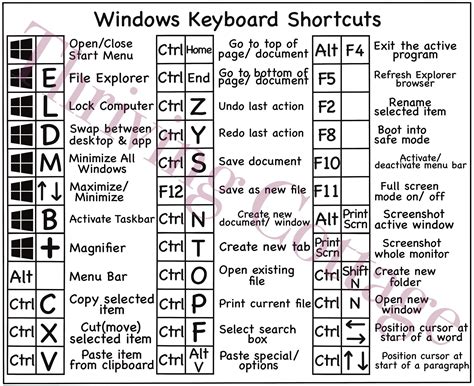
The initial setup of VSCO Keys offers two standard layouts: 'Simple,' which makes minimal changes to the keyboard, and 'Standard,' a more comprehensive template that re-assigns a majority of the shortcut keys. Beyond these pre-configured options, VSCO provides a web-based tool that empowers users to create their own entirely custom layouts. This customization is a key feature, allowing photographers to tailor the shortcuts to their specific editing style and preferences. For instance, a photographer who frequently uses specific presets can assign them directly to keys, eliminating the need to navigate through menus.
The Power of Customization and Preset Integration
One of the most lauded features of VSCO Keys is its ability to assign any preset to a key on the keyboard. While the program includes some VSCO preset shortcuts, the true power lies in the user's capacity to assign their own custom presets or any third-party presets they have acquired. This means that a signature look, developed over time, can be applied with a single keystroke. This level of integration significantly accelerates the application of consistent aesthetics across a batch of images.
The process of creating custom layouts is designed to be user-friendly. Users can take one of VSCO's existing templates, duplicate it, and save it under their own custom name. This provides a solid foundation that can then be fine-tuned. It reportedly doesn't take long to become familiar with the new key assignments, and the impact on editing time is described as "pretty significant." This ability to re-map keys not only speeds up the process but can also lead to a more intuitive and less physically demanding editing experience, reducing the strain associated with repetitive mouse movements.
TOP 10 LIGHTROOM Shortcuts All GREAT Photographers Use!
Accessibility and Pricing of VSCO Keys
VSCO Keys is currently offered exclusively for Adobe Lightroom, with no information available regarding its development for other editing software. This specialization, while limiting its scope, ensures a deep and effective integration with its target platform.
The product is available for purchase directly from the VSCO website at www.vsco.co. VSCO typically offers a free 14-day trial, allowing users to experience the benefits of the tool firsthand before committing to a purchase. This trial period is crucial for photographers to assess how VSCO Keys integrates into their personal workflow and to experiment with creating custom layouts.
Initially, VSCO Keys was priced at $125. However, recognizing the value for their existing customer base, VSCO has since adjusted the pricing. The regular price has been lowered to $79. Furthermore, customers who have previously purchased VSCO Film packs receive a special discount of 25% off the purchase price, bringing the cost down to $59.25. This tiered pricing structure acknowledges and rewards loyal VSCO customers, making the tool more accessible. The cost, while not insignificant, is often viewed as an investment in workflow efficiency, with many users describing it as a "workflow dream" and "worth their weight in gold."
The Broader VSCO Ecosystem: Presets, Text Tools, and More
While VSCO Keys focuses on optimizing the Lightroom workflow, it's important to understand its place within the larger VSCO ecosystem. VSCO, originally known as Visual Supply Company, began by offering Lightroom presets and film emulation tools. This foundation has expanded significantly to encompass a comprehensive mobile app and desktop editing experience.
VSCO Mobile App: A Comprehensive Editing Suite
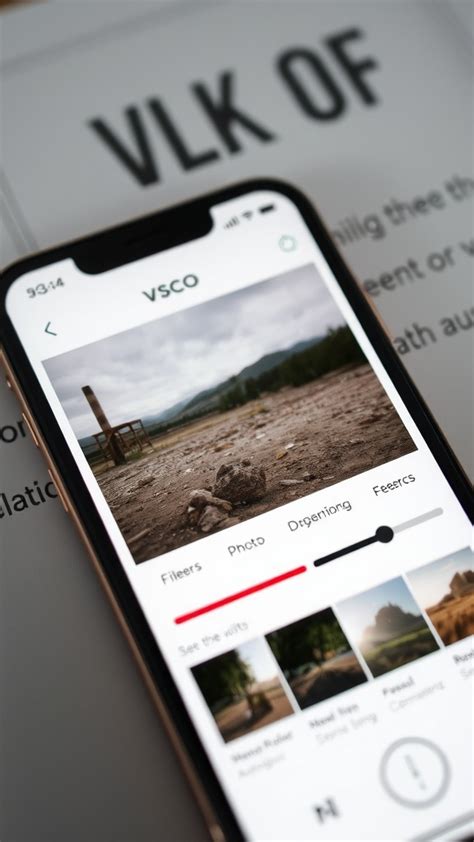
The VSCO app itself is a powerful platform for photo and video editing, offering a wide array of tools and features. It provides access to over 200 presets, categorized by style and application, including free options for all users and a vast library for VSCO members. These presets are inspired by various analog film stocks, aiming to replicate the aesthetic of Fujifilm, Kodak, Agfa, and Ilford, among others. The app also features "We the Creators" presets, developed in collaboration with photographers, and "VSCO Pro Presets" that offer advanced controls.
Beyond presets, the VSCO app boasts a robust suite of manual editing tools. These include:
- Adjust: For cropping, straightening, and fine-tuning composition.
- Exposure: To control brightness.
- Contrast: To shape light, depth, and mood.
- Tone: To balance highlights and shadows.
- Dodge and Burn: For selective lightening and darkening.
- Saturation: To adjust color intensity.
- White Balance: To correct color casts.
- HSL (Hue, Saturation, Lightness): To fine-tune individual colors.
- Sharpen & Clarity: To enhance texture and detail.
- Bloom & Halation: For atmospheric, cinematic glows.
- Grain: To introduce film-like texture.
- Vignette: To draw focus to the center.
- Fade: For a softer, time-worn feel.
- Skin Tone: To refine facial and body tones.
- Split Tone: To add color to highlights and shadows.
- Borders: To frame images.
- Blur: To control focus.
The app also includes advanced features like AI Lab, which offers AI-powered editing, object removal, and image upscaling. Furthermore, VSCO is a capable video editor, providing tools for trimming, speed adjustments, reversing, volume control, and a variety of video effects.
Text Tool: Adding Narrative to Visuals
A notable addition to the VSCO app is its Text tool, available to VSCO members. This feature allows users to layer text onto images and videos, using the signature VSCO Gothic font. The tool offers flexibility in arranging, rotating, scaling, and coloring text, enabling creators to add context, express moods, or share narratives alongside their visuals. This feature underscores VSCO's commitment to providing comprehensive creative expression tools.
Desktop Studio and Cloud Sync
VSCO extends its editing capabilities to desktop platforms through VSCO Studio, accessible via web browsers on Mac and PC. This allows for seamless integration between mobile and desktop editing. Images synced to the cloud from the mobile app become available in the desktop editor, and vice versa. This feature is invaluable for photographers who prefer to start edits on the go and finish them on a larger screen or for managing multiple projects efficiently. All changes are synchronized across devices, ensuring consistency without file duplication.
Community and Discovery
The VSCO platform also fosters a community of creators. The app features a feed where users can share their work, discover new content, and engage with other photographers. Features like 'Favorites' and 'Reposts' allow users to interact with and appreciate each other's work. The 'Discover' tab serves as a hub for inspiration, offering creative prompts and a search function to find creators based on mood, color, or style. VSCO Spaces also enables users to join or create collaborative groups focused on specific themes.
The Evolution of VSCO Keys and Workflow Enhancement
The development of VSCO Keys reflects a broader trend in the photography industry: the increasing demand for tools that optimize workflow and reduce the time spent on repetitive tasks. While the initial buzz surrounding VSCO presets for Lightroom and Aperture was significant, VSCO Keys offered a more direct approach to workflow enhancement for Lightroom users. Photographers like Patrick La Roque have publicly expressed their reliance on VSCO products, highlighting their impact on creative output.
The effectiveness of VSCO Keys lies in its ability to leverage muscle memory. By assigning frequently used functions to specific keys, editors can develop a tactile familiarity that surpasses the cognitive load of constantly searching for tools with a mouse. This is particularly beneficial when working with large volumes of images, where even small time savings per image can accumulate into substantial overall efficiency gains.
The introduction of keyboard stickers, as described by some users, further illustrates the dedication to optimizing this shortcut-driven workflow. These stickers, often with custom labeling, provide a visual aid directly on the keyboard, reinforcing the learned shortcuts and making the transition even smoother. This collaborative aspect, where users adapt and enhance the tool beyond its initial design, speaks to its utility and the creative problem-solving it inspires.
Conclusion: A Workflow Game-Changer
VSCO Keys stands as a testament to the power of specialized tools in enhancing professional workflows. By focusing on the core task of image editing in Adobe Lightroom, it offers a direct solution to the time-consuming nature of mouse-based adjustments. Its customizable layouts, seamless integration with presets, and user-friendly interface make it an attractive option for photographers seeking to reclaim valuable editing time. While it operates within a specific niche, its impact on efficiency and creative output is undeniable, solidifying its position as a valuable asset in the modern photographer's toolkit. The ongoing development and integration within the broader VSCO ecosystem suggest a continued commitment to empowering creators through innovative and user-centric tools.