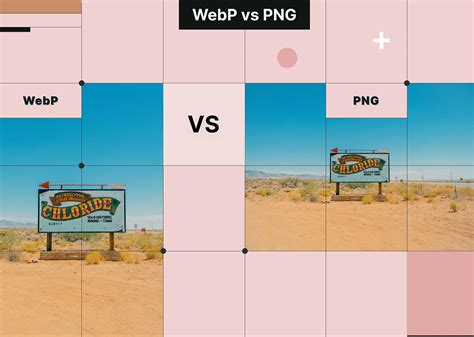
The digital landscape is constantly evolving, with image formats playing a crucial role in website performance, user experience, and application development. Among these, WebP, a modern image format developed by Google, has gained significant traction due to its superior compression capabilities and support for features like transparency and animation, all while often achieving smaller file sizes compared to traditional formats like JPEG and PNG. This efficiency makes it the preferred image format for platforms like Android and increasingly for web development. However, a notable gap exists within the widely adopted design tool, Figma: the native absence of a direct WebP export option. This has led to a significant workaround for many designers and developers, prompting discussions about Figma's future support and the efficacy of existing third-party solutions.
The Current Landscape: Figma's Native Limitations
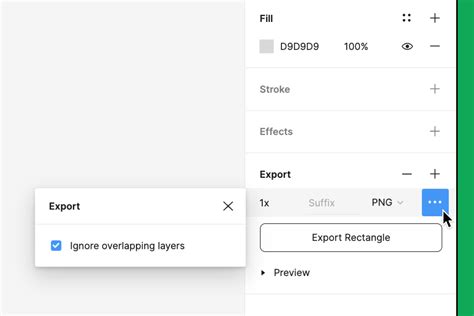
For many users, the absence of native WebP export in Figma is a recurring point of frustration. The platform, while powerful and versatile for design workflows, lacks this specific, yet increasingly important, export functionality. This forces users into a multi-step process, often involving intermediate software, to achieve the desired WebP output.
"Figma doesn’t have this option, so what I usually do is export and SVG into Sketch and use that export option in Sketch," shares one user, highlighting a common workaround. This sentiment is echoed by many, with recurring questions like, "Does anyone else experience this? Is anyone using a plugin or workaround to help solve this?" and "Why doesn’t Figma support this?" The desire for a native solution is palpable, with users stating, "I would love this option!" and "I really do think Figma needs to address this as soon as possible." This missing feature is even a barrier for some organizations: "This missing feature is preventing us from migrating from Sketch to Figma." The expectation for Figma to catch up is clear, with one user emphatically stating, "The time has come, Figma."
Third-Party Plugins: A Temporary Solution with Caveats
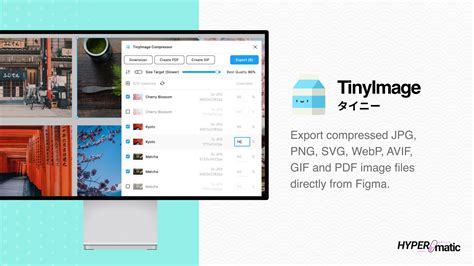
In the absence of native support, the Figma community has turned to third-party plugins to fill the WebP export void. One such plugin frequently mentioned is "TinyImage for Figma" by Figmatic. While it offers functionality for WebP export, its model has drawn criticism.
"There is a plugin from Figmatic “TinyImage for Figma” that I used successfully, but it requires a license after some free exports," notes a user. Another expresses similar reservations: "TinyImage creating a subscription paywall after X uses and forcing a year subscription down your throat is a bit dubious to me." The financial aspect is a significant concern for many, as paying for a format that is becoming a standard feels like an unnecessary expense. "Paying monthly for an export format feels a little tough on the budget," one user states. This leads to a scenario where designers, especially under time constraints, are "forced to either go back to Sketch to export or buy a 3rd Party plugin. Not cool."
Furthermore, the usability of free versions of these plugins is also questioned. "The only alternative is TinyImage, but the free version is not intuitive," a user reports. "When I finished importing one batch, I was unable to import the following one, and it continued to show older batches. It’s nearly impossible to choose new images to import, and I believe this is because I am using a free version or has bugs…" This unreliability and lack of intuitiveness in free tiers further emphasize the need for a native, robust solution.
The Workaround Ecosystem: Sketch, Photoshop, and Beyond
The reliance on other software for WebP export is a testament to the demand for this format. Many users, like the one who "usually do is export and SVG into Sketch and use that export option in Sketch," find themselves juggling multiple applications. The sentiment of returning to Sketch is voiced by users stating, "One more person would find this particularly useful! Is it time to go back to sketch?" and "Same for me. I have to export the bitmap resources in PNG and then convert them to WEBP in Adobe Photoshop. It would be great to export them straight from Figma."
This reliance on external tools adds extra steps and potential points of failure in the design and development pipeline. "I usually put all the images through Photoshop to convert them to Webp. It would be a timesaver if we could do this in Figma itself," a user explains. The comparison to competitors is also a significant driver for this discussion. "Webflow offers support for WebP now. Please let us export this format directly from Figma! (Especially since your competitor Sketch allows it natively)."
Convert Figma Designs to WebP in a Second! | Relayout WebP Generator Tutorial |Free Figma Plugin
The Case for Native WebP Support in Figma
The arguments for Figma to implement native WebP export are multifaceted, encompassing efficiency, user experience, and competitive parity.
Efficiency and Workflow Optimization
The primary driver for native support is the simplification of workflows. Designers and developers currently spend valuable time exporting to intermediate formats or using third-party tools. Native WebP export would streamline this process, allowing for direct export of assets in the desired format. This "low hanging fruit for Figma to get on top," as one user puts it, would significantly improve productivity. The ability to "automate the tasks that make you want to jump out the window" is a constant pursuit in the design and development world, and native WebP export directly addresses this.
Competitive Parity and Industry Standards
As mentioned, Sketch, a direct competitor, offers native WebP export. Webflow has also embraced the format. In a rapidly evolving digital design ecosystem, failing to adopt widely used and beneficial formats like WebP puts Figma at a disadvantage. Users are actively looking for tools that meet industry standards and facilitate efficient asset delivery. The consistent requests, such as "please add webp to figma guys 😦" and "I would like to have the WebP format option as well. Currently trying TinyImage but don’t want to pay for something that should be native to Figma - like it is in Sketch," underscore this need.
Enhanced User Experience and Feature Set
Beyond competitive pressure, native support simply enhances Figma's overall value proposition. It demonstrates an understanding of current industry needs and a commitment to providing a comprehensive toolset. Users express a clear desire for this feature, with statements like "I would like to have this feature natively as well" and "This would be nice to have." Integrating WebP export would align Figma with modern web development practices, where efficient image formats are paramount for performance optimization.
The current situation, where users are forced to rely on less intuitive or subscription-based third-party solutions, is not ideal. The community's consistent feedback and the widespread adoption of WebP by other platforms suggest that native support is not just a convenience, but a growing necessity for Figma to maintain its position as a leading design tool. The repeated calls for Figma to "address this as soon as possible" highlight a significant opportunity for the platform to enhance its offering and better serve its user base.