Adobe's commitment to enhancing the digital photography workflow is consistently demonstrated through its regular updates to the Lightroom ecosystem. These releases, encompassing Lightroom Classic, Lightroom Desktop, and Lightroom Mobile, introduce a wealth of new features, performance improvements, and crucial bug fixes, ensuring photographers have the most powerful and intuitive tools at their disposal. Recent updates have particularly focused on streamlining editing processes, improving masking capabilities, and refining asset management.
Evolution of Lightroom Versions: A Timeline of Innovation
The release cycle of Lightroom versions often aligns with major industry events like Adobe Max, signaling significant annual advancements. For instance, the transition to Lightroom Classic 15.0, Lightroom Desktop 9.0, and Lightroom Mobile 11.0 marked a substantial leap forward, reflecting Adobe's ongoing development strategy for its subscription-based software. This iterative approach ensures that users benefit from continuous innovation rather than waiting for infrequent, large-scale overhauls. Prior to these major version updates, a series of point releases have consistently delivered incremental yet impactful improvements.
For example, Lightroom Classic 15.2, Lightroom Desktop 9.2, and Lightroom Mobile 11.2 represent the latest iteration, building upon the foundation laid by earlier versions. Similarly, preceding releases such as Lightroom Classic 15.1, 15.0, 14.5, 14.3, 14.2, 14.1, 14.0, 13.5, 13.4, 13.3, 13.2, and their corresponding Desktop and Mobile counterparts have each introduced specific enhancements. These updates demonstrate a consistent pattern of refining core functionalities and introducing new tools designed to address the evolving needs of photographers.
Key Feature Introductions in Recent Updates
Recent Lightroom updates have brought forth a suite of powerful new tools and refinements, significantly impacting the editing workflow. A notable highlight is the introduction of Variance, a new adjustment found within the Color Mixer. This feature is designed to address color inconsistencies that can arise from varying light angles or the use of filters. When applied to a mask, Variance allows for precise balancing of colors within specific areas of an image, such as evening out the tones in a sky or refining skin tones without affecting the overall image. This granular control offers a more nuanced approach to color correction, enabling editors to achieve more natural and harmonious results. For instance, applying Variance to a sky mask can help unify its color, while separate masks can then be used for other adjustments like brightness or saturation, creating a layered and controlled editing process.
Another significant addition is the Dust Removal feature, located under the Distraction Removal tools. This automated functionality excels at detecting and eliminating sensor dust and minor blemishes. It proves particularly invaluable for landscape photographers or those working with older camera sensors prone to dust spots. The tool operates automatically, identifying and removing imperfections, and then allows users to visualize any remaining spots for manual refinement. While not always perfect, its speed and efficiency significantly reduce the time spent on tedious retouching tasks.
The Remove tool has also seen an enhancement with improvements to its "Detect Objects" functionality. This update allows for more accurate handling of edges, reflections, and shadows, leading to more seamless and natural object removal.
Use Lightroom Masks Like A Pro! The Secret To Better Photos
Expanding the Power of Adaptive Masks
The capabilities of Adaptive Masks have been further expanded, most notably with the addition of "Snow" to the Landscape masking options. This joins existing options like sky, mountains, water, vegetation, and other regions, making winter photography editing considerably faster. The software can now automatically detect and isolate snow, simplifying the process of adjusting exposure, color, or texture specifically for snowy areas.
Assisted Culling and Auto Stacking: Revolutionizing Workflow
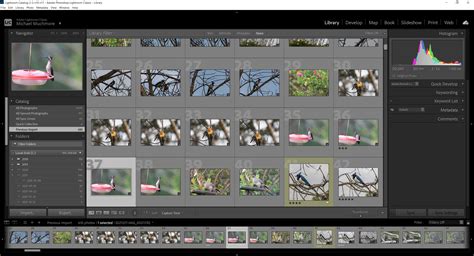
Perhaps one of the most anticipated new features is Assisted Culling, which is currently in early access within the Library module and primarily focuses on portrait selection. This tool aims to streamline the daunting task of culling large batches of photos by flagging images where subjects may have closed eyes or are out of focus. While described as useful, its current limitations include slower performance with very large folders and occasional misidentification of sharp photos as soft.
Complementing this is Auto Stacking, a feature that allows for the grouping of images based on visual similarity. This functionality extends beyond portraits, proving useful for sequences of landscape or wildlife shots. By automatically clustering similar frames, Auto Stacking has the potential to become a significant time-saver for photographers dealing with extensive shooting sessions, once the feature matures.
Performance Enhancements and Workflow Refinements
Beyond new editing tools, recent updates have also focused on improving the overall user experience through performance enhancements and workflow refinements.
Enhanced Preview and Responsiveness
Users will experience faster image previews when hovering over Presets, History, and Snapshots, allowing for quicker visual assessment and selection. Furthermore, the cropping experience has been made smoother, particularly when Soft Proofing is enabled, reducing potential lag and improving fluidity during this critical editing stage.
Streamlined External Editing and Export Options
The External Editing preferences have been reorganized for a more intuitive workflow. A significant improvement in export capabilities allows users to export images to Photoshop in 16-bit or 32-bit HDR formats. These formats support three widely used color profiles: HDR sRGB, HDR Rec. For Standard Dynamic Range (SDR) images, there is now expanded flexibility in selecting color profiles, including Rec.
Precision in Metadata and Tethered Capture
Lightroom Classic now preserves capture time details with millisecond precision, ensuring that this vital metadata is displayed consistently across all time-related fields in the Metadata panel. For photographers who rely on tethered shooting, there's now a choice between using the native tethered capture functionality or opting for installed Fuji and Leica tethering plugins, offering greater flexibility and compatibility.
Optimized Auto-XMP Writing and Import Process
The Auto-XMP write process has been optimized to enhance overall performance and responsiveness. To further improve efficiency, Lightroom Classic now temporarily pauses automatic XMP writing during imports, resuming this process only once the import is fully complete. This prevents potential slowdowns during large data transfers.
Improved Image Selection Memory
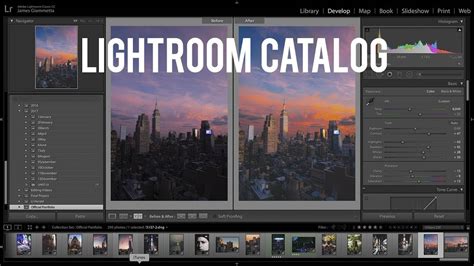
A welcome enhancement to asset management is Lightroom Classic's ability to remember your last image selection for up to 25 of the most recently accessed sources, including collections and folders. If no prior selection exists for a source, the software will default to the first image or preserve any overlapping selection from the previously viewed source, contributing to a more seamless navigation experience.
Duplicate Detection and Folder Color Label Performance
Previously, files with different names were not recognized as duplicates even if their content was identical. This has been addressed, improving duplicate detection. Additionally, the issue where Color Labels for Folders took time to appear, especially within complex folder structures, has been resolved, leading to a more responsive display of organizational cues.
Enhanced Compare View and Denoise Support
The introduction of a new Compare View allows users to view and compare two images side-by-side, or to examine the before-and-after versions of their edits. This is invaluable for making critical editing decisions. The Denoise feature has also seen expanded support, now accommodating a wider range of file formats, including Apple ProRaw files captured by iPhone cameras.
Slideshow Functionality
For those who wish to present a curated selection of their work directly within Lightroom, the slideshow option is now available, allowing users to view a group of photos in a presentation format.
Compatibility with Latest Operating Systems
As new operating system versions are released, ensuring compatibility with essential photography software is paramount. Updates to Lightroom have consistently kept pace with major OS releases. For instance, with the launch of macOS 15 Sequoia, Adobe has confirmed that both Lightroom and Lightroom Classic are compatible, alleviating concerns for users eager to adopt the latest macOS features without compromising their editing workflow. Similarly, previous macOS updates, such as macOS 26 Tahoe, have also seen timely compatibility confirmations for Lightroom applications. This proactive approach by Adobe ensures a stable and uninterrupted experience for photographers across different platforms.
Embracing the Latest Lightroom Version
The continuous stream of updates for Lightroom Classic, Lightroom Desktop, and Lightroom Mobile underscores Adobe's dedication to providing photographers with cutting-edge tools. From sophisticated masking and AI-powered enhancements like Assisted Culling and Dust Removal to crucial performance optimizations and expanded compatibility, each release contributes to a more efficient, powerful, and enjoyable editing experience. Photographers are encouraged to stay updated to leverage these advancements and push the boundaries of their creative vision.