In the realm of digital design and imagery, two fundamental formats dominate: raster and vector graphics. While both serve to present visual information, they operate on entirely different principles, leading to distinct advantages and disadvantages depending on the intended application. Understanding these differences is not merely an academic exercise; it is crucial for any creative professional, designer, or even a casual user aiming to produce high-quality, appropriate visuals for their projects. This article delves deep into the nature of raster and vector graphics, exploring their creation, characteristics, use cases, and the implications of their underlying structures.
Understanding the Building Blocks: Pixels vs. Paths
At the core of the distinction between raster and vector graphics lies their fundamental building block.
Raster Graphics: The Pixelated World
Raster images, often referred to as bitmap images, are composed of a grid of tiny squares known as pixels. Each pixel is a single point, the smallest addressable element on a display device, and it holds a specific color value. When viewed collectively, these pixels form a complete image. Think of it like a mosaic, where each tiny tile (pixel) contributes to the overall picture.
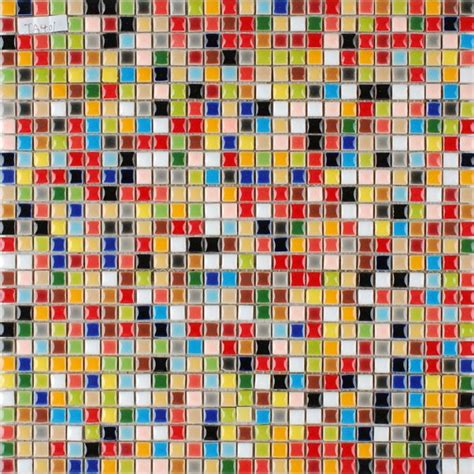
The more pixels an image contains, and the more densely packed they are within a given area (measured in pixels per inch, or PPI), the higher the resolution and the greater the detail and sharpness of the image. This pixel-based nature makes raster graphics exceptionally well-suited for representing complex color variations, subtle gradients, and fine details, which is why they are the format of choice for digital photography and realistic artwork.
When you zoom into a raster image, you will eventually start to see these individual squares, and if you enlarge the image beyond its original size without increasing the pixel count, these pixels become stretched over a larger area. This stretching causes the image to lose quality, appearing blurry, jagged, or "pixilated." This resolution dependency is a defining characteristic of raster graphics.
Vector Graphics: The Mathematical Canvas
In contrast, vector graphics are not built from pixels. Instead, they are defined by mathematical equations, lines, and curves that connect points on a grid. These mathematical formulas describe shapes, borders, and fill colors, essentially creating a set of instructions for how the image should be rendered.
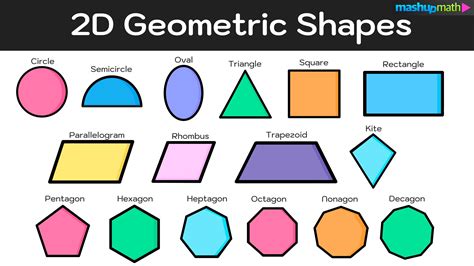
When you zoom into a vector image, you will see crisp, clear lines and points, regardless of the magnification level. This is because the software or device simply recalculates the mathematical formulas at the new size, ensuring that the image remains sharp and detailed. This inherent scalability means that vector graphics are resolution-independent. You can increase their size to virtually any extent - from a business card to a billboard - without any compromise on quality.
Vector graphics are often described as being created with "tiles" of different shapes and sizes, each representing a single color or a defined area. This approach lends itself well to creating illustrations, logos, icons, and technical drawings where clean lines and solid colors are paramount.
Key Differences and Their Implications
The fundamental difference in their construction leads to a cascade of other distinctions that impact how these graphics are used and their suitability for various tasks.
Scalability and Resolution
- Raster: Resolution-dependent. Enlarging raster images leads to a loss of quality (blurriness, pixelation). The number of pixels is fixed.
- Vector: Resolution-independent. Can be scaled infinitely without losing quality. Mathematical formulas are recalculated at any size.
This difference is perhaps the most critical. For designs that need to be displayed at multiple sizes, such as logos, icons, or branding elements that might appear on a website, a business card, and a large banner, vector graphics are the clear winner.
File Size
- Raster: File size is directly proportional to the number of pixels and color depth. High-resolution raster images, especially photographs with millions of colors and fine details, can result in very large file sizes. This can impact storage space and website loading times.
- Vector: File size is determined by the complexity of the mathematical paths and objects, not by the physical dimensions of the image. Vector files are generally much smaller than comparable raster images, especially for simple designs like logos.
Color and Detail
- Raster: Excels at representing complex color blends, subtle gradients, and photorealistic details. They can display millions of colors, allowing for smooth transitions and nuanced shading. This is why photographs are almost always raster images.
- Vector: Traditionally, vector graphics are best for designs with solid colors and clean lines. While modern vector software can simulate gradients and complex color effects, these are often achieved through "raster effects" which can sometimes complicate the vector nature of the graphic or cause issues with certain production processes. For images with continuous tones and blends of color, raster is usually the preferred format.
Editing and Manipulation
- Raster: Editing raster images involves manipulating pixels. This allows for detailed adjustments at the individual pixel level, making them ideal for photo retouching and digital painting. However, making major alterations, like changing the color of a specific object within a complex image, can be time-consuming.
- Vector: Editing vector graphics involves manipulating objects, paths, and points. This makes it easy to adjust shapes, lines, and colors of individual elements within a design. For instance, changing the color of a logo is a straightforward process.
Common File Types and Software
Understanding the common file extensions associated with each format can help in identifying them.
Raster File Types:
- .jpg / .jpeg (Joint Photographic Experts Group): Widely used for photographs due to its excellent compression capabilities, which reduce file size by discarding some image data (lossy compression). Ideal for images with gradients and continuous tones.
- .png (Portable Network Graphics): A lossless format that supports transparency. Excellent for web graphics, logos, and images where sharp details or a transparent background are required.
- .gif (Graphics Interchange Format): Supports up to 256 colors and simple animations. Popular for small graphics and animated web elements, though its limited color palette makes it less suitable for detailed images.
- .tiff / .tif (Tagged Image File Format): A flexible, lossless format often used in professional photography, scanning, and print publishing. It supports layers and high-quality images.
- .bmp (Bitmap): A basic, uncompressed raster format that retains high image quality but results in very large file sizes.
- .raw (Raw Image Format): Contains unprocessed data directly from a camera sensor, offering maximum editing flexibility and detail for professional photographers.
Common software for working with raster graphics includes Adobe Photoshop, GIMP, and Procreate.
Vector File Types:
- SVG (Scalable Vector Graphics): An XML-based format widely used for web graphics. It supports interactivity, animation, and is easily scalable without loss of quality.
- AI (Adobe Illustrator): The proprietary format of Adobe Illustrator, a leading vector graphics editor. Ideal for complex, layered vector designs.
- EPS (Encapsulated PostScript): A legacy format that can contain both vector and bitmap data, often used for high-resolution printing.
- PDF (Portable Document Format): While primarily for document sharing, PDFs can embed vector graphics, making them versatile for both web and print. However, PDFs can also be saved as raster files.
- CDR (CorelDRAW): The proprietary format for CorelDRAW, another popular vector graphics software.
- DXF (Drawing Exchange Format): Developed by Autodesk, widely used for CAD and technical drawings in engineering and architecture.
- Sketch: A popular vector design tool primarily for UI/UX design.
Leading software for creating and editing vector graphics includes Adobe Illustrator, Sketch, Inkscape, and CorelDRAW.
Use Cases: When to Choose Which Format
The decision between raster and vector graphics hinges entirely on the specific requirements of the project.
Common Use Cases for Raster Graphics:
- Digital Photography: Capturing and editing realistic images with intricate details and color blends.
- Digital Painting and Artwork: Creating detailed illustrations with subtle shading and textures.
- Web Graphics (non-scalable elements): Images for websites that do not require resizing, such as banners with specific dimensions or detailed background textures.
- Scanned Documents: Preserving the exact appearance of physical documents.
- Complex Graphics with Gradients: Designs that rely heavily on smooth color transitions and photorealistic effects.
For example, a postcard might feature an illustrated background (vector) for crispness, combined with product images (raster) that require photographic detail. Similarly, a booklet might contain valuable product information in vector format for easy resizing and clarity, alongside product images that are best represented as raster files.
Common Use Cases for Vector Graphics:
- Logos and Branding: Ensuring that a company's logo can be scaled from a tiny favicon to a large billboard without distortion.
- Illustrations and Icons: Creating clean, sharp graphics for user interfaces, websites, and applications.
- Technical Drawings and Diagrams: Generating precise blueprints, schematics, and instructional graphics.
- Typography: Creating custom fonts or manipulating text for print and digital media where sharp edges are essential.
- Animations (especially for web): Scalable Vector Graphics (SVG) animations are lightweight, performant, and look crisp on any screen.
When a project demands the ability to adjust, reshape, or resize elements without quality loss, vector graphics are the preferred choice. For instance, creating illustrations, logos, and other types of designs for printing on large objects is made easy with vector graphics.
Combining Raster and Vector Elements
It's important to note that many projects benefit from a combination of both raster and vector graphics. For example, a print project might involve a vector-based layout with raster images embedded within it. Understanding the strengths of each format allows designers to strategically integrate them for optimal results. A common scenario is a booklet printing project that features valuable product information (vector) along with product images (raster), allowing for the best of both worlds.
Animation: Raster vs. Vector
The distinction between raster and vector also extends to animation.
Vector Animation
Vector animation utilizes the principles of vector graphics, where images are composed of mathematical paths and shapes. This means that vector animations are infinitely scalable, ensuring a crisp appearance at any size. They are often created using software that exports to formats like SVG or Lottie (a JSON-based format for vector animations).
How to Animate Logos with AI for FREE
Vector animation is ideal for:
- Explainer Videos: Clean, scalable graphics that are easy to update.
- Motion Graphics: Stylized animations with smooth lines and shapes.
- UI Animations: Interactive elements in web and mobile applications that need to be responsive and performant.
- Animated Icons and Logos: Dynamic branding elements.
The primary advantage of vector animation is its small file size and smooth, scalable playback, making it highly efficient for web and mobile use.
Raster Animation
Raster animation, on the other hand, is created by assembling a sequence of individual raster images (frames). Each frame is a pixel-based image, much like a traditional flipbook or cel animation. This approach allows for highly detailed, textured, and organic visuals that can mimic hand-drawn or painted artwork.
Raster animation is suitable for:
- High-Detail Visuals: When realism, complex textures, and subtle color variations are paramount.
- Film and Television: Traditional animation, CGI, and special effects often rely on raster-based techniques for their visual richness.
- Video Games: Creating detailed characters and environments.
However, raster animations can result in larger file sizes due to the individual frames and can lose quality if scaled up significantly.
Conclusion: Choosing the Right Tool for the Job
Raster and vector graphics are not mutually exclusive; they are complementary tools in the digital artist's toolkit. Raster graphics, with their pixel-based structure, are unparalleled for capturing the nuance and detail of photographs and realistic artwork, offering rich color depth and subtle gradients. However, their resolution dependency means careful consideration of size and resolution is necessary for print and other applications.
Vector graphics, built on mathematical principles, offer the ultimate flexibility in terms of scalability. Their ability to be resized infinitely without quality loss makes them indispensable for logos, icons, illustrations, and any design that needs to adapt to various contexts. While they may not be ideal for photorealism, their clean lines and smaller file sizes are significant advantages, particularly for web and print applications where crispness and efficiency are key.
Ultimately, the choice between raster and vector, or a combination of both, depends on the specific needs and goals of your project. By understanding the fundamental differences in how these graphics are constructed and rendered, you can confidently select the format that will best serve your creative vision and deliver the desired impact. Whether you're working with a digital camera, designing a logo, or preparing a file for print, this knowledge will empower you to make informed decisions and achieve superior visual results.