The XP-Pen Deco 01 V2 drawing tablet emerges as a compelling option for both aspiring artists and seasoned creators seeking a blend of functionality, portability, and affordability. This review delves into the features, performance, and overall value proposition of the Deco 01 V2, exploring its design, stylus capabilities, software integration, and how it stacks up against competitors. For those who find traditional laptops cumbersome for on-the-go creative work, or simply desire a more tactile digital art experience, the Deco 01 V2 presents an expansive and technologically impressive solution.
Understanding the XP-Pen Deco 01 V2
The XP-Pen Deco 01 V2 is a screenless drawing tablet, a popular category for digital artists who prefer to use their computer monitor as their canvas. It positions itself as a midrange device within XP-Pen's Deco line-up, offering a larger active drawing area and more shortcut buttons than some of its siblings, while omitting the higher-end features found in premium tablets, such as a dial or wheel. This strategic placement aims to balance advanced functionality with an accessible price point, making it an attractive choice for those new to digital art or looking for a capable secondary device.
Design and Build: Spacious and Slender
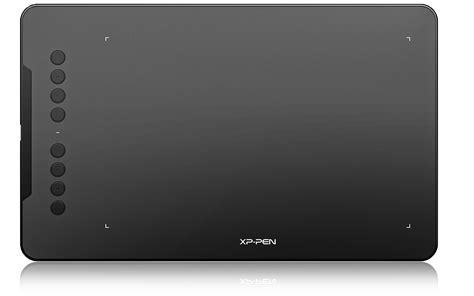
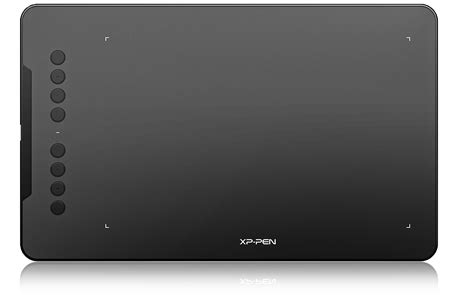
One of the most striking aspects of the XP-Pen Deco 01 V2 is its generous active drawing area, measuring 10 x 6.25 inches. This provides ample space for creative expression, allowing artists to sketch, draw, and paint without feeling constrained. The overall tablet size, while larger than some competitors, is remarkably thin at only 8mm and surprisingly light. This slender profile contributes to its portability and ease of use, making it comfortable to place on a desk or even on one's lap for extended drawing sessions. The device features a single USB-C port for connectivity, simplifying the setup process.
However, a notable omission in the design is a dedicated pen holder or clip. This means that between drawing sessions, the stylus can easily be misplaced, especially in less organized workspaces. This is a feature present in many other drawing tablets and is highly valued for keeping the stylus secure and readily available.
The Stylus: Precision and Comfort
The stylus accompanying the XP-Pen Deco 01 V2 is a significant highlight. It employs EMR (Electro-Magnetic Resonance) technology, meaning it does not require batteries or charging, adding to the overall convenience. The stylus is designed for comfort, featuring a soft, rubbery material on the grip area and a bulbous shape for an easy hold. The nib retracts slightly under pressure, mimicking the feel of a traditional pen or pencil and allowing for natural pressure sensitivity. The weight of the stylus is also comparable to that of an average ballpoint pen or pencil, further enhancing its ergonomic appeal.
The stylus comes with a set of spare nibs, ensuring longevity and the ability to replace worn-out tips. Additionally, an in-box glove is provided, which helps prevent accidental marks on the tablet surface from the ring and little fingers, a thoughtful inclusion for a more comfortable drawing experience.
A key feature of the stylus is its support for 60 degrees of tilt brush effect. This allows for natural-looking lines and strokes, with the ability to add shading and vary line thickness based on the angle of the stylus. This tilt functionality is crucial for achieving a more organic and expressive digital art style.
However, there are a couple of minor drawbacks concerning the stylus. It can only write at up to a 60-degree angle. If an artist attempts to draw at a greater angle, their strokes may not be registered by the tablet. While the stylus offers one button, which can be programmed for shortcuts, it lacks an eraser on the opposite end, a feature found on some other styluses.
Huion HS610 Drawing Tablet Review
Software and Compatibility: ArtRage Lite and Beyond
The XP-Pen Deco 01 V2 often comes bundled with ArtRage Lite, an art media painting program. This introductory software is designed to be valuable for aspiring digital artists, offering a range of tools to get started with digital painting. ArtRage Lite provides a realistic simulation of traditional art media, making the transition from traditional to digital art smoother.
It is important to note the software's compatibility. ArtRage Lite, when bundled with the Deco 01 V2, is primarily compatible with Windows and macOS operating systems. It is not compatible with Chromebooks, which might be a limiting factor for users who rely on that platform for their creative work. Beyond the bundled software, the Deco 01 V2 is compatible with a wide array of popular creative software, including Adobe Photoshop, Illustrator, Corel Painter, Clip Studio, Paint Tool SAI, Krita, and more, ensuring broad usability for artists across different disciplines.
Setup Process: Straightforward Installation
While the XP-Pen Deco 01 V2 is not a "plug and play" device in the strictest sense, its setup process is remarkably easy to follow. The initial setup involves connecting the tablet to a computer via the provided USB cable and then downloading and installing the appropriate driver for the operating system (Mac or Windows). This process generally takes an acceptable amount of time and is well-documented in the XP-Pen Deco 01 V2 Manual, a detailed resource covering the tablet's features and operational instructions. Once the driver is installed, the tablet is ready for use, allowing users to control their computer cursor and begin drawing.
XP-Pen Deco 01 V2 vs. Wacom Intuos: A Comparative Look
When considering a drawing tablet, the Wacom Intuos line is often a benchmark. The XP-Pen Deco 01 V2 offers a compelling alternative, particularly when comparing key features like the active area and shortcut buttons.
Active Area
The XP-Pen Deco 01 V2 boasts an active area of 10 x 6.25 inches. In contrast, the Wacom Intuos typically comes in two sizes: small (6.0 x 3.7 inches) and medium (8.5 x 5.3 inches). For artists who prefer a larger canvas to fully express their creativity and execute detailed work, the Deco 01 V2's larger active area is a significant advantage.
Shortcut Buttons
Efficiency is key for many digital artists, and shortcut buttons play a crucial role in streamlining workflows. The XP-Pen Deco 01 V2 features eight mappable shortcut buttons along the side of the drawing area. These can be customized to perform various keyboard functions or application-specific shortcuts, reducing the need to constantly switch between the tablet and the keyboard. The Wacom Intuos, in its standard configuration, offers fewer shortcut buttons, typically four. The greater number of customizable buttons on the Deco 01 V2 can lead to increased productivity and a more fluid creative process.
Stylus Features
While the Wacom Intuos stylus is renowned for its quality, the Deco 01 V2's stylus offers its own set of advantages. The Deco 01 V2 stylus includes an eraser on the opposite end, which is a highly convenient feature for quick corrections and refinements without needing to select a specific tool in the software. Although the Wacom Intuos stylus might offer more buttons on the pen itself in some configurations, the inclusion of an eraser on the Deco 01 V2's stylus is a practical addition that can save time during the drawing process.
Performance and User Experience
The overall drawing experience with the XP-Pen Deco 01 V2 is described as enjoyable and naturalistic. The tablet's responsiveness, combined with the comfortable stylus and tilt functionality, allows sketches to appear on the screen with a feel akin to drawing on paper. The pressure sensitivity is well-implemented, enabling varied line weights and expressive strokes. The ease of use is a recurring theme, with the single-cable connection and the stylus requiring no charging contributing to a hassle-free setup and operation.
However, like any device, there are areas for improvement. The limitation of the stylus angle to 60 degrees can be a minor inconvenience for some artistic styles. Furthermore, fully leveraging the eight shortcut buttons requires a period of adjustment and re-training the brain to incorporate them seamlessly into the workflow. Despite these points, the tablet's performance is considered good enough for its intended audience, particularly given XP-Pen's focus on feature innovation.
Value Proposition and Target Audience
The XP-Pen Deco 01 V2 is positioned as a tool for amateurs and intermediate artists rather than professionals. While it offers a robust set of features and a large drawing surface, professionals might find themselves needing more advanced functionalities, such as higher pressure sensitivity levels, more precise tilt support, or integrated features like a dial.
The price point is a significant factor in its appeal. Costing around £59.99 (with a slight increase from its predecessor), it is competitively priced within the midrange market. This makes it an affordable entry point into digital art creation, offering substantial value for the investment. The bundle, often including ArtRage Lite, further enhances its attractiveness as a cost-effective package. For many, the Deco 01 V2 represents the best $80 (or equivalent) they have ever spent, providing a useful and enjoyable digital drawing experience.
Conclusion: A Solid Choice for Digital Creatives
In summary, the XP-Pen Deco 01 V2 is a well-thought-out drawing tablet that successfully balances functionality with affordability. Its expansive active area, comfortable and capable stylus with tilt support, and user-friendly setup make it an excellent choice for individuals looking to explore digital art. While it may not cater to the highest echelons of professional needs, its feature set and price point make it a compelling option for students, hobbyists, and emerging artists. The Deco 01 V2 delivers a great drawing experience, proving to be a valuable tool for anyone embarking on or continuing their digital creative journey.