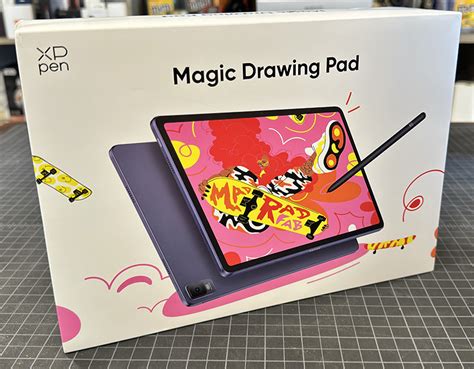
The landscape of smart tablets has dramatically expanded, offering consumers an ever-increasing array of choices across various price points and feature sets. While Apple's iPad may have popularized the tablet form factor, it's the sheer diversity now available that truly empowers users. Among these options, e-ink tablets have carved out a niche, appreciated for their super long battery life and distraction-free note-taking, available in grayscale and limited color variants. However, a compelling question arises: what if you could bridge the gap between the focused experience of e-ink and the vibrant capabilities of a full-color tablet? Enter the XPPen Magic Drawing Pad, a device that attempts to offer the best of both worlds, alongside a robust set of features for digital artists.
A Hybrid Approach to Display Technology
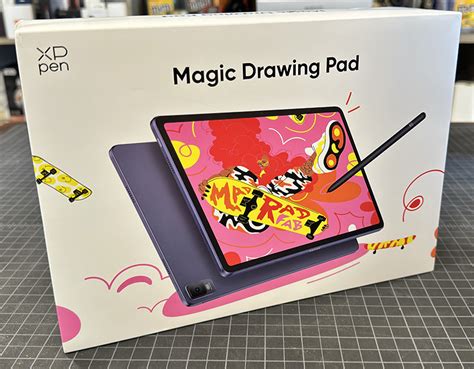
At its core, the XPPen Magic Drawing Pad is an Android tablet, but it distinguishes itself with a unique approach to its display. While it is not an e-ink tablet in the traditional sense, it offers a "Ink Paper" mode that convincingly mimics the e-ink experience. This allows for comfortable reading of long texts, such as ebooks, and significantly reduces eye strain during extended viewing sessions, a significant advantage over standard color tablets. The tablet's display can seamlessly switch between this e-ink simulation and a "Nature Color" mode, which is a bright, full-color display optimized for creative digital art and content consumption. A "light color mode" also exists, designed to further decrease eye strain compared to a typical color tablet. This three-in-one screen technology is a key differentiator, activated by dedicated buttons next to the power button.
Design and Build: Portability Meets Functionality
The Magic Drawing Pad measures 12.2 inches diagonally, with dimensions of approximately 11 x 7.6 inches. It weighs 599g (1.3lbs), striking a balance between a substantial screen size for creative work and portability. The device is remarkably slim at just 6.9mm thick, making it easy to handle and fit into most bags. The tablet features rounded corners and a design that feels solid and well-constructed, with a plastic trim and an alloy back.
The display itself is a TFT LCD (IPS) panel with a resolution of 2160 x 1440. It boasts impressive color reproduction, covering 109% sRGB, 82% Adobe RGB, and 77% NTSC, with a brightness of up to 360 nits. A key feature for artists is the laminated nano-etched display, often referred to as "X-Paper," which significantly mimics the feel of drawing on paper. This surface provides just enough friction, offering a more comfortable and authentic drawing experience than the slickness of standard glass screens. This textured surface also has the benefit of reducing glare and fingerprints, making it suitable for use in various lighting conditions, from indoors to outdoors in shaded areas.
The X3 Pro Pencil: Precision and Power
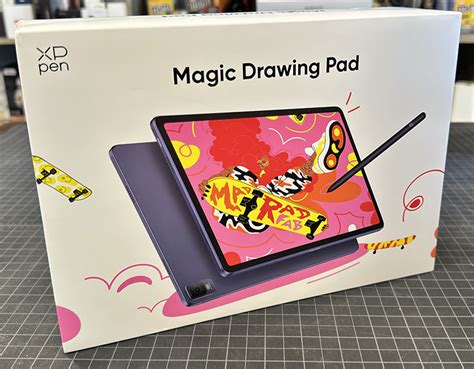
Included with the Magic Drawing Pad is the XPPen X3 Pro Pencil, a passive electromagnetic stylus that requires no charging or pairing, working immediately out of the box. This stylus utilizes XPPen's X3 Pro Smart Chip technology and supports an impressive 16,384 levels of pressure sensitivity, far exceeding the 4,096 levels found on some competitors. This high level of pressure sensitivity allows for very fine control over line weight, from hairline thin strokes to broad, expressive lines.
The X3 Pro Pencil is designed for comfort and precision. While some may find its slim profile slightly small, it offers a good grip and is lightweight. A notable feature is its single function button, which can be customized for various shortcuts, such as undoing actions, though its functionality can depend on the specific application being used. The stylus also comes with interchangeable nibs, allowing users to customize the drawing feel.
However, there are some caveats regarding the stylus's performance. Tilt sensitivity is reported to be inconsistent; it can activate too easily, which can be problematic for brushes that rely on tilt for shading. For users who don't utilize tilt brushes, this may not be a significant issue, but it could be a deal-breaker for some professional artists. Palm rejection, while present, is also noted as not working as consistently as on some other premium tablets, though workarounds like disabling certain gestures can help mitigate this.
Performance and Software: A Capable Android Tablet
Running on Android 14, the Magic Drawing Pad offers the full functionality of a modern Android tablet. It comes equipped with 8GB of RAM and 256GB of internal storage, expandable via a microSD card slot up to 512GB. The processor is a MediaTek MT8781, an octa-core chip that provides smooth performance for everyday tasks and drawing applications. While it may not rival the raw processing power of high-end consumer tablets for demanding games or intensive multitasking, it is more than capable for its intended purpose as a creative tool.
The operating system is relatively clean, with Google Play Store access allowing users to download a vast array of apps. XPPen includes a permanent membership to Jnotes, a popular note-taking app, and a three-month free subscription for ibisPaint X, a powerful digital art application. Other drawing apps like Adobe Express, ibis Paint, and Clip Studio Paint are fully compatible and function well, benefiting from the stylus's pressure sensitivity. While Procreate, a leading digital art app, remains exclusive to iPads, the Magic Drawing Pad supports a wide range of Android-based creative software.
XP Pen Magic Drawing Pad - 1 Year Later
Connectivity options include Wi-Fi and Bluetooth, and the device features a USB-C port for charging and data transfer. The tablet also includes a 13MP rear-facing camera and an 8MP front-facing camera, useful for reference photos or video calls, though they are not considered top-tier in quality. Audio is provided by four speakers, delivering decent, albeit slightly hollow, sound without much bass.
The "Magic Note Pad" Distinction
It's important to distinguish the Magic Drawing Pad from the similarly named XPPen Magic Note Pad. The Magic Note Pad, while also an XPPen product, is a smaller 11-inch tablet that emphasizes its unique three-in-one screen technology more prominently, aiming to blend e-ink-like features with full-color tablet capabilities. It measures 10" x 7" and weighs just over 1lb. The Magic Note Pad features a laminated LED screen with a nano-etched display for a paper-like feel, a 90Hz refresh rate, 400 nits brightness, 95% sRGB color accuracy, and 16 million colors. It also includes the X3 Pro Pencil 2 and runs on Android 14. The key distinction lies in the Magic Note Pad's explicit modes for mimicking e-ink, whereas the Magic Drawing Pad's "Ink Paper" mode is a feature within its broader Android tablet functionality. The Magic Drawing Pad, being larger and generally more powerful, is positioned as a more professional-grade creative device.
What's Included and Potential Drawbacks
The XPPen Magic Drawing Pad comes as a comprehensive package. In addition to the tablet and the X3 Pro Pencil, users receive interchangeable nibs, a drawing glove (useful for preventing accidental touches), a USB-C charging cable, a 20W power adapter, and a protective TPU case. The case offers basic protection for the sides and corners and includes a pen holder on the back, though it does not function as a robust stand for varied viewing angles.
Despite its strengths, the Magic Drawing Pad is not without its limitations. The processing power, while adequate for drawing, might not satisfy users seeking top-tier performance for demanding tasks or high-end gaming. The lack of guaranteed future Android OS updates is another concern, as older Android versions might eventually limit compatibility with newer applications. Some users may also find the tilt sensitivity and palm rejection issues to be significant drawbacks depending on their workflow. Furthermore, the tablet's matte display, while excellent for drawing, might not be ideal for critical photo editing due to potential color shifts or the inability to achieve the same level of sharpness as on a glossy screen. The ecosystem of photo editing apps on Android also lags behind that of iOS, limiting its utility for professional photographers.
Value Proposition and Target Audience
Priced competitively, often found for around $425-$499.99, the XPPen Magic Drawing Pad presents a strong value proposition, especially when considering the included stylus, case, and other accessories. It aims to offer a professional-grade drawing experience at a more accessible price point than high-end iPads or Samsung tablets. This makes it an attractive option for aspiring digital artists, students, and hobbyists who require a capable, portable drawing device without the premium cost of flagship devices.
For those prioritizing a dedicated drawing experience with a natural pen-to-paper feel, the Magic Drawing Pad excels. Its combination of a textured display, a highly sensitive stylus, and a robust Android operating system makes it a versatile tool for both artistic creation and general tablet use. While it may not be the perfect device for every user, particularly those focused on professional photo editing or requiring the absolute highest processing power, it stands out as a compelling and well-rounded option in the competitive tablet market.